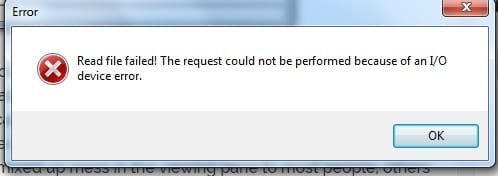
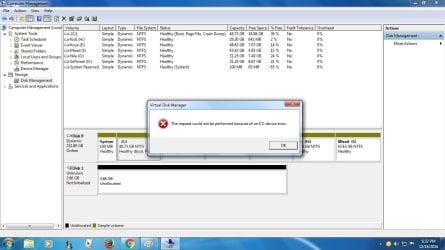
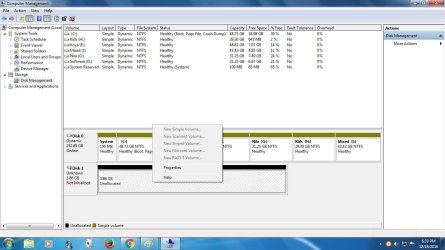
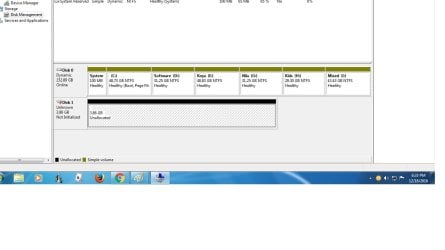
Hi there , can any one help me to fix my hard disk . my hard disk is St- 3500413as but now showing ST- M13fqbl ATA 500 gb . OS Windows 7 32 bit. Suddenly my pc won" t turn on & when I try to fix i find in disk manager my hard disk showing just 3.86 gb. & showing not initalized & unalocated. I try more then 10 software like mini tool , wonder share nothing . no result . i even try with windows command promot bootrec/FixMbr bootrec/FixBoot bootrec/Scan Os bootrec/RebuildBcd. itd not working too. can Any one help me . all i need is recover my data . Please can some one give me any idea to recover my data.I try every suggestion i got from internet . Nothing . Still I'm In the same place with my data in my hard disk . Really really need help to recover my data
Hello and welcome koya mate have a look at this it is something I use for times like this
BOOTABLE UBUNTU
Make a bootable Ubuntu disk Download Ubuntu Desktop | Download | Ubuntu
Set the BIOS to boot from the optical when the machine boots it will show you a screen with TRY or INSTALL > select TRY not INSTALL
When it is finished - it takes very little time you will get a screen like in the pic .
Open the drive you want > User and dig down until you get to the data / settings you may be able to copy / paste the material you want to an external source or other installed drive doing this.
I am not sure if it will but I have recovered tons of data etc using this method both on "dead" or just plain drives that you cannot get data from using Windows.
There is another Linux based one here*Emergency Kit - save your files from a dead OS*I prefer my Ubuntu fix only because it is a little easier to set up.
One other Desktop (tester) and spare Toshba laptop both with SSD's
Running Kaspersky 2016 ISS on all machines config'd identically
Logitec audio stereo systems on each machine (x3)
Canon MG5250MFC
Router/modem TP-Link running WPA2SK
I am afraid your Seagate 500GB drive has developed an electronics fault. The PCB in the HDD has gone bad. Replacing the PCB with that exact part Number is not a user job. Not an easy job for a professional too to get an exact replacement for these are not sold as spares.. If you want to recover the data it is best to contact the Seagate data recovery partners.The mechanical part of the HDD may be ok and they may have the right PCB to mate.
For your satisfaction you may check the drive's health with Seatools for Windows. SeaTools for Windows
The tests will fail.
I am agreeing with Jumanji mate re what to do but you can still do what I suggested fro backing up the data before you do anything else - that is the most important thing to do right now.
My Computer
At a glance
Desk1 7 Home Prem / Desk2 10 Pro / Main lap A...Desk1 i5 3750K / Laptop i7 GTX 860M / Desk2 i...Desk1 8GB (1866) / Desk2 16GB (1333) / Laptop...Desk 1& 2NVidia GTX 650 & Laptops on board Intel
Computer type
PC/Desktop
Computer Manufacturer/Model Number
Own build (new) Desk1 / Asus ROG Win 7 / Desk2 1st build
OS
Desk1 7 Home Prem / Desk2 10 Pro / Main lap Asus ROG 10 Pro 2 laptop Toshiba 7 Pro Asus P2520 7 & 10
One other Desktop (tester) and spare Toshba laptop both with SSD's
Running Kaspersky 2016 ISS on all machines config'd identically
Logitec audio stereo systems on each machine (x3)
Canon MG5250MFC
Router/modem TP-Link running WPA2SK