Hi
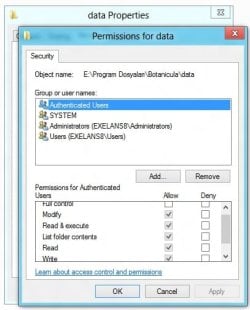
I am using Windows 7 Home. I've got some folders / files under a login that I want to set permission on them, so that they can be only read and copy, but not edited/modified/changed/deleted under that login or administrator password is needed.
I've got two logins. Admin and "user". I've been working and creating everything under the "user" account, as a result, the "owner" of the files/folders ( or "object") should be the "user". Do I have to change the "owner" of the "object" to Admin?
How to?
Any better solutions? Thank you!
I am using Windows 7 Home. I've got some folders / files under a login that I want to set permission on them, so that they can be only read and copy, but not edited/modified/changed/deleted under that login or administrator password is needed.
I've got two logins. Admin and "user". I've been working and creating everything under the "user" account, as a result, the "owner" of the files/folders ( or "object") should be the "user". Do I have to change the "owner" of the "object" to Admin?
How to?
Any better solutions? Thank you!
My Computer
- Computer type
- PC/Desktop
- OS
- Microsoft Windows 7 Home Premium 64-bit 7600 Multiprocessor Free
- CPU
- Intel(R) Core(TM) i5-2400 CPU @ 3.10GHz
- Motherboard
- ASUSTeK COMPUTER INC. P8B75-M LX PLUS
- Memory
- 8.00 GB
- Graphics Card(s)
- Intel(R) HD Graphics
- Sound Card
- Realtek High Definition Audio
- Screen Resolution
- 1680 x 1050 x 32 bits (4294967296 colors) @ 59 Hz
- Hard Drives
- (1) ST1000DM003-1CH162 (2) Seagate Expansion Desk USB Device
- PSU
- Antec
- Case
- Fractal Design Define Mini
- Keyboard
- Logitech
- Internet Speed
- 100MB/s Hong Kong Broadband
- Antivirus
- Kaspersky
- Browser
- IE, Google Chrome