Please Help

Dj Gudda

New member
Member
Local time
8:21 AM
Messages
30
How do I get my computer to only sleep when nothing is being used/done. If I am loading a streaming video e.g .avi file using Divx Web Player n step away for more than 15mins. when I return my system is sleeping n i have to press power button to wake it but the video stops loading n i can only watch how much video loaded before system went sleep n i wud have to start video from begining, which means when the system sleeps the network adapter stops. What can i do to prevent a runin program/device/video/audio r otherwise from stopping when sytem sleeps r prevent system from sleeping while a program/device/video/audio is loading r runin without having to move mouse r press keyboard?
 

My Computer

OS
Windows 7 x64
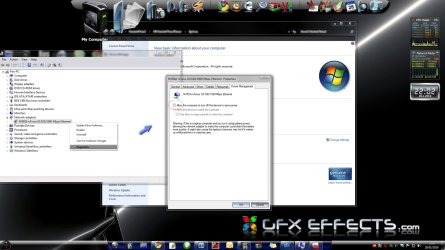
You could also have a look at your network card properties and uncheck the box "Allow computer to turn off this device to save power"
 

Attachments

  • ethernet properties.jpg
    ethernet properties.jpg
    187.6 KB · Views: 14

My Computer

Computer type
PC/Desktop
Computer Manufacturer/Model Number
Self Built
OS
Windows 7 Ultimate 64bit
CPU
AMD Phenom Quad core 9950 black edition
Motherboard
Gigabyte
Memory
16Gb
Graphics Card(s)
2x XFX Radeon 5850
Sound Card
PCI Express X-Fi Titanium / Logitech G35
Monitor(s) Displays
2x HP 2410i
Screen Resolution
1920x1080
Hard Drives
2x 500Gb Seagate
1x 300Gb Seagate
1x 1Tb Seagate
2x 1Tb Hitatchi
PSU
Jean Tech Storm 700W
Case
Cooler Master COSMOS S
Cooling
Akasa Evo Blue Pro
Keyboard
Logitech G15
Mouse
Mad Catz M.M.O. 7
Internet Speed
12mb
I already have "Allow computer to turn off this device to save power" box unchecked. I just do not want to keep moving mouse while watching/loading a video, to me if the network adapter is in use the system should not sleep r should not stop video from loading when it sleeps especially since i have the "Allow computer to turn off this device to save power" unchecked. Screen saver even comes on while watching a video. Can someone plz give me some guidance r do i just need to disable sleep n screen saver all together.
 

My Computer

OS
Windows 7 x64
I always disable screen saver. Try that. It is completely unnecessary and in the past caused sleep not to work.
 
Back
Top