

ORIGINAL
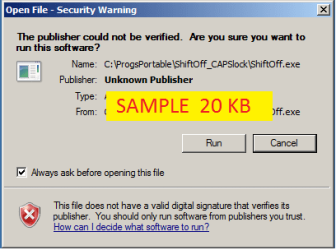
created with "Print Screen" and cut/copy/pasted PNG image into MS-Paint
Saved image as PNG, the default offered by MS-Paint
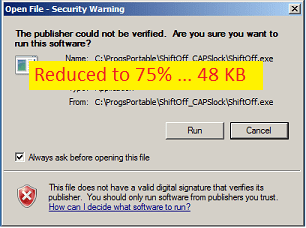
RESIZED TO 75% OF ORIGINAL
- in MS-Paint using resizing feature
What am I doing wrong ?
I have read PooMan UK's sticky thread https://www.sevenforums.com/music-pictures-video/183018-vector-vs-bitmap.html but I don't know how I should be processing images, obviously MS-Paint is not the solution. I get it that PNGs are bitmap and not vector, but that is where I am lost
Would appreciate which app should I be using ? Will Paint.NET be appropriate ?
Thank you
created with "Print Screen" and cut/copy/pasted PNG image into MS-Paint
Saved image as PNG, the default offered by MS-Paint
RESIZED TO 75% OF ORIGINAL
- in MS-Paint using resizing feature
What am I doing wrong ?
I have read PooMan UK's sticky thread https://www.sevenforums.com/music-pictures-video/183018-vector-vs-bitmap.html but I don't know how I should be processing images, obviously MS-Paint is not the solution. I get it that PNGs are bitmap and not vector, but that is where I am lost
Would appreciate which app should I be using ? Will Paint.NET be appropriate ?
Thank you
My Computer
At a glance
XP Pro (x86) | 7 HP (x86) & (x64) | 7 Pro (x64)
- Computer type
- PC/Desktop
- Computer Manufacturer/Model Number
- Toshiba, Lenovo (laptops) + 4 rigs
- OS
- XP Pro (x86) | 7 HP (x86) & (x64) | 7 Pro (x64)

