Mark
AKA Mr GRiM
Here you can Post your Overclocks and Benchmark results!
I have added download links for your convenience.
Latest GPU-Z v0.3.7
Latest CPU-Z v1.52
3DMark Vantage Download here!!
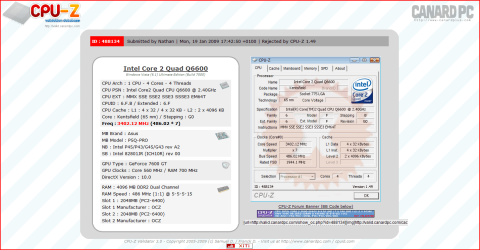
I have had it at 4.5Ghz but I run every day at 3.8Ghz and I leave speed step on so it drops the multiplier when it doesn't need the extra power.

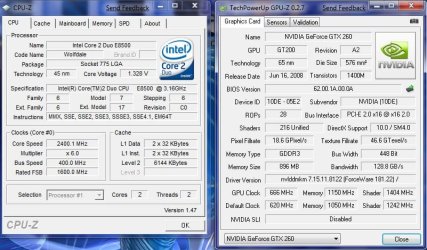
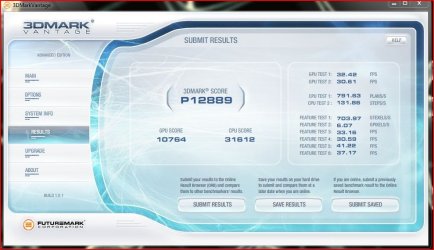
This is one from a while ago before I got my GTX260, ignore the Vantage marks, it's on Entry Level.

Here is when I first got my GTX260 with no OC on the GPU

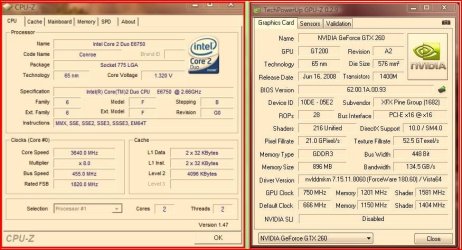
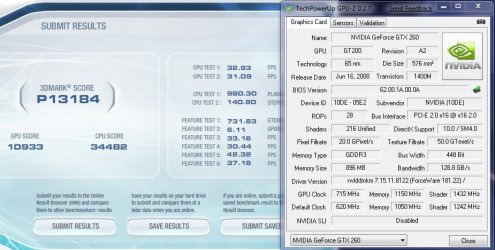
Here is after a bit of an OC on the GPU

This is when I had the CPU @ 4.5Ghz

This is when CPU-Z gave me a very strange read lol


Guru3D has written a small 3DMark Vantage use Guide right here.
Version: 1.0.1
Publisher: FutureMark Corporation
Date added: 2008-05-24 16:18:14
File Size: 413 MB
OS Support: Windows Vista
License: Shareware
Downloads: 205588 downloads
Software type: Benchmarks & Demo's
Publisher: FutureMark Corporation
Date added: 2008-05-24 16:18:14
File Size: 413 MB
OS Support: Windows Vista
License: Shareware
Downloads: 205588 downloads
Software type: Benchmarks & Demo's
Latest GPU-Z v0.3.7
Latest CPU-Z v1.52
For fair comparisons please run your Benchmark test with Performance settings.
Last edited by a moderator:
My Computer
- Computer Manufacturer/Model Number
- Home Brew
- OS
- Windows 7 Ultimate Vista Ultimate x64
- CPU
- Core 2 Duo E8500 3.16Ghz @ 3.8Ghz
- Motherboard
- eVGA 750i FTW
- Memory
- 2x2Gigs Patriot PC2-6400 LL
- Graphics Card(s)
- Inno3D GeForce GTX260 216 SP
- Monitor(s) Displays
- ASUS VW222U 22" 2ms Response time
- Screen Resolution
- 1680x1050
- Hard Drives
- SATA 150GB
SATA II 250GB
USB IDE 750GB Ext.
- PSU
- HYTEC 600W & Thermaltake 650W Toughpower Power Exp
- Case
- Thermaltake Armor LCS (Liquid Cooling System)
- Cooling
- Liquid Cooling System
- Keyboard
- Logitech G15 Gaming Keyboard
- Mouse
- Logitech G9 Gaming Mouse



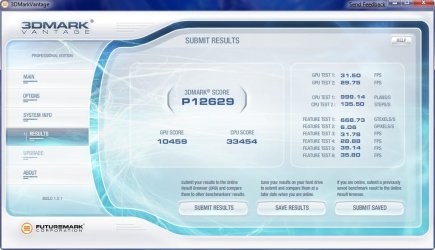

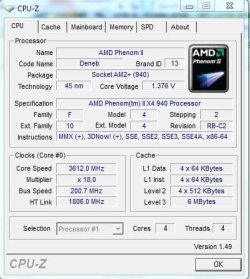
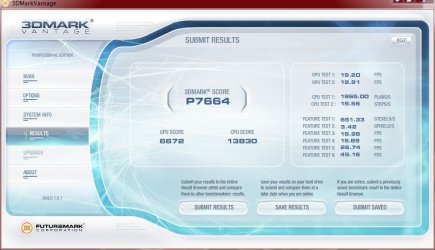
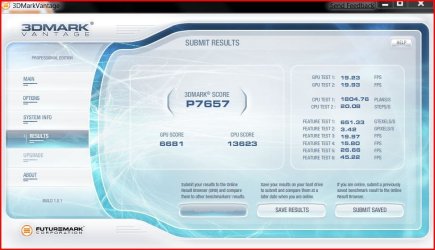


 Especialy with such a big PhysX difference.
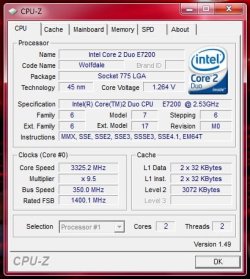




 ...nice OC