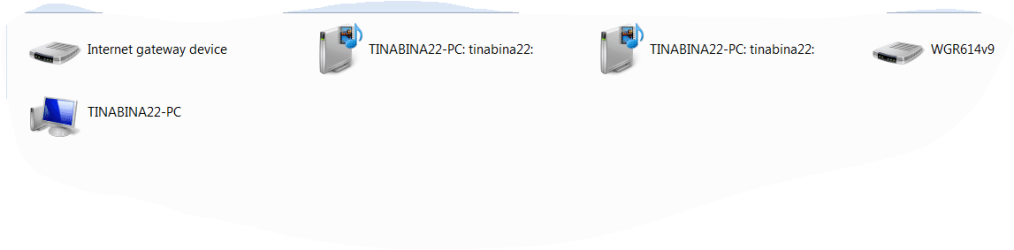
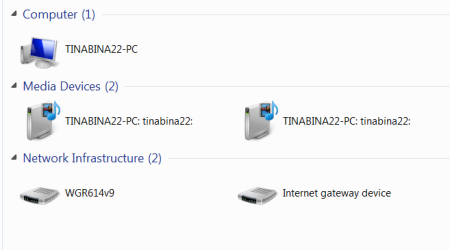
Oops... sorry. I mistakenly asked for Control Panel-> Network, but what I really mean was Start -> Network.
I made the same mistake in my second request... that should also have been Start ->, etc., not Control Panel ->. sorry.
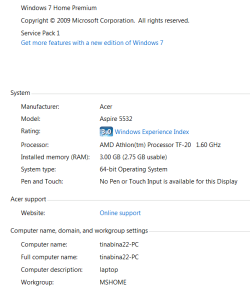
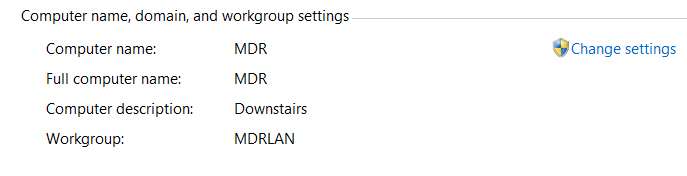
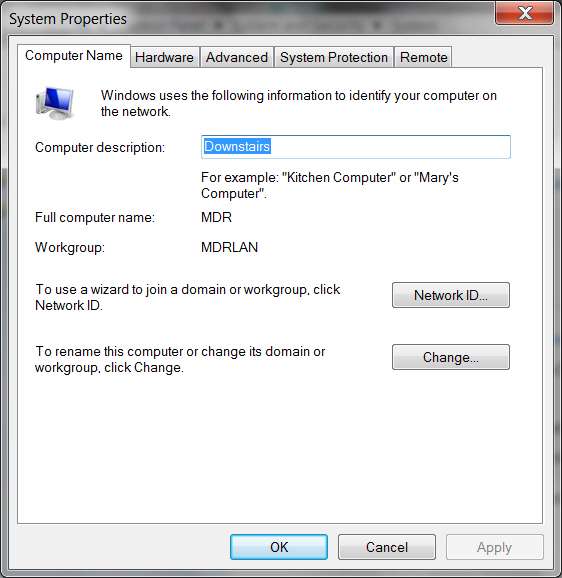
My first screenshot was of Start -> Network, which shows both of my two home desktop machines that are part of my home network. Same with the second... it began with Start -> right-click on Computer, etc.
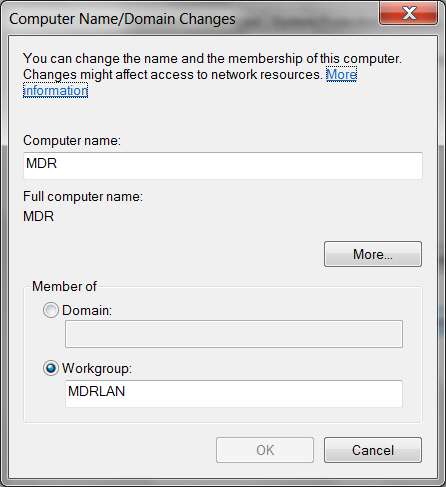
Also, I probably edited late and added my similar request for the same two screenshots from your laptop: (1) Start -> Network, and (2) Start -> right-click on Computer, select Properties, and then show the network-related section.
By having the network details as seen by both systems, the few remainin gsteps needed will be guaranteed to work.
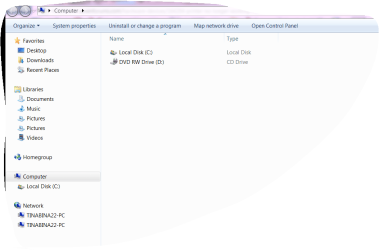
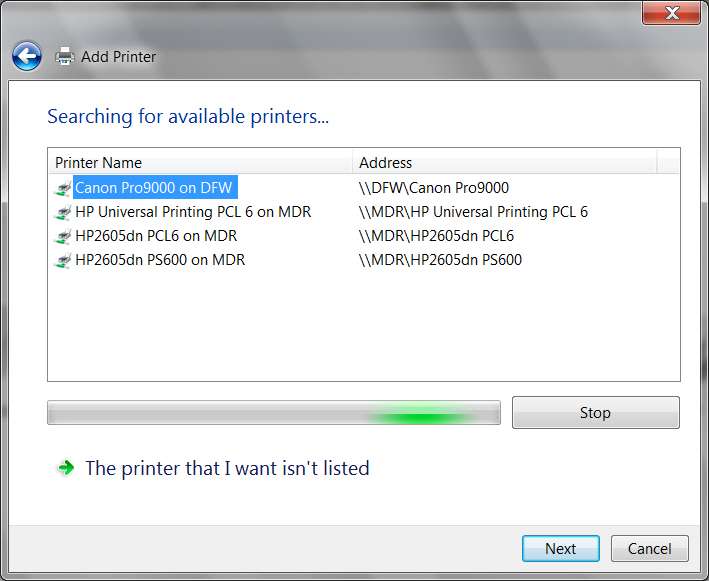
I don't have any interest in that C-partition disk information. Interesting, but not relevant to the printer/network/sharing issues.
thanks for all of these. Very close to doing the final few tweaks on the laptop.
I made the same mistake in my second request... that should also have been Start ->, etc., not Control Panel ->. sorry.
My first screenshot was of Start -> Network, which shows both of my two home desktop machines that are part of my home network. Same with the second... it began with Start -> right-click on Computer, etc.
Also, I probably edited late and added my similar request for the same two screenshots from your laptop: (1) Start -> Network, and (2) Start -> right-click on Computer, select Properties, and then show the network-related section.
By having the network details as seen by both systems, the few remainin gsteps needed will be guaranteed to work.
I don't have any interest in that C-partition disk information. Interesting, but not relevant to the printer/network/sharing issues.
thanks for all of these. Very close to doing the final few tweaks on the laptop.
My Computer
At a glance
Windows 7 Pro x64 (1), Win7 Pro X64 (2)i5-3350p 3.1Ghz/6MB-cache (1); E8400 3.0Ghz/6...8GB PC3-12800 DDR3 (1); 4GB PC3-10600 DDR3 (2)ATI HD7750 (1), (see TV cards); ATI R7 250 (2)
- Computer type
- PC/Desktop
- Computer Manufacturer/Model Number
- Home-built, two systems (1) and (2)
- OS
- Windows 7 Pro x64 (1), Win7 Pro X64 (2)
- CPU
- i5-3350p 3.1Ghz/6MB-cache (1); E8400 3.0Ghz/6MB-cache (2)
- Motherboard
- ASUS P8Z77-V Pro (1); ASUS P5Q3 (2)
- Memory
- 8GB PC3-12800 DDR3 (1); 4GB PC3-10600 DDR3 (2)
- Graphics Card(s)
- ATI HD7750 (1), (see TV cards); ATI R7 250 (2)
- Sound Card
- Realtek ALC892 HD Audio (1); Realtek ALC1200 HD Audio (2)
- Monitor(s) Displays
- Eizo HD2441W LCD, Eizo S2433W (1); Eizo 24" S2433W (2)
- Screen Resolution
- 1920x1200, 1920x1200 (1); 1920x1200 (2)
- Hard Drives
- (1) 1TB SATA-II (7200RPM), 2x2TB SATA-III (7200RPM), 250GB SATA-III (10000RPM) for OS; 2x2TB external USB 3.0
(2) 320GB SATA-II (7200RPM), 750GB SATA-II (7200RPM), 150GB SATA-II (10000RPM) for OS; 2TB external USB 3.0
- PSU
- Nesteq ECS-6001 600W (1); Nesteq ECS-5001 500W (2)
- Case
- Acousti-Case 360 (1) and (2)
- Cooling
- Noctua NH-U12P SE2 for CPU, 2x120mm case fans (1) and (2)
- Keyboard
- IBM PS/2 (1) and (2)
- Mouse
- Logitech MX Revolution wireless (1); Microsoft wired (2)
- Internet Speed
- 100mbps down / 10mbps up
- Antivirus
- Microsoft Security Essentials; Malwarebyte Anti-Malware Pro
- Browser
- Firefox
- Other Info
- Ceton InfiniTV 4-tuner cablecard-enabled TV card as well as Hauppauge HVR-2250 OTA/ATSC 2-tuner TV card in (1), running under Win7 WMC