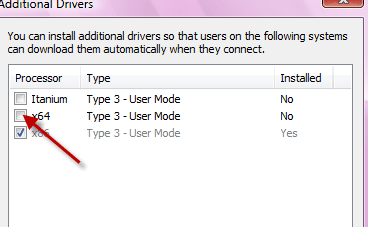
Have it installed--- Win. 7 64 bit to printer on win Vista 32 bit.
There are 2 sets of permissions.Do both permissions on both computers
#1 c:\windows\system32\spool\printers.
right click,properties.
sharing tab.
edit.
add.
advanced.
find now.
choose- network.
ok.
grant network full control.
#2 ntfs permissions.
right click properties.
security tab.
edit.
add.
advanced.
find now.
choose network.
ok.
grant network full control..
then then go to host computer printers and select add new printer
click local printer-add new port from drop down box choose the printer
then the box pops up put\\computer name\printername-ok.
works fine....thanks