The print order of printing mutlple pictures in MS Viewer is helter skelter. Is there a way to force the program to print the pictures in order?? (ie. 001.jpg, 002.jpg, ...027.jpg etc). Especially in Contact Sheets.
Rocky
I'm not too sure about Microsoft Photo Viewer, but a 3rd party app Zoner Photo Studio does contacts very well.
There are numerous templates with all sorts of text options (ISO, description, file name etc etc) that allow you to print 1,2,4,8,16..... prints per sheet. There are many options.
I'd thoroughly recommend this program - I've given up on Adobe Photoshop elements and just use Zoner for all my photo editing & organising.
As I say, I'm not exactly answering your question, but it's a possibility you might want to look into. Good luck!
My Computer
At a glance
Windows 7 Home Premium x64 OEM --> RTM clean ...Intel T44004Gb? - Mobile Intel(R) 4 Series Express Chipset ...
Computer Manufacturer/Model Number
Toshiba Satellite L500
OS
Windows 7 Home Premium x64 OEM --> RTM clean install
CPU
Intel T4400
Motherboard
? - laptop inbuilt ?
Memory
4Gb
Graphics Card(s)
? - Mobile Intel(R) 4 Series Express Chipset Family ?
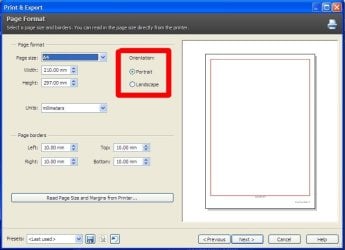
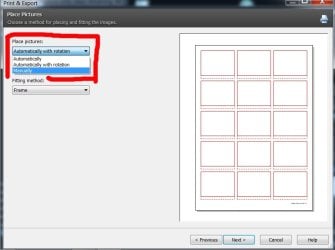
Allend66 - I been fooling a bit with the Zoning program. Interface seems a bit clumsy for me. Also very difficult to simply lighten and darken pictures manually. The freedom of choosing the # of pics per page for contact photos is great!! But the program loves to place the pictures in Landscape style. You've got to keep adjusting the # of photos per row to get them Portrait style - too bad that wasn't an option as you move thru the wizard. Rocky
...the program loves to place the pictures in Landscape style. You've got to keep adjusting the # of photos per row to get them Portrait style - too bad that wasn't an option as you move thru the wizard. Rocky