Problem converting Dynamic to Basic Disks

donnyb

New member
Member
VIP
Local time
4:46 AM
Messages
153
I created a "software raid" using Win7 computer management. The two HDD's are now in a raid0 array using a dynamic disk configuration. I have since decided that I do not want to have them in raid. I have tried several things to change from dynamic to basic including the tutorial shown on this site. I also used Partition Wizard Home Edition. Nothing seems to work. I even used device manager to uninstall the driver, but none of those things has changed the disks to basic. What is left to try?

Edit: By the way, there is nothing on the dynamic disk any more, so no problem with any method that will erase the data. Also, I have tried formatting the array, deleting it, and several other things. Another thing I noticed is in computer management - there is no choice when I right click on the array on the left panel to go from dynamic to basic. There was a choice to change to MBR or change to GPT, even a choice to go to dynamic (even though it was already dynamic). It almost seems like something is messed up.
 

My Computer

OS
Win 7 x64
CPU
i7 920 @ 4Ghz
Motherboard
Asus P6T Deluxe v2
Memory
6 Gb
Graphics Card(s)
ATI 4770
Hard Drives
1 ea 750 GB
1 ea 1TB
1 ea 750 GB
1 ea 750 GB
No Raid, all SATA
PSU
Corsair TX750
Case
Coolermaster ATCS 840
Cooling
Prolimatech Megahalem
Internet Speed
30
copy or backup data if its an os you can try image to different HDD.

delete dinamic partitions recreate basic partitions, restore data.

maybe there is faster way to do this.. but it seems you have tried many things.
and i can think only of this now.
 

My Computer

Computer type
PC/Desktop
Computer Manufacturer/Model Number
Self Built PC
OS
Windows 7 pro 64bit. (SP1)
CPU
Intel core I5 2400
Motherboard
Gigabyte H61
Memory
8GB DDR3 Kingston
Graphics Card(s)
Gigabyte GF GTX650OC
Sound Card
Realtek HD audio
Monitor(s) Displays
LCD 20"
Screen Resolution
1600x900
Hard Drives
INTEL SSD 320 80GB +Seagate 7200.12 1TBx3
PSU
Coolermaster RX450W
Case
Coolermaster atx case
Cooling
stock cooler
Keyboard
logitech
Mouse
logitech
Internet Speed
FTTD 100mbps
This dynamic array is made up of 2 HDD's. The data has been moved off of it to other places, so the array is empty and it is NOT an OS drive. I have tried to delete it and I have formatted it and probably have tried every option from with computer management that is possible. I have even thought of disconnecting one of the drives to see if I can break the array that way, but am hesitant to try without reassurance that I won't make this whole thing worse.
 

My Computer

OS
Win 7 x64
CPU
i7 920 @ 4Ghz
Motherboard
Asus P6T Deluxe v2
Memory
6 Gb
Graphics Card(s)
ATI 4770
Hard Drives
1 ea 750 GB
1 ea 1TB
1 ea 750 GB
1 ea 750 GB
No Raid, all SATA
PSU
Corsair TX750
Case
Coolermaster ATCS 840
Cooling
Prolimatech Megahalem
Internet Speed
30
Assuming you created the array in Disk management, then you shouldn't be having any issues breaking the array. You should be able to delete the partititions on both drives and create new ones as you wish. If this isn't the case, post a screenshot of your Disk Management.
 

My Computer

OS
Windows 7 Ultimate x64 SP1
CPU
Intel Core i7-2600
Motherboard
Gigabyte GA-P67A-UD3P-B3
Memory
12 GB Patriot Extreme DDR3-1333
Graphics Card(s)
Nvidia GTX 470
Monitor(s) Displays
Dell UltraSharp 2209WA
Hard Drives
OCZ Agility3 240 GB, WD5001AALS, WD7501AALS
PSU
OCZ ModStream 700W
Case
CoolerMaster HAF 912 Advanced
Cooling
CoolerMaster Hyper 212 Plus
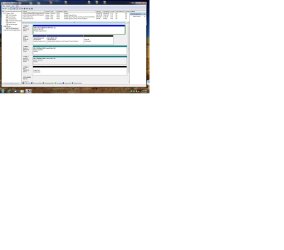
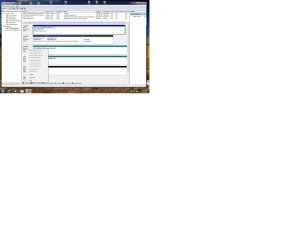
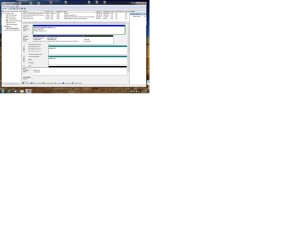
OK, here are 3 shots. 1.jpg is an overview, 2.jpg is the same except I right clicked on disk 2, and 3.jpg shows a right click on drive 4.
Drive 0 = Marvel Raid
Drive 1 = Win7-64 OS
Drive 2&3 = Another dynamic raid0 array
Drive 4 = Drive in question - is actually 2 drives that made up the dynamic array.
 

Attachments

  • 1.jpg
    1.jpg
    183.4 KB · Views: 48
  • 2.jpg
    2.jpg
    166.9 KB · Views: 15
  • 3.jpg
    3.jpg
    165.1 KB · Views: 11

My Computer

OS
Win 7 x64
CPU
i7 920 @ 4Ghz
Motherboard
Asus P6T Deluxe v2
Memory
6 Gb
Graphics Card(s)
ATI 4770
Hard Drives
1 ea 750 GB
1 ea 1TB
1 ea 750 GB
1 ea 750 GB
No Raid, all SATA
PSU
Corsair TX750
Case
Coolermaster ATCS 840
Cooling
Prolimatech Megahalem
Internet Speed
30

My Computer

Computer type
PC/Desktop
Computer Manufacturer/Model Number
Self built custom
OS
64-bit Windows 11 Pro for Workstations
CPU
Intel i7-8700K OC'd to 5 GHz
Motherboard
ASUS ROG Maximus XI Formula Z390
Memory
64 GB (4x16GB) G.SKILL TridentZ RGB DDR4 3600 MHz
Graphics Card(s)
ASUS ROG-STRIX-GTX1080TI-O11G-GAMING
Sound Card
Integrated
Monitor(s) Displays
2 x Samsung Odyssey G7 27"
Screen Resolution
2560x1440
Hard Drives
1TB Samsung 990 PRO M.2,
4TB Samsung 990 PRO PRO M.2,
TerraMaster F8 SSD Plus NAS
PSU
Seasonic Prime Titanium 850W
Case
Thermaltake Core P3
Cooling
Corsair Hydro H115i
Keyboard
Logitech wireless K800
Mouse
Logitech MX Master 4
Internet Speed
2 Gb/s Download and 100 Mb/s Upload
Antivirus
Malwarebyte Anti-Malware Premium
Browser
Google Chrome
Other Info
Logitech Z625 speaker system,
Logitech BRIO 4K Pro webcam,
HP Color LaserJet Pro MFP M477fdn,
APC SMART-UPS RT 1000 XL - SURT1000XLI,
Galaxy S23 Plus phone
Yes, I have tried all four options in the tutorial.
 

My Computer

OS
Win 7 x64
CPU
i7 920 @ 4Ghz
Motherboard
Asus P6T Deluxe v2
Memory
6 Gb
Graphics Card(s)
ATI 4770
Hard Drives
1 ea 750 GB
1 ea 1TB
1 ea 750 GB
1 ea 750 GB
No Raid, all SATA
PSU
Corsair TX750
Case
Coolermaster ATCS 840
Cooling
Prolimatech Megahalem
Internet Speed
30
Why are there partitions on the RAID volume now if it was Cleaned with Dispart? Did you create them new?

Try again with Clean All and Convert Basic commands on the volume then post back the output.
 
Last edited:
I agree, there seems to be something missing. Once you break the array, the computer will see them as individual drives again. Outside of the OS, they should be seen as individual drives as well. Once you clean them, they should be blank and ready to be set up again once you start the OS install.
 

My Computer

OS
Windows 7 Ultimate x64 SP1
CPU
Intel Core i7-2600
Motherboard
Gigabyte GA-P67A-UD3P-B3
Memory
12 GB Patriot Extreme DDR3-1333
Graphics Card(s)
Nvidia GTX 470
Monitor(s) Displays
Dell UltraSharp 2209WA
Hard Drives
OCZ Agility3 240 GB, WD5001AALS, WD7501AALS
PSU
OCZ ModStream 700W
Case
CoolerMaster HAF 912 Advanced
Cooling
CoolerMaster Hyper 212 Plus
I tried that, but will try again. It will have to wait now for a few days until I get home from the current biz trip. It almost seems like Windows has it locked or something. I also thought about using a Linux software called Parted Magic. Maybe if I use this "non-Windows" program I might be able to fix it. What do you think?
 

My Computer

OS
Win 7 x64
CPU
i7 920 @ 4Ghz
Motherboard
Asus P6T Deluxe v2
Memory
6 Gb
Graphics Card(s)
ATI 4770
Hard Drives
1 ea 750 GB
1 ea 1TB
1 ea 750 GB
1 ea 750 GB
No Raid, all SATA
PSU
Corsair TX750
Case
Coolermaster ATCS 840
Cooling
Prolimatech Megahalem
Internet Speed
30
It's better to use Windows tools. Make sure the RAID is properly broken.
 
Any partitioning program should be able to "fix" the issue. However, using diskpart from the Windows 7 install media should as well, and would work the same way.
 

My Computer

OS
Windows 7 Ultimate x64 SP1
CPU
Intel Core i7-2600
Motherboard
Gigabyte GA-P67A-UD3P-B3
Memory
12 GB Patriot Extreme DDR3-1333
Graphics Card(s)
Nvidia GTX 470
Monitor(s) Displays
Dell UltraSharp 2209WA
Hard Drives
OCZ Agility3 240 GB, WD5001AALS, WD7501AALS
PSU
OCZ ModStream 700W
Case
CoolerMaster HAF 912 Advanced
Cooling
CoolerMaster Hyper 212 Plus
Back
Top