Problem in dual booting Vista and window 7

arsaber

New member
Local time
12:50 AM
Messages
3
Hi, I am completely newbie when it comes to
computers so I would really appreciate your help.
my problem seems to be different from anyone elses.
When I install my window 7 in another partition, it
installs just fine. but one I boot to window 7 and finish
setting up the username and the password then when
the computer reboots, there is nothing.
After the screen to choose where to boot from, if I choose my hard
drive, only a black screen with flashing _ is present and will not progress at all from there. So to use my computer again I had to reinstall window 7 and boot to Vista when choosing one of two OS and then, it works just fine.
got any idea why this is happening and/or how to solve this?
your help would be greatly appreciated.

Thanks!
 

My Computer My Computer

At a glance

Vista and Window 7
OS
Vista and Window 7
when you restart, are u getting the boot options vista and windows 7?
 

My Computer My Computer

At a glance

Lioni54GBIntel
Computer Manufacturer/Model Number
MacBook Pro
OS
Lion
CPU
i5
Memory
4GB
Graphics Card(s)
Intel
Screen Resolution
1200x800
Hard Drives
Seagate FreeAgent GO 250GB Ext. HDD
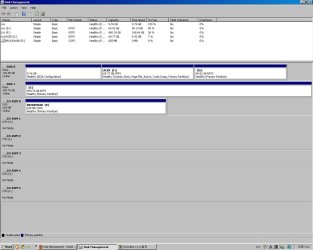
Please post back a screenshot of your full Disk Management drive map, using Snipping Tool in Start menu, attach file using paper clip in reply box.

What is the exact problem now? Are you getting a working Dual Boot menu?
 
I don't know what exactly is Disk Management drive map... sorry,
I do get a working dual boot menu but thats only before I set up
my accounts for window 7. After that, It goes totally blank before the menu comes up.
 

My Computer My Computer

At a glance

Vista and Window 7
OS
Vista and Window 7
Type Disk Management in Start button Search box. Post back a Snipping Tool screenshot.

Please describe again what exactly happens with Dual Boot menu as it is not understandable yet.
 
I am not sure if this is the file you wanted....
And for the dual boot menu, it works fine when I just install window 7.
but after I booted into window 7 and finished its setting, the computer stops in a
blank screen before the dual boot menu apperars.
 

Attachments

  • 123.jpg
    123.jpg
    84.8 KB · Views: 30

My Computer My Computer

At a glance

Vista and Window 7
OS
Vista and Window 7
This is still not understandable. You say that you are able to choose from the Dual Boot Menu, but then after setting up Win7, it doesn't give another dual boot menu. It is not supposed to show a dual boot menu twice.

Is Win7 not starting up? If not, check for a t.v. or graphics card setting that is outputting to a t.v. or projector, or somewhere other than your monitor. This often happens when the driver is loaded for another video/t.v. card which is set to output to another source.

Next mark Win7 active in Disk Managment, Boot into Win7 DVD Repair console given on second screen. See if it finds an installation to repair; then click through to Startup Repair to run repeatedly until it starts up.


If this fails to correct the dual boot, Try installing EasyBCD 2.0 beta after doing the quick registration to use beta. Add the missing OS in Add/Remove tab by name, type and drive letter. Post back a screenshot of the EasyBCD listings page if this does not fix the dual boot.
 
Back
Top