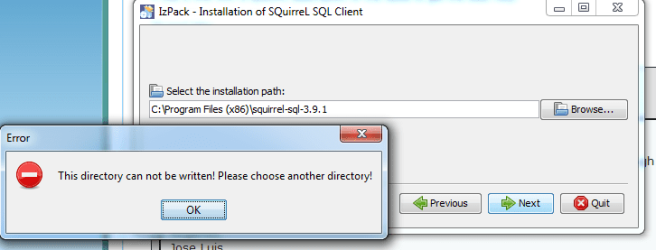
J Jose Luis New member Local time 11:27 AM Messages 2 Apr 6, 2019 #1 Hi, When I try to install a ".jar" file I get the error on the attached screen, although the user have administrator privileges. Thanks for your help. Regards, Jose Luis. Attachments Capture1.PNG 6.7 KB · Views: 15 Capture2.PNG 15.5 KB · Views: 15 My Computer My Computer At a glance Windows 7 Enterprise 64 bitInter Core I58 GBComputer typePC/DesktopComputer Manufacturer/Model NumberHPOSWindows 7 Enterprise 64 bitCPUInter Core I5Memory8 GB
Hi, When I try to install a ".jar" file I get the error on the attached screen, although the user have administrator privileges. Thanks for your help. Regards, Jose Luis.
samuria New member Guru Gold Member VIP Local time 4:27 AM Messages 3,999 Location crewe uk Apr 6, 2019 #2 Welcome to the forum. Are you running an install or trying to copy it who owns that folder it's possible it's a system folder My Computer My Computer At a glance win 8 32 bitComputer typePC/DesktopOSwin 8 32 bit
Welcome to the forum. Are you running an install or trying to copy it who owns that folder it's possible it's a system folder
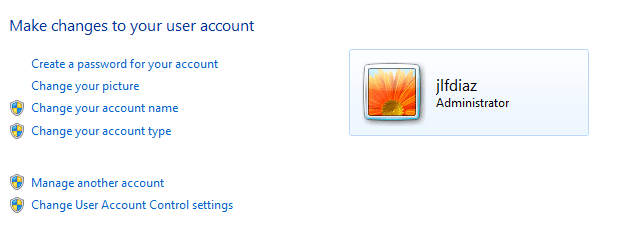
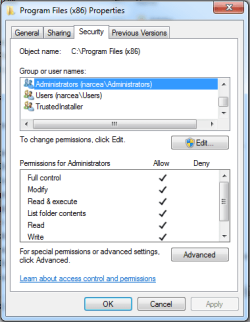
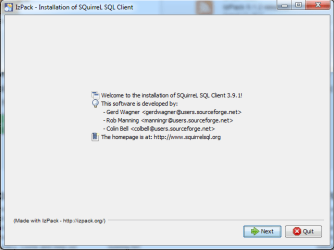
J Jose Luis New member Thread Starter Local time 11:27 AM Messages 2 Apr 7, 2019 #3 Hi, In the attached images (Capture1, Capture2) are the folder properties. The ".jar" was created with IzPack installer (IzPack is a widely used tool for packaging applications on the Java™ platform). Regards, Jose Luis Attachments Capture1.PNG 12.6 KB · Views: 12 Capture2.PNG 15.3 KB · Views: 12 Capture3.PNG 14.3 KB · Views: 12 My Computer My Computer At a glance Windows 7 Enterprise 64 bitInter Core I58 GBComputer typePC/DesktopComputer Manufacturer/Model NumberHPOSWindows 7 Enterprise 64 bitCPUInter Core I5Memory8 GB
Hi, In the attached images (Capture1, Capture2) are the folder properties. The ".jar" was created with IzPack installer (IzPack is a widely used tool for packaging applications on the Java™ platform). Regards, Jose Luis