
Problem installing certain programs

indygeek7310

New member
Local time
9:51 AM
Messages
4
Hello all,
I have win7 64 hp as a clean install on my laptop and I love it. My only issue is it will not let me install the following programs: adobe reader 9.0, Java 6.0 runetime for win64 and blackberry desktop software.
They get the same error message which I have attached to this post. I have ran the windows installer cleanup program with no change. I also tried installing these on a fresh install of win7 with no change. I tried administrator mode and compatability mode.

IF anyone can help it would be greatly appreciated.
Art
 

Attachments
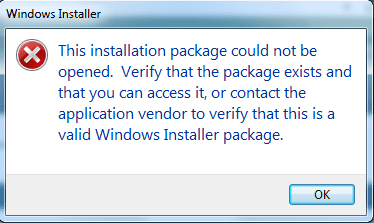
  • error.png
    error.png
    8 KB · Views: 7

My Computer

Computer Manufacturer/Model Number
Acer/Aspire/7735Z
OS
Win 7 home premium 64
CPU
Pentium Dual core
Memory
4 GB
Try booting into safe mode and installing them with administrators privileges ...
 

My Computer

Computer type
PC/Desktop
Computer Manufacturer/Model Number
LENOVO K450 @3.0GHZ
OS
64-bit Windows 8.1 Pro
CPU
Core(TM) i5 CPU 4330 Haswell @ 3.20GHz
Motherboard
LENOVO
Memory
12.00 GB
Graphics Card(s)
Intel(R) HD Graphics
Sound Card
Intel HD integtrated
Monitor(s) Displays
HP 25' ISP Monitor
Screen Resolution
1900/1020
Hard Drives
(1) ST1000DM003-1CH162 (2) Generic STORAGE DEVICE USB Device (3) Generic STORAGE DEVICE USB Device
Internet Speed
100mb down/10mb up
I tried that and get the same error.....
 

My Computer

Computer Manufacturer/Model Number
Acer/Aspire/7735Z
OS
Win 7 home premium 64
CPU
Pentium Dual core
Memory
4 GB
I am going to try installing on a dell desktop I have win7 on. I was using win7 rc and had no problem if I installed on a fresh install of windows.
 

My Computer

Computer Manufacturer/Model Number
Acer/Aspire/7735Z
OS
Win 7 home premium 64
CPU
Pentium Dual core
Memory
4 GB
These install find on my Dell desktop, so it has to be an issue with my Acer laptop.
 

My Computer

Computer Manufacturer/Model Number
Acer/Aspire/7735Z
OS
Win 7 home premium 64
CPU
Pentium Dual core
Memory
4 GB
Not to threadjack, but I have an Adobe install issue too. A couple of CS4 progs installed just fine but Photoshop CS3 keeps failing.

It looks to the C: drive and computes insufficient install space - but that is not where I want it to go. When I browse to a drive with gobs of room I keep getting the same error.

It was previously installed just fine under XP. I have checked C: and there is no Adobe installation there that can be confusing matters.

:huh:
 

My Computer

Computer type
PC/Desktop
Computer Manufacturer/Model Number
Custom
OS
7 x64 Ultimate
CPU
AMD Ryzen 5
Motherboard
Gigabyte GA-AB350-Gaming
Memory
16GB DDR4
Graphics Card(s)
Radeon R7 360
Monitor(s) Displays
2 x Dell U2518D
Screen Resolution
2560x1440 2560x1440
Hard Drives
WD 500GB x2
Samsung SSD 128MB (OS)
XPG SX8200 Pro M.2 2280 1TB
PSU
Antec 500
Cooling
Hyper 212 EVO
Keyboard
Logitech cordless K800
Mouse
Logitech M510
Antivirus
Avira
Back
Top