Hello,
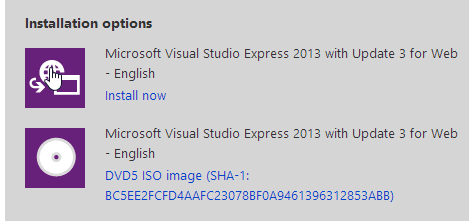
I am trying to install microsoft visual studios express on my Toshiba laptop running on Windows 7 Home Premium x64, but when I download the installer and start it, I only see the visual express logo and then no screen appears (the program is running and I can even click things, as in, my mouse hoovers over them and when clicking I get terms of use in my browser, but no screen is produced).
After a bit of searching, I think there may be two possible problems causing this:
- When running windows update, two updates fail to install: KB2922229 and KB2871997. I read somewhere that these updates have been withdrawn by microsoft though.
- I encountered similar problems when trying to use Qt (an error was produced that OpenGL 2.0 was not supported); maybe the graphic card driver is not up to date (Intel HD Graphic Family - date 4-4-2011); however, if I try to search for new updates through the configuration screen, no updates are found; if I try to search for new updates through the Intel website, it redirects me to my laptop manufacturer (Toshiba); there I don't find updates either.
That's as far as I got, and I am completely stuck. Thank you for any help, let me know if you require more information about my system.
I am trying to install microsoft visual studios express on my Toshiba laptop running on Windows 7 Home Premium x64, but when I download the installer and start it, I only see the visual express logo and then no screen appears (the program is running and I can even click things, as in, my mouse hoovers over them and when clicking I get terms of use in my browser, but no screen is produced).
After a bit of searching, I think there may be two possible problems causing this:
- When running windows update, two updates fail to install: KB2922229 and KB2871997. I read somewhere that these updates have been withdrawn by microsoft though.
- I encountered similar problems when trying to use Qt (an error was produced that OpenGL 2.0 was not supported); maybe the graphic card driver is not up to date (Intel HD Graphic Family - date 4-4-2011); however, if I try to search for new updates through the configuration screen, no updates are found; if I try to search for new updates through the Intel website, it redirects me to my laptop manufacturer (Toshiba); there I don't find updates either.
That's as far as I got, and I am completely stuck. Thank you for any help, let me know if you require more information about my system.
My Computer
At a glance
Windows 7 Home Premium x64Intel(R) Core(TM) i3-2310MIntel(R) HD Graphics Family
- Computer type
- Laptop
- Computer Manufacturer/Model Number
- Toshiba
- OS
- Windows 7 Home Premium x64
- CPU
- Intel(R) Core(TM) i3-2310M
- Graphics Card(s)
- Intel(R) HD Graphics Family
- Antivirus
- Avira Free Antivirus
- Browser
- Google Chrome