Problem installing W7

Skasht

New member
Local time
5:32 PM
Messages
2
Hello, my name is Daniel and I'm with some issues on installing my Windows 7 Professional x64. I'm sorry if I'm posting in the wrong section.

It happens when selecting the partition. When clicking at "New" and giving the desired MB to the partition, it makes 3 partitions by itself.

The first and the last one hasn't any space at all (Total size 0.0 MB and Free size 0.0 MB) and they aren't Allocated.
My disered space is allocated in the middle of them and I can't proceed. It gives this error: "Setup was unable to create a new system partition or locate an existing system partition. See the setup log for more information."

If I'm not being myself clear, the partition screen is like this now:

Code:
Name                          Total Size   Free Size     Type
Disk 0 Unallocated Space       0.0 MB       0.0 MB
Disk 0 Partition 1             298.1 MB    298.1 MB     Primary
Disk 0 Unallocated Space       0.0 MB       0.0 MB

And I can't proceed with my Install.

Perhaps I'm having Bad Blocks issues on my hdd?

Thank you
 

My Computer

OS
windows 7 professional x64

My Computer

Computer type
PC/Desktop
Computer Manufacturer/Model Number
Golden Mk. I.4
OS
Windows 10 Pro x64 ; Xubuntu x64
CPU
Intel i7 860 @ 2.80 GHz O/C'ed to 4.0GHz
Motherboard
Gigabyte P55A-UD3R Rev.1. Award BIOS F13
Memory
16GB Corsair Vengance DDR3 @ 661 MHz Dual Channel (9-9-9-24)
Graphics Card(s)
EVGA NVidia GTX 560 1024MB
Sound Card
Realtek Integrated
Monitor(s) Displays
Dual Samsung SyncMaster 2494HS
Screen Resolution
1920*1080 and 1920*1080
Hard Drives
1*Samsung 840 EVO 120GB SSD;
1*OCZ Vertex 2 60GB SSD;
2*Samsung F3 SpinPoint 1TB in RAID0;
1*Samsung F1 SpinPoint 1TB;
2*Western Digital 1TB External USB 3.0
1*Western Digital 500GB External USB 3.0
1*Seagate 500GB External USB 2.0
PSU
Thermaltake ToughPower QFan 750W
Case
Thermaltake Element S VK60001W2Z
Cooling
Corsair H60 Water Cooling, 2*230mm and 2*80mm case fans
Keyboard
Logitech G110
Mouse
Logitech MX518
Try deleting any existing partitions first using Custom install>Drive Options.

If this fails, try wiping the HD first before install as some code is conflicting: http://www.sevenforums.com/tutorials/91339-ssd-hdd-optimize-windows-reinstallation.html

Try partitioning again using Drive options so you are assigned the 100mb boot partition (which places the Repair console on F8 Advanced boot tools menu). If it fails again, use Step 2.2 in the tutorial to partition and mark Active.

Try also clicking Next to install without creating partitions so installer does it for you.

Test your HD using maker's diag/repair full CD scan: http://www.carrona.org/hddiag.html followed by http://www.sevenforums.com/tutorials/433-disk-check.html run from DVD Repair command line.
 
Hi Golden,

I'll try it by now and keep on touch.

Thank you
 

My Computer

OS
windows 7 professional x64
same prob here...going crazy...dont know what do to....grr....but i can click the (New) but still cant create a partition...
 

My Computer

OS
Windows 7 Home Premium 32bit
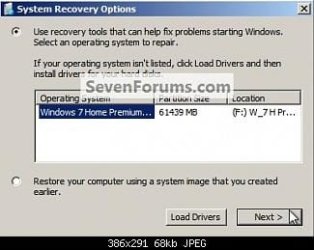
Next.jpg when im on this box... mine is empty...it should show Windows 7 etc. like this pic do..but mine is nothing...
 

My Computer

OS
Windows 7 Home Premium 32bit
Why would there be an installation to repair if you're only trying to install now?

Please follow the steps given to wipe the HD first, then create your partition as you wish and try install as shown in Clean Install Windows 7.

And reply to my question about source of ISO and how it was burned/written.
 
Back
Top