
DarkSlay3r
Banned
- Local time
- 12:40 AM
- Messages
- 51
After I installing the kaspersky pure 2.0 then I reboot my PC.Later on,while startup desktop I received a message about $Recycle.bin corrupted and request I delete it.
I tried to click on continue to performs the action,however it says it require administrator rights to do so,even I'm administrator but I couldn't continue for further action.
In this case,I'm trying to fix the recycle bin corruption delete the recycle bin then restore it back,the method I used is Start>Search>show or common icons on the desktop.
In the desktop icon setting,I un-tick the recycle bin press apply then re-tick back.
Eventually,the recycle bin has fixed as I expected,however any file I deleted doesn't locate in recycle bin,what I mean is the recycle bin cannot store any file.
Once delete is permanently deleted.
Have any method for I fix this matter ? Thanks in advance.
P/S : After I reboot PC once again,it happens again
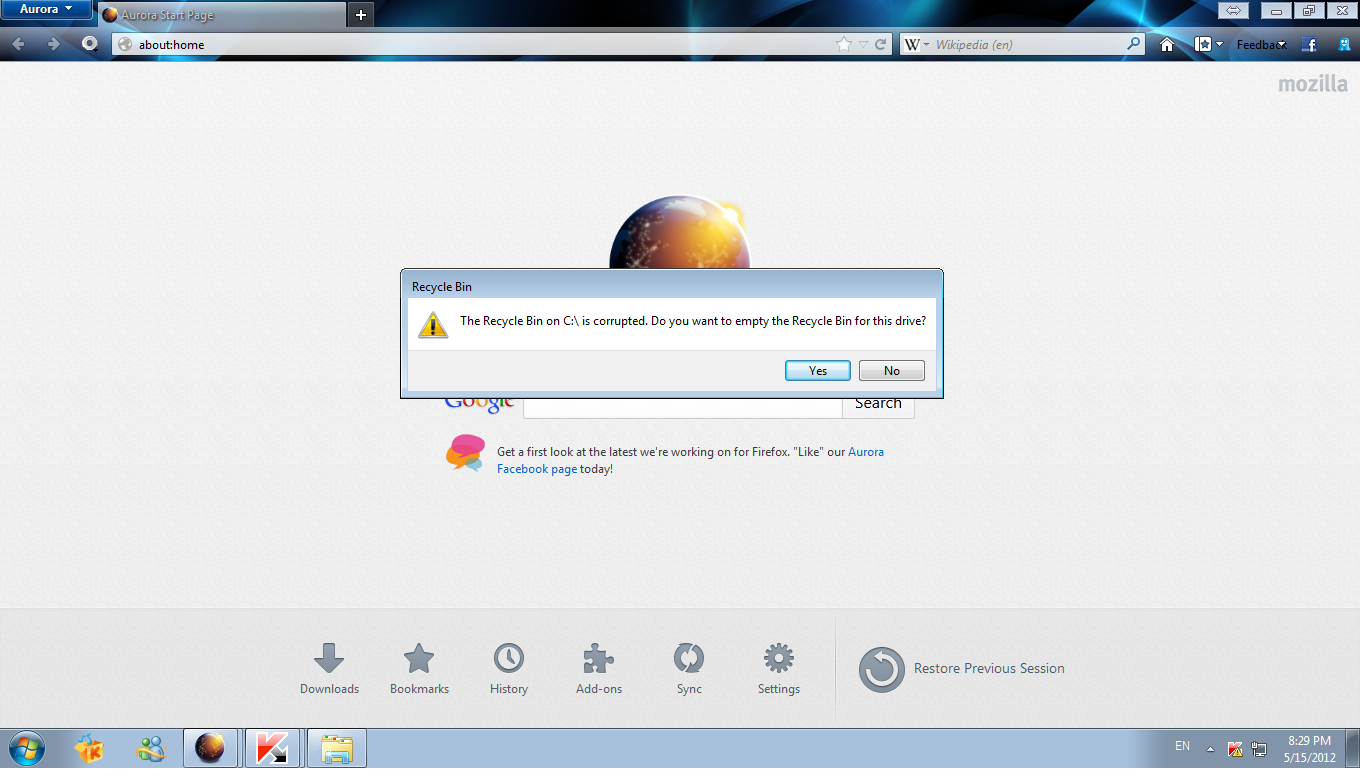
I tried to click on continue to performs the action,however it says it require administrator rights to do so,even I'm administrator but I couldn't continue for further action.
In this case,I'm trying to fix the recycle bin corruption delete the recycle bin then restore it back,the method I used is Start>Search>show or common icons on the desktop.
In the desktop icon setting,I un-tick the recycle bin press apply then re-tick back.
Eventually,the recycle bin has fixed as I expected,however any file I deleted doesn't locate in recycle bin,what I mean is the recycle bin cannot store any file.
Once delete is permanently deleted.
Have any method for I fix this matter ? Thanks in advance.
P/S : After I reboot PC once again,it happens again
Last edited:
My Computer
- Computer Manufacturer/Model Number
- G31T-M7
- OS
- Window 7 Starter x32
- CPU
- Intel Pentium E5400 @ 2.70GHz
- Motherboard
- ECS G31T-M7
- Memory
- 2.00 GB Single-Channel DDR2
- Graphics Card(s)
- ATI Radeon HD 4600 Series
- Monitor(s) Displays
- 1360x768
- Screen Resolution
- 1360x768
- Hard Drives
- 488GB Western Digital WDC WD5000AADS-00S9B0 ATA Device
