Hello Se7en users,i'm new here,i have a big problem with my HDD,but first of all i want to sorry for my english mistakes and for the big novel posted,but you need all explained to understand what kind of problem is.  .
.
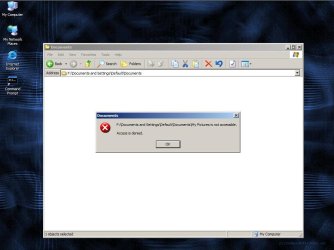
Now let's start : 3 days ago windows has started to make some big updates,pc needed to shutdown to install that uptates.In that day windows started to crash and gave me 2 errors from "windows explorer" .Late in the day i shutdown my computer,all looked normally but when i started my computer,the logo from windows didn't appear and didn't boot anymore.I have one more HDD,a little old one with 20GB on IDE.I installed on it windows xp and my 160 gb seagate(SATA 2) on slave.Windows started automatically on disk check-recovery.Finally i entered in XP,i can see my 160gb hard,have the acces of 75% of files,but i can't acces Libraries section,i disperately need to recover my photos and documents.(I had windows 7 on 160 gb drive)
Ok,doesn't work,i installed windows 7 on 20gb drive to make a repair disk.I entered windows recovery,boot errors are there but repair disk can't fix them.I tried repair with image file,the same problem.
Now another solution,to make a full copy of my 160HDD on external 1TB drive to finally format my hard drive and install a new fresh windows 7.
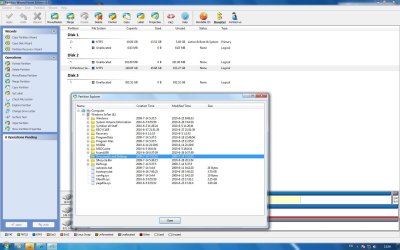
Booted on my windows 7(20gb drive),i installed EASEUS Partition master,i see here my full HDD,there was a copy partition option(my 160 GB drive is only a partition)but i made a very stupid mistake here,i pressed the "set active" button(i don't know why,i was just stupid).I didn't made a copy or everything,i shutdown my computer because was late in the night,i decidet to copy my hdd in this morning.
Now the big problem,my pc can't pass hardware check when my 160GB drive is connected,i can't enter bios or something...NOTHING! . .
.
Now my question: is any solution to reverse the "set active" option?Or is there an aplication to boot the hard drive as slave directly from windows 7?Like an External drive when i connecting directly booted in windows 7?
.Now let's start : 3 days ago windows has started to make some big updates,pc needed to shutdown to install that uptates.In that day windows started to crash and gave me 2 errors from "windows explorer" .Late in the day i shutdown my computer,all looked normally but when i started my computer,the logo from windows didn't appear and didn't boot anymore.I have one more HDD,a little old one with 20GB on IDE.I installed on it windows xp and my 160 gb seagate(SATA 2) on slave.Windows started automatically on disk check-recovery.Finally i entered in XP,i can see my 160gb hard,have the acces of 75% of files,but i can't acces Libraries section,i disperately need to recover my photos and documents.(I had windows 7 on 160 gb drive)
Ok,doesn't work,i installed windows 7 on 20gb drive to make a repair disk.I entered windows recovery,boot errors are there but repair disk can't fix them.I tried repair with image file,the same problem.
Now another solution,to make a full copy of my 160HDD on external 1TB drive to finally format my hard drive and install a new fresh windows 7.
Booted on my windows 7(20gb drive),i installed EASEUS Partition master,i see here my full HDD,there was a copy partition option(my 160 GB drive is only a partition)but i made a very stupid mistake here,i pressed the "set active" button(i don't know why,i was just stupid).I didn't made a copy or everything,i shutdown my computer because was late in the night,i decidet to copy my hdd in this morning.
Now the big problem,my pc can't pass hardware check when my 160GB drive is connected,i can't enter bios or something...NOTHING! .
.Now my question: is any solution to reverse the "set active" option?Or is there an aplication to boot the hard drive as slave directly from windows 7?Like an External drive when i connecting directly booted in windows 7?
HTML:
http://www.partition-tool.com/easeus-partition-manager/help/setting-active.htmMy Computer
- Computer Manufacturer/Model Number
- .
- OS
- Se7en 32 bit
- CPU
- Pentium 4 631 3.0 GHZ
- Motherboard
- Asrock 4CORE-DUAL SATA 2
- Memory
- 3GB
- Graphics Card(s)
- XFX Nvidia 8600GT
- Sound Card
- Motherboard
- Monitor(s) Displays
- Asus VW202SR
- Hard Drives
- Seagate barracuda 160GB + External Drive Wstern Digital 1TB


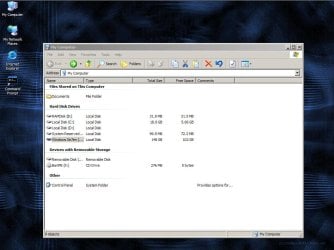
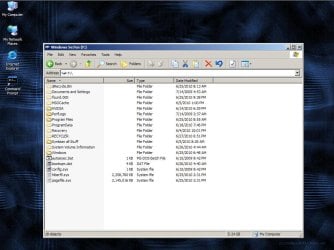
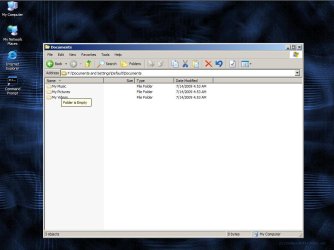


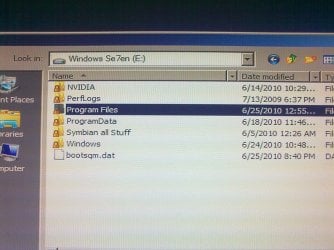

 .At least,after a Partition recovery wizard process,my pc can start with my hdd connected.I think...recovering my files is hopeless.
 .I don't need to recover windows files,i need to recover user files