Problem with IE 11 keeps crashing

total confusion

New member
Member
VIP
Local time
3:26 AM
Messages
188
Location
NY
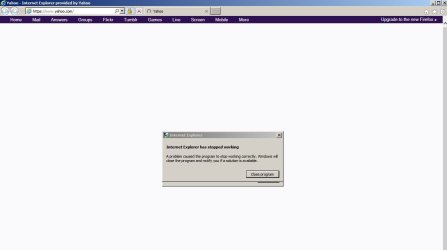
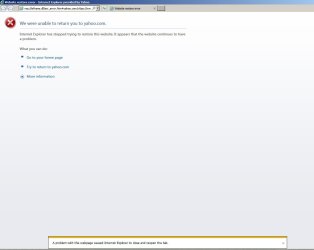
For the past week I haven't been able to use IE 11. I have version 11.0.96.00. It keeps saying IE has stopped working A problem caused the program to stop working correctly. Windows will close the program and notify you if a solution is available. Then it checks for a solution, doesn't find one and closes. It goes through that cycle twice, then the page goes a page that says there is a problem with the website. No matter what webpage I try to open it does the same thing. I have been using google chrome but want to get this stupid thing fixed.
Anybody else having the same problem?
 

My Computer

Computer type
PC/Desktop
Computer Manufacturer/Model Number
Acer Aspire E700 dsktop
OS
Windows 7 Pro
CPU
Intel 2 quad Q6600
Motherboard
Acer fg965M
Memory
4 GB
Graphics Card(s)
Nvidia GeForce GTS 450 1TB
Sound Card
RealTek
Monitor(s) Displays
Acer 22" X223w
Hard Drives
1TB WD Caviar Black (internal)
1TB WD My Book Essential
PSU
500W coolmaster Extreme Power Plus
Case
Acer
Cooling
case fan
Keyboard
acer
Mouse
acer
Internet Speed
56k
Antivirus
Microsoft Security Essentials
Browser
IE 8
Other Info
I hate IE 9 10 & 11
I did the reset but it didn't change anything still can't open IE 11. I uninstalled it using Obit uninstaller, then reinstall it. When I click start, search for Internet Explorer, it says it's still there but without add-ons. When I try to open it from there the same thing happens.
I haven't made any changes as far as new programs go. There were some updates since this started KB3075249, KB2952664, Maliciuos Software removal tool for Sept KB890830, KB3083710, KB3080079, KB3078667, KB3035583, KB3080149, KB3092627, and KB2999266.
Also 2 failed attempts to update my NVidia-graphics adapter WDDMi.1 Graphics Adapter WDDM1.2, Graphics Adapter WDDM1.3 Graphics Adapter WDDM2.0, other hardware- NVIDIA GeForce GTS 450. There were a couple of security definition updates for Microsoft Security Essentials too, but that shouldn't affect IE.

is there some kind of work around for this? or is one of the updates responsible, if so how do I remove it?
I put a couple of images of what I'm getting.
 

Attachments

  • IE failure.jpg
    IE failure.jpg
    26.9 KB · Views: 2
  • failure notice.jpg
    failure notice.jpg
    36.6 KB · Views: 0

My Computer

Computer type
PC/Desktop
Computer Manufacturer/Model Number
Acer Aspire E700 dsktop
OS
Windows 7 Pro
CPU
Intel 2 quad Q6600
Motherboard
Acer fg965M
Memory
4 GB
Graphics Card(s)
Nvidia GeForce GTS 450 1TB
Sound Card
RealTek
Monitor(s) Displays
Acer 22" X223w
Hard Drives
1TB WD Caviar Black (internal)
1TB WD My Book Essential
PSU
500W coolmaster Extreme Power Plus
Case
Acer
Cooling
case fan
Keyboard
acer
Mouse
acer
Internet Speed
56k
Antivirus
Microsoft Security Essentials
Browser
IE 8
Other Info
I hate IE 9 10 & 11
I did the reset but it didn't change anything still can't open IE 11. I uninstalled it using Obit uninstaller, then reinstall it.
Once IObit has been installed/used, the computer will never be the same. I would suggest uninstalling any software made by IObits.

After resetting IE11, the homepage should be an MSN page. Does IE11 crash when showing that page?
 

My Computer

Computer type
Laptop
Computer Manufacturer/Model Number
Employer provided Dell Latitude
OS
W7 Pro SP1 64bit
CPU
i7
Memory
8GB
Graphics Card(s)
Intel HD Graphics
Hard Drives
crappy SSD
Antivirus
Employer mandated Symantec Endpoint Protection
Browser
Pale Moon 64bit, IE11 64bit & Chrome 64bit
I have never had any issues with the IObit uninstaller, I used it for years now. I find it more thorough than just using the program uninstaller. It picks up files that get let behind when you run a super scan. It also creates a restore point before it does anything. That isn't the problem.
The problem is with IE 11. I don't use MSN as my home page, I use Yahoo. I did set it to MSN and it still does the same thing.
 

My Computer

Computer type
PC/Desktop
Computer Manufacturer/Model Number
Acer Aspire E700 dsktop
OS
Windows 7 Pro
CPU
Intel 2 quad Q6600
Motherboard
Acer fg965M
Memory
4 GB
Graphics Card(s)
Nvidia GeForce GTS 450 1TB
Sound Card
RealTek
Monitor(s) Displays
Acer 22" X223w
Hard Drives
1TB WD Caviar Black (internal)
1TB WD My Book Essential
PSU
500W coolmaster Extreme Power Plus
Case
Acer
Cooling
case fan
Keyboard
acer
Mouse
acer
Internet Speed
56k
Antivirus
Microsoft Security Essentials
Browser
IE 8
Other Info
I hate IE 9 10 & 11
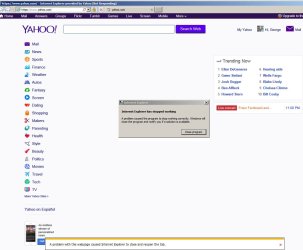
You asked if it opens the page, yes it does then out comes the box that shuts it all down and it takes you to the blank page. See below
 

Attachments

  • home page.jpg
    home page.jpg
    76.5 KB · Views: 1
  • takes you to this page on anything you try to access.jpg
    takes you to this page on anything you try to access.jpg
    24.2 KB · Views: 0

My Computer

Computer type
PC/Desktop
Computer Manufacturer/Model Number
Acer Aspire E700 dsktop
OS
Windows 7 Pro
CPU
Intel 2 quad Q6600
Motherboard
Acer fg965M
Memory
4 GB
Graphics Card(s)
Nvidia GeForce GTS 450 1TB
Sound Card
RealTek
Monitor(s) Displays
Acer 22" X223w
Hard Drives
1TB WD Caviar Black (internal)
1TB WD My Book Essential
PSU
500W coolmaster Extreme Power Plus
Case
Acer
Cooling
case fan
Keyboard
acer
Mouse
acer
Internet Speed
56k
Antivirus
Microsoft Security Essentials
Browser
IE 8
Other Info
I hate IE 9 10 & 11
You mentioned, "No matter what webpage I try to open it does the same thing." After a complete reset, the homepage should be an MSN page. I was just asking if the MSN page crashed IE.

You can also try starting IE without any add-ons.
Code:
"C:\Program Files\Internet Explorer\iexplore.exe"  -extoff
 

My Computer

Computer type
Laptop
Computer Manufacturer/Model Number
Employer provided Dell Latitude
OS
W7 Pro SP1 64bit
CPU
i7
Memory
8GB
Graphics Card(s)
Intel HD Graphics
Hard Drives
crappy SSD
Antivirus
Employer mandated Symantec Endpoint Protection
Browser
Pale Moon 64bit, IE11 64bit & Chrome 64bit
I did the add on shut off before I tried anything else. When I reset it did pick up MSN as the default homepage, I changed it to Yahoo.
Whatever was the matter with it, it seems to have resolved it's own problem. I had to be away from my desk so I shut the PC off. When I rebooted the problem was gone. It wasn't the first time I had done a reboot, I shut it off every night. Just this time I guess it decided to work again. Wish I knew what the issue was incase it did it again.
Thanks for the input though.
 

My Computer

Computer type
PC/Desktop
Computer Manufacturer/Model Number
Acer Aspire E700 dsktop
OS
Windows 7 Pro
CPU
Intel 2 quad Q6600
Motherboard
Acer fg965M
Memory
4 GB
Graphics Card(s)
Nvidia GeForce GTS 450 1TB
Sound Card
RealTek
Monitor(s) Displays
Acer 22" X223w
Hard Drives
1TB WD Caviar Black (internal)
1TB WD My Book Essential
PSU
500W coolmaster Extreme Power Plus
Case
Acer
Cooling
case fan
Keyboard
acer
Mouse
acer
Internet Speed
56k
Antivirus
Microsoft Security Essentials
Browser
IE 8
Other Info
I hate IE 9 10 & 11
This is the 3rd thread that I have seen where Yahoo was crashing IE11. That is why I wanted you to visit MSN without ever going to Yahoo. Like the other threads, the problem seems to cure itself.
 

My Computer

Computer type
Laptop
Computer Manufacturer/Model Number
Employer provided Dell Latitude
OS
W7 Pro SP1 64bit
CPU
i7
Memory
8GB
Graphics Card(s)
Intel HD Graphics
Hard Drives
crappy SSD
Antivirus
Employer mandated Symantec Endpoint Protection
Browser
Pale Moon 64bit, IE11 64bit & Chrome 64bit
I told you I did set it up with MSN and had the same problem. The problem was with IE 11 not Yahoo. It crashed on any site I tried to open it on.
 

My Computer

Computer type
PC/Desktop
Computer Manufacturer/Model Number
Acer Aspire E700 dsktop
OS
Windows 7 Pro
CPU
Intel 2 quad Q6600
Motherboard
Acer fg965M
Memory
4 GB
Graphics Card(s)
Nvidia GeForce GTS 450 1TB
Sound Card
RealTek
Monitor(s) Displays
Acer 22" X223w
Hard Drives
1TB WD Caviar Black (internal)
1TB WD My Book Essential
PSU
500W coolmaster Extreme Power Plus
Case
Acer
Cooling
case fan
Keyboard
acer
Mouse
acer
Internet Speed
56k
Antivirus
Microsoft Security Essentials
Browser
IE 8
Other Info
I hate IE 9 10 & 11
I've been fighting with IE11 for this problem for weeks. SWMBO uses Yahoo.com for the home page in IE11. She nearly refuses to use FF and complains bitterly about our computer being "messed up". Yahoo.com works fine in FF v41. I finally got around the problem with IE11 stopping working by putting the offending website URLs in the trusted site list and dropping the security setting for the trusted sites until Yahoo would load without crashing IE11. We are at IE11 v11.0.9600.18015. I'm not sure, but I suspect MS has been altering what the various security levels and certificates do in IE lately, but I have no real proof. I'm still trying to understand how ActiveX filtering works in relation to various web sites. In addition to Yahoo.com, I had the same issue with Variety.com, except it wouldn't crash IE11, just the page would not load with no errors. Again, this site worked just fine in FF. Here's what I did to keep IE from crashing.
1. Open the tools drop down box.
2. Select Internet Options at the bottom of the box.
3. Open the Security tab.
4. Select the "Trusted Sites" icon at the top of the panel.
5. Click the "Sites" button on the right side of the panel.
6. In the "add this website to the zone", enter the Yahoo URL (https://www.yahoo.com).
7. Click the "Add" button.
8. Click the "Close" button at the bottom of the box.
9. Click the "Apply" button at the bottom of the zone box, then click the "OK" button.
10. Restart IE to make sure the change was applied.
11. If the problem persists, try reducing the security level for the zone to see if it works. I had to do this for Yahoo.
 
Last edited:

My Computer

Computer type
PC/Desktop
Computer Manufacturer/Model Number
ASUS
OS
Windows 7 Home Premium 64 bit SP1
CPU
i5-2320 @3.00 GHz
Memory
6GB
Graphics Card(s)
NVIDIA GeForce 7300 LE
Monitor(s) Displays
Acer S200HQL 19.5 LED
Screen Resolution
1280 x 800 (1900 x 900 max)
Hard Drives
Drive 1: 1 TB SATA internal: C drive
Drive 2: 250 GB SATA internal: User Data Backup
Drive 3: 500 GB SATA USB: Full System Backup 1, Father
Drive 4: 500 GB SATA USB: Full System Backup 2, Son
Drive 5: 40 GB IDE USB: Kindle, ASUS Tabl
Keyboard
ASUS KB34211
Mouse
Logitech m325 cordless
Internet Speed
27Mb down, 3 Mb up cable modem w/Netgear R6400 WiFi
Antivirus
NIS, Spybot S&D, CCleaner, Malwarebytes, MSERT, MRT
Browser
FF v44.0.2;IE11 v11.0.9600.18015,uv11.0.23;Chrome v44.0.2403
Other Info
FF has AdBlockPlus and Ghostery plugins,
Back
Top