Problem with PDF converted to microsoft word

Question2

New member
Member
VIP
Local time
4:24 AM
Messages
123
I converted a PDF file to microsoft word to edit it (it's a form) but i noticed a problem : there are numerous check boxes throughout the document that i cannot remove or edit in any way. What's going on here?

Also how do i get a signature into a digital form? I was thinking of copy pasting a mspainted signature but when i try to copy and paste it, all i get is a hidden image file (you can see there's a image box there but it appears to be obscured by something).
 

Attachments

My Computer

Computer type
Laptop
Computer Manufacturer/Model Number
Lenovo ideapad y460p
OS
win 7 64 bit
CPU
i7-2720QM
Motherboard
unknown
Memory
4gb
Graphics Card(s)
HD 5600 series
Sound Card
onboard sound
Screen Resolution
1366x768
Hard Drives
Western digital
Internet Speed
10 mbps down/0.8 up
Antivirus
Microsoft security essentials
Browser
Firefox/IE

My Computer

Computer type
Laptop
Computer Manufacturer/Model Number
Sony Vaio VPCEB47GM Laptop
OS
Win 7 Pro 64-bit
CPU
Intel i5 2.4 Ghz
Memory
8GB DDR3
Graphics Card(s)
Intel HD 3000
Sound Card
IDT High Definition
Monitor(s) Displays
15.6 WGXA Anti-Glare LED
Screen Resolution
1280x800
Hard Drives
640Gb 7200rpm
Antivirus
MSE
Browser
Opera (primary) with IE9 backup
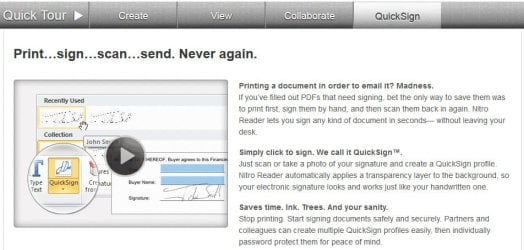
I used the adobe acrobat converter. I will take a look at the nitro PDF thing, thanks.
 

My Computer

Computer type
Laptop
Computer Manufacturer/Model Number
Lenovo ideapad y460p
OS
win 7 64 bit
CPU
i7-2720QM
Motherboard
unknown
Memory
4gb
Graphics Card(s)
HD 5600 series
Sound Card
onboard sound
Screen Resolution
1366x768
Hard Drives
Western digital
Internet Speed
10 mbps down/0.8 up
Antivirus
Microsoft security essentials
Browser
Firefox/IE
OK, this one was pretty simple. The body of the first page is a table that is placed over the standard page (full transparency) - that is the part containing the checkbox images.

To resolve the issue, copy the table to a new page then delete it from the first page - it leaves all of the standard text and the graphics (boxes, lines, etc.).

Delete the graphical boxes then move the table back to the proper location.

Add check boxes as part of the table (I use character boxes instead of graphic boxes).

Here are a few screen shots to demonstrate the issue in your document.

Regards,
GEWB


ClaimTable.jpg


Your document with the first page table.


ClaimTableSelected.jpg


Table selected.


DeleteTable.jpg


DELETE the table after copying it to a fresh page.


ClaimBackground.jpg


Document with table deleted from first page - see the graphically elements that were BEHIND the original table?
 
Last edited:

My Computer

Computer type
PC/Desktop
Computer Manufacturer/Model Number
(7 different computers booting up to 10 systems)
OS
Linux Mint / XP / Win7 Home, Pro, Ultimate / Win8.1 / Win10
Other Info
Four desktops, two laptops, one notebook and one tablet
Back
Top