
Problem With Wired Internet Connection Extremely Slow Speeds

derlinke

New member
Local time
6:53 PM
Messages
9
It all started out a week ago with random times where my internet speed would drop drastically but after about 5 minutes it would go back to normal. Then about 5 days ago I couldn't connect to cable with my cable modem the activity light would just pop green over and over again. I used cycling over and over and couldn't get it to work. Finally just today I cycled it and was able to connect to the cable. Whereas earlier I was connected to my network with "no internet access" now I have internet access. Now even thought I'm connected my speeds are at an all time low and I have no ideas why. Any help would be very appreciated!
 

Attachments
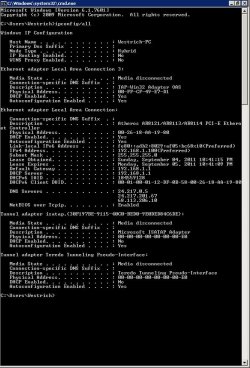
  • 9-4-2011 10-53-00 PM.jpg
    9-4-2011 10-53-00 PM.jpg
    88.8 KB · Views: 86

My Computer

OS
Windows 7 home premium 64bit
CPU
Intel Core 2 Duo E7600 @ 3.06 GHZ
Motherboard
ASUSTek Computer Inc. P5P43TD (LGA775) Intel P45/P43 Chipset
Memory
4.0 GB Kingston Dual-Channel DDR3 @ 533 MHz 8-7-7-20
Graphics Card(s)
ATI Radeon HD 4550
Monitor(s) Displays
NEC LCD1912 [19" LCD] (35105433GA)
Hard Drives
500 GB Seagate Disk Drive ST3500418AS ATA Device (500 GB, 7200 RPM, SATA-II)
Keyboard
Standard PS/2 Keyboard
Mouse
Microsoft USB Wheel Mouse Optical
Internet Speed
100.0 mbps

My Computer

Computer Manufacturer/Model Number
Lenovo Desktop/Samsung Laptop
OS
Win7 & Win8 64bit
CPU
Intel i5
Internet Speed
Charter-20 Mbps
Antivirus
Avast
Browser
FF, IE9 and Chrome
It seemed that over the night my speed has increased but I did do what you said and updated my drivers and I had already checked the properties on my local connection. Is there any way to prevent this from happening? Any idea whats wrong?
 

My Computer

OS
Windows 7 home premium 64bit
CPU
Intel Core 2 Duo E7600 @ 3.06 GHZ
Motherboard
ASUSTek Computer Inc. P5P43TD (LGA775) Intel P45/P43 Chipset
Memory
4.0 GB Kingston Dual-Channel DDR3 @ 533 MHz 8-7-7-20
Graphics Card(s)
ATI Radeon HD 4550
Monitor(s) Displays
NEC LCD1912 [19" LCD] (35105433GA)
Hard Drives
500 GB Seagate Disk Drive ST3500418AS ATA Device (500 GB, 7200 RPM, SATA-II)
Keyboard
Standard PS/2 Keyboard
Mouse
Microsoft USB Wheel Mouse Optical
Internet Speed
100.0 mbps
Let's hope that updating your driver would prevent it for happening again. There's no guarantee that issue will not come back though. These things happens and we'll just have to find ways to fix 'em.
 

My Computer

Computer Manufacturer/Model Number
Lenovo Desktop/Samsung Laptop
OS
Win7 & Win8 64bit
CPU
Intel i5
Internet Speed
Charter-20 Mbps
Antivirus
Avast
Browser
FF, IE9 and Chrome
Update: After updating my driver and running smoothly this morning. As of right now my internet is slowing down again...
 

My Computer

OS
Windows 7 home premium 64bit
CPU
Intel Core 2 Duo E7600 @ 3.06 GHZ
Motherboard
ASUSTek Computer Inc. P5P43TD (LGA775) Intel P45/P43 Chipset
Memory
4.0 GB Kingston Dual-Channel DDR3 @ 533 MHz 8-7-7-20
Graphics Card(s)
ATI Radeon HD 4550
Monitor(s) Displays
NEC LCD1912 [19" LCD] (35105433GA)
Hard Drives
500 GB Seagate Disk Drive ST3500418AS ATA Device (500 GB, 7200 RPM, SATA-II)
Keyboard
Standard PS/2 Keyboard
Mouse
Microsoft USB Wheel Mouse Optical
Internet Speed
100.0 mbps
Back
Top