
Problems on startup with network (frozen icon)
Well I've having a bit of a problem when on startup of my laptop running Windows 7.
1. As soon as I startup the network icon looks like this:

(the little circle animation doesn't spin at all)
2. Then a little while later it changes to this (5-10 mins):
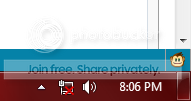
During these two icons I'm still able to connect to the internet just fine, but I can't change wifi connections and can't access any network properties like the network sharing centre page. Also my AVAST anti-virus web shield is being automatically turned off and no matter how many times I click turn on nothing happens. My biggest fear is that I may have some kind of virus that is doing something while my webshield is down.
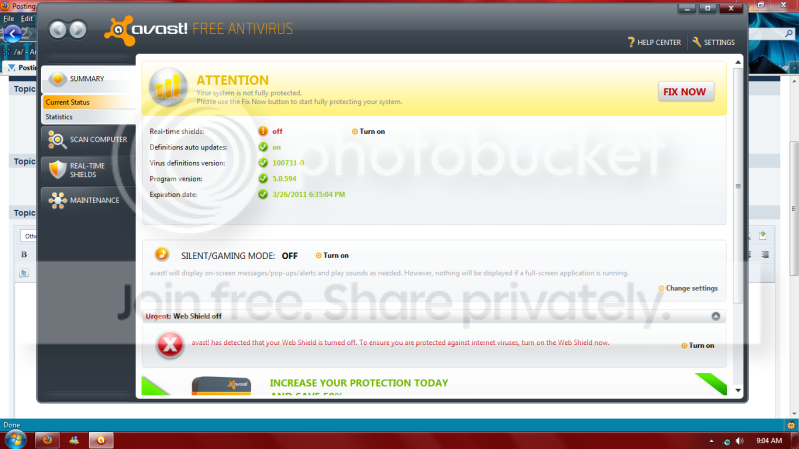
after about another 10 or so mins everything goes back to normal, webshield turns itself on and network icon and menus work fine, all except this:
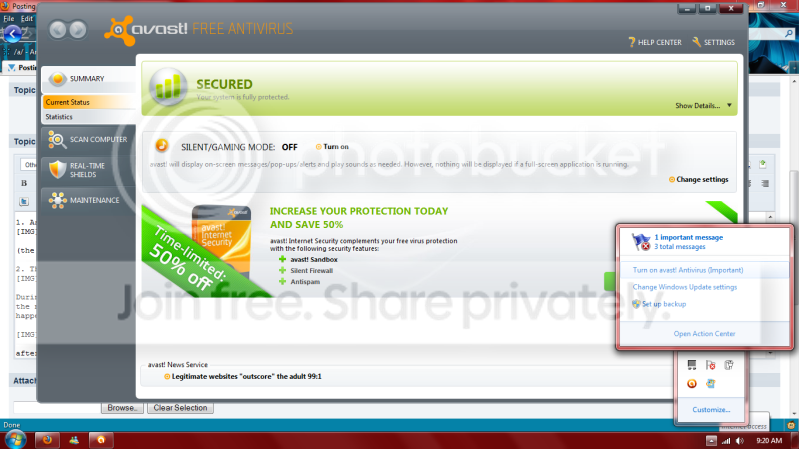
clearly avast is on and and clicking to turn on avast doesn't remove the alert.
Another problem that just started today is that after the point where everything usually goes back to normal instead I can no longer open any new files or programs, anything currently running still works (which is why I am able to make this post) . ctrl + alt + shift does nothing but if I use ctrl + alt + del after a while I get this message "failure to display security and shut down options"
When I try shutting down it doesn't respond for a while then my screen goes black with only my mouse pointer showing. In the end I have to cut the power.
Anyone ever come across this error able to help with a solution?
note:
-network driver is up to date/ have tried rolling back also
-troubleshooting shows no problems
-everything works fine under safe mode
-certain programs don't work during the problem (eg. desktop gadgets don't show up on start up but only when the problem resolves itself)
Well I've having a bit of a problem when on startup of my laptop running Windows 7.
1. As soon as I startup the network icon looks like this:
(the little circle animation doesn't spin at all)
2. Then a little while later it changes to this (5-10 mins):
During these two icons I'm still able to connect to the internet just fine, but I can't change wifi connections and can't access any network properties like the network sharing centre page. Also my AVAST anti-virus web shield is being automatically turned off and no matter how many times I click turn on nothing happens. My biggest fear is that I may have some kind of virus that is doing something while my webshield is down.
after about another 10 or so mins everything goes back to normal, webshield turns itself on and network icon and menus work fine, all except this:
clearly avast is on and and clicking to turn on avast doesn't remove the alert.
Another problem that just started today is that after the point where everything usually goes back to normal instead I can no longer open any new files or programs, anything currently running still works (which is why I am able to make this post) . ctrl + alt + shift does nothing but if I use ctrl + alt + del after a while I get this message "failure to display security and shut down options"
When I try shutting down it doesn't respond for a while then my screen goes black with only my mouse pointer showing. In the end I have to cut the power.
Anyone ever come across this error able to help with a solution?
note:
-network driver is up to date/ have tried rolling back also
-troubleshooting shows no problems
-everything works fine under safe mode
-certain programs don't work during the problem (eg. desktop gadgets don't show up on start up but only when the problem resolves itself)
Last edited:
My Computer
- Computer Manufacturer/Model Number
- Acer Aspire 4736ZG Laptop
- OS
- Windows 7 Home premium 32 bit
- CPU
- Intel Pentium Processor T4300
- Memory
- 3gb
- Graphics Card(s)
- Nvidia GeForce G105M

