Problems with my pc. Please help

JioFunny

New member
Local time
6:59 PM
Messages
8
My pc isn't working well. Strange things happen all the time and many applications i have and games crash for no reason. I have windows 7 64bit original disk. My pc got the requirments needed for 64 bit of course. Now, i formated my ssd hard drive to try and see what is wrong through ''Startup Repair'' and other recovery tools. I have taken a lot of pictures, so that i can show you the steps i took and the errors that i get.
1. After i opened my pc and inserted the windows disk, restarted it and windows didn't start loading files to begin the instalation. Instead it says: ''Press any key to boot from CD or DVD..'' and if i won't press anything it says: '' Bootmgr is missing'' and stops there. If I'm correct it should start loading files itself, even if i didn't press any key. By the way I've reinstalled windows in the past 3 months like 2 times but i still have the same problems.
2. Here is where i pressed a key and windows started loading files.

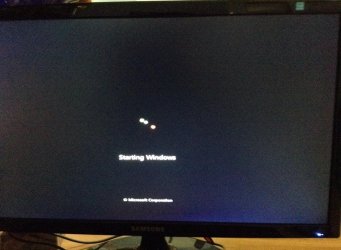
3.In the next pictures it's 1 of the strange problems. When windows animation starts, it STOPS before it is completed and moves on to the screen with ''Welcome''. >
5.jpg
Stops right in the last picture. Never gets completed like the picture below.(Took only this picture from the Internet)
6.jpg
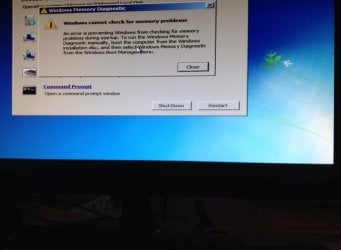
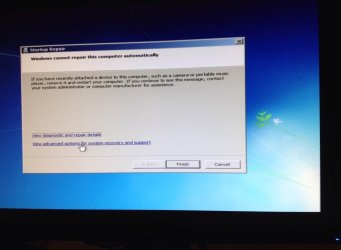
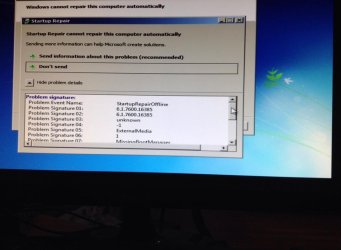
So after that i went to Repair your computer> recovery tools> Startup repair...got some errors then went to ''Windows memory diagnostic'' got some errors again. And in the end i have all the details from the errors in pictures. Just noticed i can only upload 5 pictures so if you need more tell me and I'll comment below.
19.jpg
15.jpg
Went also in memory diagnostic tool
25.jpg
From the last picture i pressed ''View diagnostic and repair details'' i have all details in pictures if you need
the same for ''View advanced options for system recovery and support''
 

My Computer

Computer type
PC/Desktop
Computer Manufacturer/Model Number
custom build
OS
Windows 7 Ultimate x64
CPU
Intel(R) Core(TM) i5-4670K CPU @ 3.40GHz 3.40 GHz
Motherboard
H87-G43 GAMING Intel® H87 Express Chipset
Memory
8,00 GB
Graphics Card(s)
MSI N560GTX M2D1GD5 1GB 256-Bit GDDR5
Hard Drives
SSD San Disk 238 GB
Antivirus
Nope, but there's surely no virus in my pc
Browser
Google Chrome
Do you have the original installation disc? if so; i would try again to do a startup repair off the disc. If that does not work again; your only choice may be to do a complete 100% reformat of the ssd and then try and run the windows install program off the disc. In theory; completely formatting the ssd should completely erase/delete the partitions on disk and allow you to start over from the beginning. If it does not; then there is a possibility there could be some other underlying issue that is hardware related as in a problem with the electronics etc in your ssd; in which case you might have to dump the old ssd and get something new.
 

My Computer

Computer type
PC/Desktop
Computer Manufacturer/Model Number
custom built
OS
Windows 7 ultimate 64-bit
CPU
Intel I7 2600K 3.4ghz
Motherboard
Asus Evo P8P67
Memory
Corsair 16gb ddr3 1600mhz
Graphics Card(s)
Nvidia Geforce gt 430
Sound Card
Sound Blaster Titanium x-fi pci express
Monitor(s) Displays
Dell E198WFP
Hard Drives
1 western digital 2TB drive.
PSU
Antec 1200 watt
Case
Inwin Dragon Rider
Cooling
6 case supplied cooling fans
Keyboard
logitech mk700
Mouse
logitech m705
Internet Speed
25-50mbps download; 10mbps upload(i think)
Antivirus
avg free 2014
Browser
mozilla firefox
Other Info
Also have a pretty bad speaker setup which is a klipsch promedia 5.1 surround speaker setup with huge subwoofer and lg blu ray player/writer. Also a hp officejet pro 8600 plus wireless all in one and a logitech s7500 webcam.
Matt, does the SSD have to be made a primary before it will boot? Or, if more than one partition, there has to be one primary, correct? I haven't used SSD, only platter drives.
 

My Computer

Computer type
PC/Desktop
Computer Manufacturer/Model Number
Antec desktop; Acer Aspire laptops
OS
Windows 7 Professional 64-bit
CPU
Desktop i5; Acers i5 & i7
Memory
desktop 16GB; 1 Acer 8GB & 1 Acer 16GB
Hard Drives
1TB split into 2 equal partitions [OS and data] usable by RJS
Internet Speed
AT&T DSL
Browser
FF, GChrome, msIE
Other Info
Windows 7 Firewall, Emsisoft AM/AV, MSE [scan-only], SpywareBlaster, Ruiware/BillP combine
1. I have the original disk.
2. I've done ''Startup Repair'' countless times
3. I've done 100% format ''full format'' as well. Still have the same problems.
4. My motherboard and my cpu are new. Though, i had EXACTLY the same problems even before i buy these 2. SO it means that they work. Now, when i bought my ssd, i also bought an HDD drive 1 tb. I had exactly the same problems. (Sold HDD later)( By the way, i had installed in both hard drives windows 7 seperately.)
So, the only hardware left on my pc, is my 8gb memory RAM, my graphics card N560GTX msi 1GB GDDR5. These are the only options. These are the only things left to think about. I got my graphics card for like 4 years. Been using it at full performance because of playing games. But i have no idea...what happens if 1 of these two have a problem or not...( I don't know the consequences ...if you know what i mean, when i use windows.) It's just that many applications crash or errors pop up....games crash as well. What else happens...when i'm watching a movie using VLC media player...screen gets laggy...sometimes and strange colours appear on the screen and i can't see clearly. Also when playing a specific game ( League of Legends) strange colours pop up that shouldnt.(Rest of the games i play just crash or other things happen) Thank you for your help. Greatly appreciated. If you need any more info tell me. Sorry for any mistakes, English is not my native language. Thank you
 

My Computer

Computer type
PC/Desktop
Computer Manufacturer/Model Number
custom build
OS
Windows 7 Ultimate x64
CPU
Intel(R) Core(TM) i5-4670K CPU @ 3.40GHz 3.40 GHz
Motherboard
H87-G43 GAMING Intel® H87 Express Chipset
Memory
8,00 GB
Graphics Card(s)
MSI N560GTX M2D1GD5 1GB 256-Bit GDDR5
Hard Drives
SSD San Disk 238 GB
Antivirus
Nope, but there's surely no virus in my pc
Browser
Google Chrome

My Computer

Computer type
PC/Desktop
Computer Manufacturer/Model Number
Skylake Special #666
OS
Windows 10 Pro x64
CPU
Intel Core i7 6700K
Motherboard
Asus Sabertooth Z170 Mark 1
Memory
GSkill TridentZ RGB 16GB 3600 16-16-16-36
Graphics Card(s)
EVGA GTX 980 Ti SC x2
Sound Card
Realtek High Definition
Monitor(s) Displays
AOC G2460PG
Screen Resolution
1920 x 1080 144Hz
Hard Drives
Samsung 860 Pro 256GB, Seagate Barracuda 4TB x2
PSU
EVGA 1000 P2, EVGA White Custom Braided Cables
Case
Corsair Vengeance C70 Gunmetal Black
Cooling
Corsair H100i v2, Corsair ML120 x2, Thermal Grizzly Kryonaut
Keyboard
Logitech G910 Orion Spectrum
Mouse
Logitech G700s
Internet Speed
Verizon Fios Quantum Gateway 75/75
Antivirus
Windows Defender, Malwarebytes Free 3.8.3
Browser
Chrome
Other Info
Corsair SP120 x4, LG Blu-ray Drive, Durabrand HT-395 100 Watt Dolby Digital Amp, Corsair H2100 Wireless 7.1 Headset
I have tried a new install disk as well...I've been trying to find this problem like a year. As i said i've tried installing windows in my HDD as well. Still the same problems but i have also properly set up my ssd. I went to the shop where i've bought the whole pc actually. Gave it to them to check it. but didnt find anything. The only thing they did was to set up my ssd. The day i posted this thread is where i took my pc back from them. But i still have the same problems and believe it's hardware.I'm planning to borrow a hard drive from someone and check if it's working or not...Hopefully i can do the same with a graph card.
 
Last edited:

My Computer

Computer type
PC/Desktop
Computer Manufacturer/Model Number
custom build
OS
Windows 7 Ultimate x64
CPU
Intel(R) Core(TM) i5-4670K CPU @ 3.40GHz 3.40 GHz
Motherboard
H87-G43 GAMING Intel® H87 Express Chipset
Memory
8,00 GB
Graphics Card(s)
MSI N560GTX M2D1GD5 1GB 256-Bit GDDR5
Hard Drives
SSD San Disk 238 GB
Antivirus
Nope, but there's surely no virus in my pc
Browser
Google Chrome
You said you've "formatted" many times but formatting is just a tiny nearly-insignificant step during the Clean Reinstall Windows 7 and is not nearly as important as deleting all partitions to create and then format New.

Thus I would question the install methods. To be sure you're not hindering your own installs, I would start over and follow the steps closely in Clean Reinstall Windows 7, using only the tools and methods given there which we know work perfectly after helping in tens of thousands of these installs.

Let us also help you make this a diagnostic install. To do this, monitor performance after each of these steps: 1) Installing Win7, 2) getting online to Enable hardware auto-updating via Windows Update (Step 3), checking for Updates, installing all Important and Optional Updates, 3) after each restart requested before again Checking for Updates to install the next round, 4) Once no more Updates are offered, check Device Manager for any missing drivers to Import from the PC's Support Downloads webpage, 4) after each Program is installed, 5) after each settings change is made.

If you'll test performance after each of those phases, long enough to be satisfied the problem isn't happening, then you'll be able to pinpoint exactly when the problem happens during install.

If the problem occurs at all times anyway, regardless of above steps, then try running with a boot disk with the hard drive unplugged to eliminate the OS and HD as affecting this issue at all: Peppermint3 - Create Live CD/DVD/USB To Use For Emergency Backup - Windows 7 Forums

If the problem still occurs then test your hardware again using the tests in Troubleshooting Steps for Windows 7, continue with those steps which often uncover the problem and assure you've covered all bases.
 
Last edited:
Thank you very much. I will try these steps...It will be quite hard for me but i will try. If i have any questions i'll post here. I will also post again in a day or two if I found out whats happening. ( Sorry for that ''formatted''..you know)
 

My Computer

Computer type
PC/Desktop
Computer Manufacturer/Model Number
custom build
OS
Windows 7 Ultimate x64
CPU
Intel(R) Core(TM) i5-4670K CPU @ 3.40GHz 3.40 GHz
Motherboard
H87-G43 GAMING Intel® H87 Express Chipset
Memory
8,00 GB
Graphics Card(s)
MSI N560GTX M2D1GD5 1GB 256-Bit GDDR5
Hard Drives
SSD San Disk 238 GB
Antivirus
Nope, but there's surely no virus in my pc
Browser
Google Chrome
In addition do you have an EFI BIOS? Reboot and tap the key given on first screen for BIOS setup to look at the Advanced and Boot tabs for any UEFI, EFI, CSM or Legacy BIOS settings.

On Boot tab what is the BIOS Boot Priority order? You can take camera snaps if you want and post back using the paper clip in reply box.

Also have you disconnected all other drives and confirmed the Partition Marked Active before running Startup Repair? This can affect whether it will repair or not. Having a picture of the drive map and listings using Partition Wizard boot disk can normally help us spot a problem if one exists with the configuration. We'd need that with all drives connected.

It's a concern you have no AV since we certainly cannot rule out infection in that case. So I'd test for infection from the first steps in Troubleshooting Windows 7 Failure to Start before testing for System file damage if you want to try to repair what you have.

Have you tried the
 
No,...i just installed windows...when i posted this thread. No viruses...surely. I have plenty of pictures about what shows me in startup repair. ( The details)
All other drives were disconnected while installing windows and doing startup repair and everything. ( On purpose just in case...but still the same. I firmly believe it's hardware issues...will take me long to find out.
 

My Computer

Computer type
PC/Desktop
Computer Manufacturer/Model Number
custom build
OS
Windows 7 Ultimate x64
CPU
Intel(R) Core(TM) i5-4670K CPU @ 3.40GHz 3.40 GHz
Motherboard
H87-G43 GAMING Intel® H87 Express Chipset
Memory
8,00 GB
Graphics Card(s)
MSI N560GTX M2D1GD5 1GB 256-Bit GDDR5
Hard Drives
SSD San Disk 238 GB
Antivirus
Nope, but there's surely no virus in my pc
Browser
Google Chrome
Back
Top