ValiantSaint
New member
- Local time
- 10:07 PM
- Messages
- 17
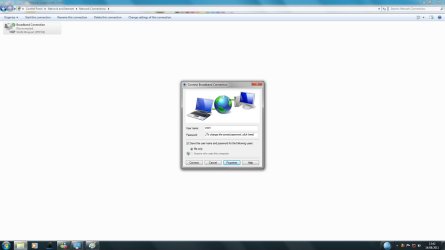
After two days of trying everything to get an internet connection back, i have given up and signed up here to get some help. You see, I keep getting a internet connection box pop up when I try and connect to the net (like a dial up connection) but I'm on broadband.
And when I go into Device Manager, and look for my network drivers, all I have in there is a "WAN Miniport" with a excalmation mark next to it. How can I get around this problem? It's driving me nuts! I'm running W7 32 bit BTW.
Many thanks in advance : )
And when I go into Device Manager, and look for my network drivers, all I have in there is a "WAN Miniport" with a excalmation mark next to it. How can I get around this problem? It's driving me nuts! I'm running W7 32 bit BTW.
Many thanks in advance : )
Last edited:
My Computer
- Computer type
- PC/Desktop
- Computer Manufacturer/Model Number
- Home Built :)
- OS
- Windows 10 Home 64-bit
- CPU
- Intel Core i5 3330 @ 3.00GHz
- Motherboard
- MSI B75MA-P45
- Memory
- 8.00GB Dual-Channel DDR3 (2 x 4GB)
- Graphics Card(s)
- 1024MB ATI AMD Radeon HD 7800 Series
- Sound Card
- Onboard
- Monitor(s) Displays
- 23 inch IPS LG monitor
- Screen Resolution
- 1920x1080
- Hard Drives
- 120GB OCZ-AGILITY3 (SSD)
1 TB SAMSUNG HD103SJ (Data Drive)
- Cooling
- Artic Cooling case and GPU fans. Zalman CPU cooler