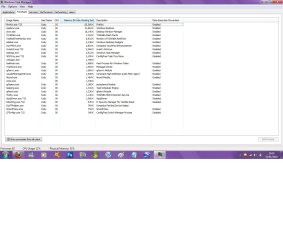
I have spend ages reducing my processes and services on boot and during use as I was using 40-42% of 3GB DDR3 RAM when I first got the system but now ive managed to bring it down to 26-28% on idle and stable system and around 30-34% while im doing the normal. Here is a screen shot so can somebody let me know if there is anything there that I may not need or is all of the processes normal?
Jonathan_king: Thanks dude, ive stopped more from running on start up so that should free up more RAM so hopefully bring idle system to 25% but theres nothing more I can do with the processes. Its the services that annoy me because there are so many.
Greg S: Ive never touched synapsis pointing device cus I thought that was the driver for the mouse pad and didn't really want to lose my pad to be honest.
I now have 58 processes running as oppose to 61/62, but that includes firfox and task manager.
Ill post up when I have restarted my system to see what's taken effect.
It is a Toshiba Laptop. You can live without some of the Toshiba utilities, as some have stated, but you may not like it. Make note of which ones you have installed before you uninstall them and be prepared to re-install if you change your mind.
P.S. Have you gained anything in performance? Many of the utilities are idle anyway and get paged to disk until needed.
My Computer
OS
XP Pro & Vista Home Premium (x86); Windows Ultimate 7600 x64 Retail
Muad Dib: Some of the lower consumption processes say disabled but still take up a few hundred K so I just stopped it all together. Basically if I use anything it will start itself back up if it needs it.