Program compatibility: Windows 7 not displayed in option

Gwail

New member
Local time
7:28 AM
Messages
2
Hi

I have a Windows 7 Home Premium 64 bit OS. I am trying to run a setup file that requires it to be compatible with Windows 7. But when I open properties and enter the compatibility tab, and see setting for all users, I have only Windows Vista as an option. The Windows 7 option is not displayed. I checked with other programs and it is the same. I am logged in as administrator. Any ideas?
Thanks
 

My Computer

Computer type
Laptop
OS
Windows 7 Home Premium 64 bit

My Computer

Computer type
Laptop
Computer Manufacturer/Model Number
Employer provided Dell Latitude
OS
W7 Pro SP1 64bit
CPU
i7
Memory
8GB
Graphics Card(s)
Intel HD Graphics
Hard Drives
crappy SSD
Antivirus
Employer mandated Symantec Endpoint Protection
Browser
Pale Moon 64bit, IE11 64bit & Chrome 64bit

It shouldn't be, you are using w7.

Well after checking Streets and Trips 2010, it does have a compat mode for w7, but you shouldn't need to select it.
 

My Computer

Computer type
PC/Desktop
Computer Manufacturer/Model Number
Home Built Desktop By DataTech
OS
Windows 7 Ultimate X64 SP1
CPU
Intel i5-2550K, Differing ~4.4-4.8GHz No built in GPU
Motherboard
ASUS P8Z68-V PRO/GEN3
Memory
16GB G.Skill Sniper 1866MHz @ 2133MHz 2x8GB
Graphics Card(s)
ASUS GTX650TIB-DC2OC-2GD5, (650TI Boost)
Sound Card
Onboard Realtek 5-1
Monitor(s) Displays
Samsung P2570HD
Screen Resolution
1920x1080
Hard Drives
Samsung 840 Pro 256GB SSD for OS, 500GB Seagate Constellation (Enterprise drive) for Data
PSU
Corsair HX650W
Case
Inwin Dragon Rider
Cooling
Hyper 212 EVO w/two Noctua fans, push-pull, @1300 RPM
Keyboard
E-Z Eyes, bright yellow keys with large characters
Mouse
steelseries SENSEI Laser Pro Gaming
Internet Speed
48-51Mbs Mbs down, 11 Mbs up Xfinity Cable
Antivirus
Norton Internet Security 2013
Browser
IE 10, Opera, Pale Moon if needed
Other Info
4 case fans, LG BluRay-RE, ASUS DVD-RW, Mr. Fusion power supply, 1.21 gigawatts.
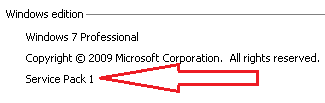
The Windows 7 option is to make it run as if the app were running on W7 before SP1 was applied. If there is ever a W7 SP2, then it will be cleared when one sees Windows 7 and Windows 7 SP1 listed as compatibility options on a computer that is running W7 SP2.

The tutorial that I pointed to has a note about MSI files. I figured that it might be easier to gather info from the instructions that the OP is following rather than going thru the steps for making sure that certain file extensions are showing and then asking the full name of the setup file :-)
 

My Computer

Computer type
Laptop
Computer Manufacturer/Model Number
Employer provided Dell Latitude
OS
W7 Pro SP1 64bit
CPU
i7
Memory
8GB
Graphics Card(s)
Intel HD Graphics
Hard Drives
crappy SSD
Antivirus
Employer mandated Symantec Endpoint Protection
Browser
Pale Moon 64bit, IE11 64bit & Chrome 64bit
I have checked in other computers running windows 7. In the compatibility tab of properties of any exe file I open in those comps, I see the option to run the program compatible with Windows 7 in the drop down along with Vista and XP SPs. But in my comp even though I am on the administrator account with full rights, I simply do not see all these options for the exe files I have. I have only XP SP3 and Vista options. None of the usual Win 98, Win NT etc options that other comps have. I know it is not a issue with the particular setup file I have as non of the exe files give me the Windows 7 option
 

My Computer

Computer type
Laptop
OS
Windows 7 Home Premium 64 bit

My Computer

Computer type
Laptop
Computer Manufacturer/Model Number
Employer provided Dell Latitude
OS
W7 Pro SP1 64bit
CPU
i7
Memory
8GB
Graphics Card(s)
Intel HD Graphics
Hard Drives
crappy SSD
Antivirus
Employer mandated Symantec Endpoint Protection
Browser
Pale Moon 64bit, IE11 64bit & Chrome 64bit
Back
Top