

I turned on my laptop one day, to basically come across the same issue with numerous programs.
It's not just programs though, files which are related to a program with the problem have also been changed.
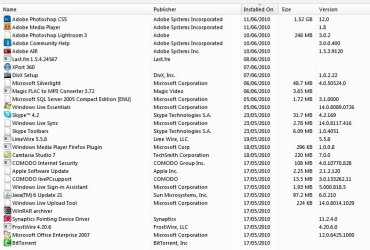
As you can see in the image attatched, a lot of programs have had their icons removed.. Thats not even 1/4 of the programs affected.
I'm pretty desperate for a solution to this, seeing as it looks silly as well as it being annoying.
So please, help.
It's not just programs though, files which are related to a program with the problem have also been changed.
As you can see in the image attatched, a lot of programs have had their icons removed.. Thats not even 1/4 of the programs affected.
I'm pretty desperate for a solution to this, seeing as it looks silly as well as it being annoying.
So please, help.
Attachments
My Computer
- Computer Manufacturer/Model Number
- Toshiba Satellite A210
- OS
- Windows 7 Ultimate 32-Bit (Build 7600)
- Memory
- 1.87GB Ram
- Monitor(s) Displays
- Philips 244E1SB 23.6 inch Computer LCD Monitor
- Hard Drives
- Fujitsu Mobile MHY2250BH 250 GB

