thedillybar
New member
- Local time
- 8:27 AM
- Messages
- 5
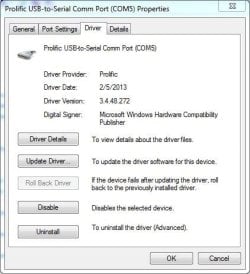
I have researched the Prolific USB-to-Serial driver issues. There's loads of information and mis-information regarding the Prolific chips, the counterfeit chips, and various driver versions. I've installed several different versions including 3.2.0.0 (7/31/2007), 3.3.2.105 (10/27/2008), 3.3.11.152 (3/12/2010). They all BSOD on my system.
The latest version from Windows Update is 3.6.81.357 (9/4/2015) and it works properly! Unfortunately it requires entering Advanced Boot Options at startup to disable driver signature checking. Otherwise it reports Code 52 (Windows cannot verify the digital signature for the drivers required for this device. A recent hardware or software change might have installed a file that is signed incorrectly or damaged, or that might be malicious software from an unknown source.) The driver lists two files which are both signed:
ser2pl64.sys (Microsoft Windows Hardware Compatibility)
serenum.sys (Microsoft Windows)
I have uninstalled the driver and re-installed the update from Windows Update with the same problem.
Is there a good solution or even a workaround?
The latest version from Windows Update is 3.6.81.357 (9/4/2015) and it works properly! Unfortunately it requires entering Advanced Boot Options at startup to disable driver signature checking. Otherwise it reports Code 52 (Windows cannot verify the digital signature for the drivers required for this device. A recent hardware or software change might have installed a file that is signed incorrectly or damaged, or that might be malicious software from an unknown source.) The driver lists two files which are both signed:
ser2pl64.sys (Microsoft Windows Hardware Compatibility)
serenum.sys (Microsoft Windows)
I have uninstalled the driver and re-installed the update from Windows Update with the same problem.
Is there a good solution or even a workaround?
My Computer
At a glance
Windows 7 x64
- Computer type
- PC/Desktop
- Computer Manufacturer/Model Number
- HP
- OS
- Windows 7 x64