- Local time
- 9:16 AM
- Messages
- 177
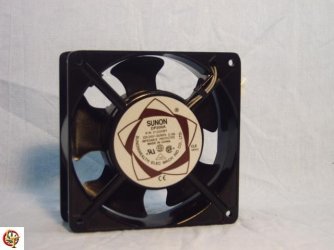
I have also recently bought 2 Sunon Fan DP200A
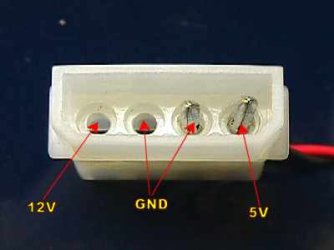
They have a power connect that is like a 2 pin male, and either side is a squeeze clip. I'm so sorry i don't know the name and i cant find a image on google. I was wondering if this can be cut off and a normal 4 pin power supply plug fitted, or even better, to be added to the Pins on the Motherboard for the fan.
If this can be done, what cables go where?
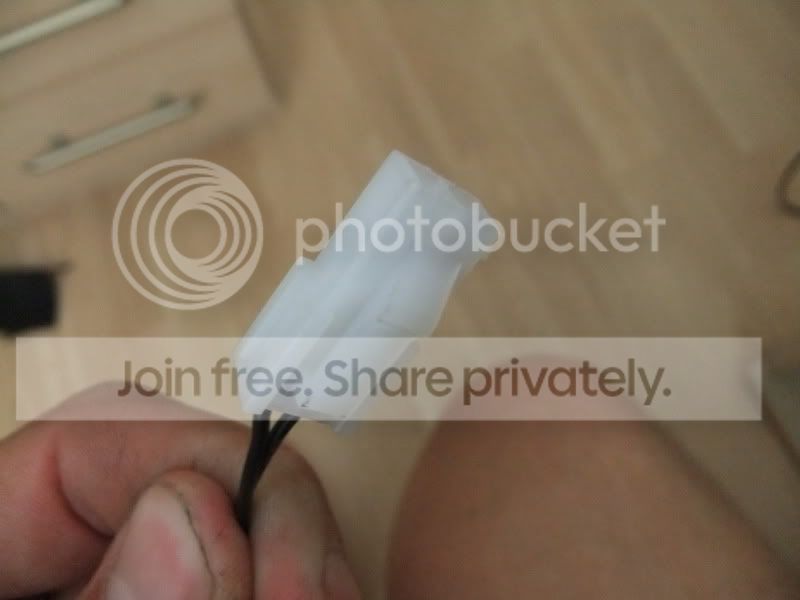

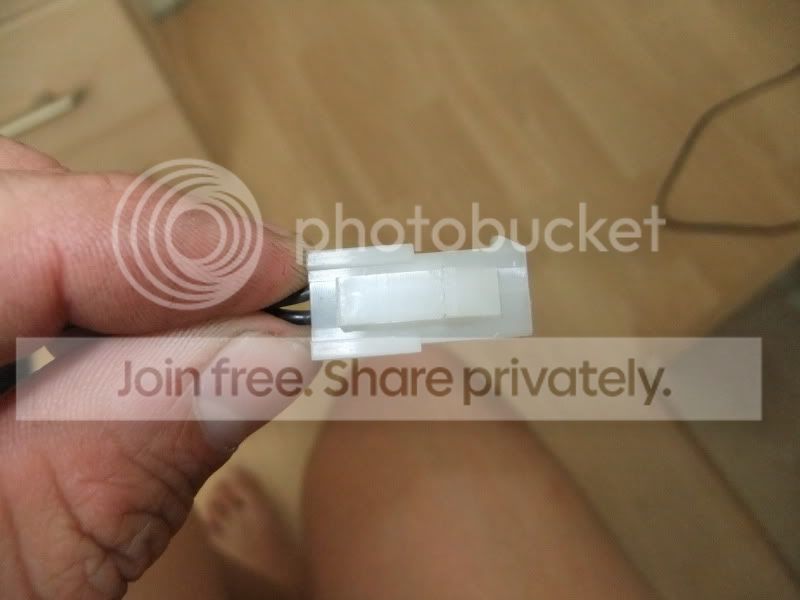
Voltage Rating 220V|240V
Power Rating 22W|21W
AC FAN 230V
Someone has already said it needs to use mains power? I want to keep these as they have unbelievable air flow, and there the best quality.
They have a power connect that is like a 2 pin male, and either side is a squeeze clip. I'm so sorry i don't know the name and i cant find a image on google. I was wondering if this can be cut off and a normal 4 pin power supply plug fitted, or even better, to be added to the Pins on the Motherboard for the fan.
If this can be done, what cables go where?
Voltage Rating 220V|240V
Power Rating 22W|21W
AC FAN 230V
Someone has already said it needs to use mains power? I want to keep these as they have unbelievable air flow, and there the best quality.
My Computer
- Computer Manufacturer/Model Number
- Home Grown
- OS
- Windows 7 Pro X64
- CPU
- Intel i7, 930 2.8Ghz - O/c to 4Ghz @ 1.29v
- Motherboard
- ASUS Rampage II Gene
- Memory
- 3x2GB = 6GB Mushkin Redline 998805
- Graphics Card(s)
- Nvidia Geforce 8800GTX
- Sound Card
- Audigy Soundblaster 24 Bit Extreme
- Monitor(s) Displays
- Samsung SyncMaster 913N
- Screen Resolution
- 1280 x 1024
- Hard Drives
- 1x Western Digital 500GB, 16MB Crèche, 7,200RPM
1x Western Digital 150GB, 2MB Crèche, 7,200RPM
1x Seagate 250GB, 16MB Crèche, 7,200RPM
- PSU
- Thermaltake 850W PSU
- Case
- A butchered case with holes cut out for extra cooling lol
- Cooling
- CPU = Corsair H50 with 2x 120mm Noctua NF-S12B fans on rad
- Keyboard
- QWERTY
- Mouse
- Micky
- Internet Speed
- Not fast enough