Question Regarding Simplix7R2 install on a Live Win28KR2 installation

Shadow Lord

New member
Member
Local time
7:41 PM
Messages
15
To those better in the know - on a LIVE system (not updating an ISO) afte installing Simplix7R2 Update Patch would you expect to see the updates listed either in Windows Update history of listed updates and/or in control panel under "Programs and Features"?


I ran the latest 09/20 patch on a live system. It found a number of updates to install, installed them (multiple reboots required) and then ran windows cleanup. However, when I went back to check Windows Update the last update in the history is from January 2020 - just like it was before Simplix install.


How can I be sure updates were installed and which ones? TIA!
 

My Computer My Computer

At a glance

Windows 7 Pro 64bit
Computer type
PC/Desktop
OS
Windows 7 Pro 64bit
do you have updatepack7.log anywhere
 

My Computers My Computers

  • At a glance

    7 X64i5 84002x8gb 3200mhz
    Computer type
    PC/Desktop
    OS
    7 X64
    CPU
    i5 8400
    Motherboard
    gigabyte b365m ds3h
    Memory
    2x8gb 3200mhz
    Hard Drives
    various
    PSU
    pure power 11 400w cm
    Case
    Coolermaster
    Cooling
    cryorig m9i
  • At a glance

    7x64g54008gb ddr4 2400
    Computer type
    PC/Desktop
    OS
    7x64
    CPU
    g5400
    Motherboard
    ga b365m ds3h
    Memory
    8gb ddr4 2400
    PSU
    xfx pro 450w
Yes, I found the file and it lists a number of KBs it tried to install. According to the log the program successfully finished. However, for the 08/2020 monthly roll up (kb4577051) I get code 0x800f083f. For the other KBs it just says a reboot is required. There is no definite success/fail message. TIA.
 

My Computer My Computer

At a glance

Windows 7 Pro 64bit
Computer type
PC/Desktop
OS
Windows 7 Pro 64bit

Attachments

  • esudlv.PNG
    esudlv.PNG
    103 KB · Views: 0

My Computer My Computer

At a glance

W7 home premium 32bit/W7HP 64bit/w10 tp insid...E5300 dual core3gbNvidia Geforce 7100 Nforce 630i
Computer type
PC/Desktop
Computer Manufacturer/Model Number
medionl/Aspire 6930G/acer x55a
OS
W7 home premium 32bit/W7HP 64bit/w10 tp insider ring
CPU
E5300 dual core
Motherboard
medion MS7366
Memory
3gb
Graphics Card(s)
Nvidia Geforce 7100 Nforce 630i
Monitor(s) Displays
avixc
Internet Speed
n (isp resticted to 72)
Antivirus
mse/pands
Browser
palemoon
Other Info
Belkin Fd7050 n USB using Railink RT2870 drivers, more upto date
Roy,


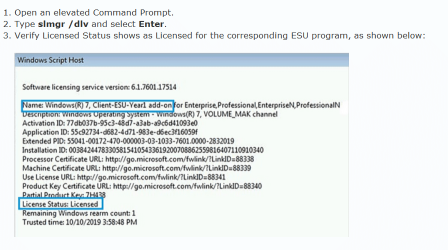
Thanks for the info. I know I haven't done anything as far as enabling ESU bypass on my own. My understanding was that Simplix would get everything taken cared of/installed so the latest patches could be installed. The ESU bypass was only necessary if you wanted to get future updates through windows update. Is this incorrect?
 

My Computer My Computer

At a glance

Windows 7 Pro 64bit
Computer type
PC/Desktop
OS
Windows 7 Pro 64bit
Hi

kb4577051 is an after EOL update and requires the ESU licence.
Even if its included within Simplex or DISM++ the OS will perform an internal check looking for the ESU marker. If its not present it will not install it.

the CBS log should indicate this, any chance you could post it


Roy
 

My Computer My Computer

At a glance

W7 home premium 32bit/W7HP 64bit/w10 tp insid...E5300 dual core3gbNvidia Geforce 7100 Nforce 630i
Computer type
PC/Desktop
Computer Manufacturer/Model Number
medionl/Aspire 6930G/acer x55a
OS
W7 home premium 32bit/W7HP 64bit/w10 tp insider ring
CPU
E5300 dual core
Motherboard
medion MS7366
Memory
3gb
Graphics Card(s)
Nvidia Geforce 7100 Nforce 630i
Monitor(s) Displays
avixc
Internet Speed
n (isp resticted to 72)
Antivirus
mse/pands
Browser
palemoon
Other Info
Belkin Fd7050 n USB using Railink RT2870 drivers, more upto date
Roy,


I tried to post the log and I couldn't. However, I did look through it and the following updates are installed:
SHA-2 update (KB4474419)
March 12, 2019 servicing stack update (SSU) (KB4490628)
August 2020 SSU (KB4570673)

However, January 14, 2020 SSU (KB4536952) is not installed but it shouldn't be needed if KB4570673 is installed, correct?
 

My Computer My Computer

At a glance

Windows 7 Pro 64bit
Computer type
PC/Desktop
OS
Windows 7 Pro 64bit
Back
Top