Hey guys Ive got an error for you, might be something simple but my head is killing me on figuring this one out.
I have a R6950 video card, a Acer 22 LED screen and a HP D2835 17" running 11.4 ATI drivers.
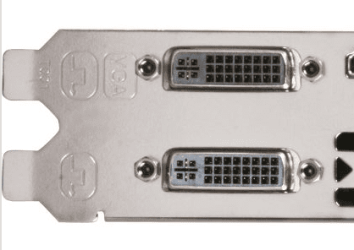
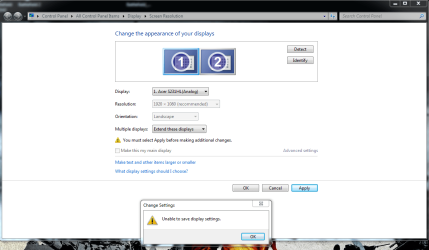
I want to use both screens with my new setup but here is my issue. When i try to create the second display i get an error message. Saying its unable to save display settings. Here is my setup i have the Acer using a DVI cord and the HP has a DVI-VGA plug into its VGA cord. I know I cant do the same res on both screens and Im fine with that, since I will just be using the second screen as a status screen from my other machines on the network and when i log into them.
Thanks for you help in advance.
I have a R6950 video card, a Acer 22 LED screen and a HP D2835 17" running 11.4 ATI drivers.
I want to use both screens with my new setup but here is my issue. When i try to create the second display i get an error message. Saying its unable to save display settings. Here is my setup i have the Acer using a DVI cord and the HP has a DVI-VGA plug into its VGA cord. I know I cant do the same res on both screens and Im fine with that, since I will just be using the second screen as a status screen from my other machines on the network and when i log into them.
Thanks for you help in advance.
Attachments
My Computer
- Computer Manufacturer/Model Number
- Custom Build
- OS
- Windows 7 Ultimate x64 SP1
- CPU
- AMD Phenom II 1090 3.2 six core
- Motherboard
- MSI 890FXA-GD65
- Memory
- 16 gig DDR3
- Graphics Card(s)
- MSI R6950 2gig
- Sound Card
- on board
- Monitor(s) Displays
- Acer 23inch led
- Screen Resolution
- 1900x1080 widescreen
- Hard Drives
- Seagate 1tb SATA6
2x 1tb HITACHI Deskstar
- PSU
- CORSAIR Enthusiast Series TX750 V2 750W
- Case
- CoolMaster HAF 922
- Cooling
- Box AMD Heatsink/Fan
- Internet Speed
- Cable 12Mbps/3Mbps