reinartz42
New member
- Local time
- 4:36 PM
- Messages
- 2
Salutations,
I've been googling the internet for about a week now, trying to optimize my windows workflow. I thought maybe if I spend a week or so trying to minimize my clicks to tasks I might save time overall. However, one thing I still haven't found is radial menus for Windows 7.
Brink, this is sort of directed to you, since I've read many of your context menu tweak tutorials...
What I'd like to do, is remove all context items from the menus starting with the desktop. When I right click my desktop, I get:
View >
Sort By >
Refresh
--------
Paste
Paste Shortcut
Undo
--------
Nvidia Control Panel
--------
Shared Folder Sync (Office) >
--------
New >
--------
Screen Resolution
Gadgets
Personalize
I mean look at it, and if I click from the top half of the screen, View is what starts next to my pointer. So I have to drag all the way down the menu, adding extra workflow. I don't even use any of those except New > Notepad|Wordpad|Excel and RARELY Personalize.
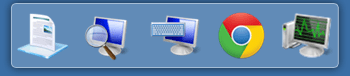
What I'd like to do though, is remove everything, then add functions I would typically use everyday, like a shortcut to Documents, Magnifier, Onscreen Keyboard, Google Chrome, and TASK MANAGER!!! (Really want this lol)
Just getting the info to customize the context menu to the above description would be perfect, but if it's possible I'd also like to reduce my scroll length by changing the Bar to a Radial Menu.
Instead of dragging 8 rows down each time I want to access Personalize, I could simply drag 1 row Seven 0 Clock, or 1 row Four 0 Clock. Overall saving time, and energy.
I'm fine with installing third party apps to accomplish this, if there are any recommendations. Though I haven't found anything from google.
Thanks for taking the time to read this, I hope we can figure this out to increase overall productivity from Windows 7... or possibly influence features for 8...
I've been googling the internet for about a week now, trying to optimize my windows workflow. I thought maybe if I spend a week or so trying to minimize my clicks to tasks I might save time overall. However, one thing I still haven't found is radial menus for Windows 7.
Brink, this is sort of directed to you, since I've read many of your context menu tweak tutorials...
What I'd like to do, is remove all context items from the menus starting with the desktop. When I right click my desktop, I get:
View >
Sort By >
Refresh
--------
Paste
Paste Shortcut
Undo
--------
Nvidia Control Panel
--------
Shared Folder Sync (Office) >
--------
New >
--------
Screen Resolution
Gadgets
Personalize
I mean look at it, and if I click from the top half of the screen, View is what starts next to my pointer. So I have to drag all the way down the menu, adding extra workflow. I don't even use any of those except New > Notepad|Wordpad|Excel and RARELY Personalize.
What I'd like to do though, is remove everything, then add functions I would typically use everyday, like a shortcut to Documents, Magnifier, Onscreen Keyboard, Google Chrome, and TASK MANAGER!!! (Really want this lol)
Just getting the info to customize the context menu to the above description would be perfect, but if it's possible I'd also like to reduce my scroll length by changing the Bar to a Radial Menu.
Instead of dragging 8 rows down each time I want to access Personalize, I could simply drag 1 row Seven 0 Clock, or 1 row Four 0 Clock. Overall saving time, and energy.
I'm fine with installing third party apps to accomplish this, if there are any recommendations. Though I haven't found anything from google.
Thanks for taking the time to read this, I hope we can figure this out to increase overall productivity from Windows 7... or possibly influence features for 8...
My Computer
- OS
- Windows 7 Ultimate x64