
eagleflyfree92
New member
- Local time
- 10:33 AM
- Messages
- 4
My girlfriend got me this new laptop for Christmas.
Samsung with Win7 64
Intel i3 2.53GHz
8GB of RAM
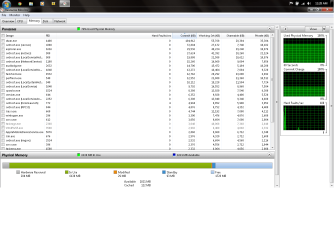
It's really nice, but one night I realized it was running slow. I opened Task Manager and found that 6.5GB of my 8GB of ram was being used. I closed all my programs, nothing changed. So I restarted it. It stayed down at about 17% but after a while it started climbing again. I've been all over the internet looking for a fix to this but nothing so far has worked. I disabled Super Fetch and Windows search and I know it's not the Firefox leak because I use Google Chrome. Any fixes? Could it just be the RAM? I didn't have this problem with my desktop at all.

Samsung with Win7 64
Intel i3 2.53GHz
8GB of RAM
It's really nice, but one night I realized it was running slow. I opened Task Manager and found that 6.5GB of my 8GB of ram was being used. I closed all my programs, nothing changed. So I restarted it. It stayed down at about 17% but after a while it started climbing again. I've been all over the internet looking for a fix to this but nothing so far has worked. I disabled Super Fetch and Windows search and I know it's not the Firefox leak because I use Google Chrome. Any fixes? Could it just be the RAM? I didn't have this problem with my desktop at all.
My Computer
At a glance
Windows 7 Ultimate 64 BitCore i3 2.53 GHz8 GB
- OS
- Windows 7 Ultimate 64 Bit
- CPU
- Core i3 2.53 GHz
- Memory
- 8 GB
- Sound Card
- Tascam US-800


