
Random Freeze with audio loop

Bloodsummoner

New member
Local time
11:46 PM
Messages
3
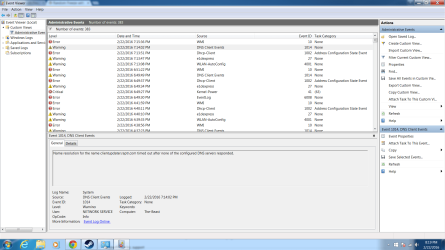
Please help me i have been reading and trying stuff left and right it seem to be random Freeze with buzzing like an audio loop i cant do anything and i am forced to restart my computer manually i seem to have all drivers updated and windows is up to date my computer is new to me about a year old but i have only been on it for about 4 month then i had to move and it ended up sitting for about 8 month after turning it on and updating i play a game and i have no i idea when it will freeze and buzz no blue screen i have 16g ram amd radeon r290 video card and asrock x99 extreme6 mobo intel i7 5820k im lost on what to do i have some errors in the Event Viewer i will post she runs fine other wise please help she is my baby
 

Attachments
  • Untitled 1.png
    Untitled 1.png
    82 KB · Views: 5

My Computer

Computer type
PC/Desktop
Computer Manufacturer/Model Number
Cyberpower pc Built
OS
Windows 7 pro 64bit
CPU
intel i7-5820k 3.3ghz
Motherboard
asrock x99 extreme6
Memory
16 gibite
Graphics Card(s)
radeon r9 290 4 gb
Hard Drives
one main ssd 256gb and a sata3 3.5 hard drive 1 TB
Welcome to the forums Bloodsummoner!

I see many errors involving WMI (Windows Management Instrumentation). These kind of errors usually , not always, require a fairly high level of expertise to resolve. Here's a link to Microsoft's WMI Diagnostic Utility. Run it and see if it helps if you like : https://technet.microsoft.com/en-us/library/ff404265.aspx

What other remedies have you tried?
 

My Computer

Computer type
Laptop
Computer Manufacturer/Model Number
MSI GE72VR Apache Pro-416
OS
Windows 10x64 Build 1709
CPU
Intel i7 7700HQ Kaby Lake
Motherboard
Micro-Star Intl. MS-179B (U3C1)
Memory
16 GB DDR4 @2400
Graphics Card(s)
Nvidia Geforce GTX 1060
Screen Resolution
1920x1080 120Hz
Hard Drives
256 GB Nvme M.2 SSD

1TB HDD@7200
Cooling
Cooler Blast 4
Keyboard
Steel Series
Antivirus
Bit Defender Free
Browser
Edge
i reinstalled windows and drivers didnt seem to help, very random

im confussed on what to do with the WMIDiag and i thought the wmi 10 was ok to have says windows but idk i just need this to stop crashing it has since gave me a blue screen once with code0x0000007f and downloaded the hotfix fr4om windows now i got a blue screen only one time with code0x0000000a and havent gotten a blue screen since but it still crashes

ok wmi log is done i see it how do i post the whole thing for you to look at

Welcome to the forums Bloodsummoner!

I see many errors involving WMI (Windows Management Instrumentation). These kind of errors usually , not always, require a fairly high level of expertise to resolve. Here's a link to Microsoft's WMI Diagnostic Utility. Run it and see if it helps if you like : https://technet.microsoft.com/en-us/library/ff404265.aspx

What other remedies have you tried?

please help me im lost how do i message you
 

Attachments

My Computer

Computer type
PC/Desktop
Computer Manufacturer/Model Number
Cyberpower pc Built
OS
Windows 7 pro 64bit
CPU
intel i7-5820k 3.3ghz
Motherboard
asrock x99 extreme6
Memory
16 gibite
Graphics Card(s)
radeon r9 290 4 gb
Hard Drives
one main ssd 256gb and a sata3 3.5 hard drive 1 TB
Back
Top