Solved Re-Install Windows 7

Cheemag

New member
Member
VIP
Local time
5:03 AM
Messages
247
Location
Englandshire, Scotland
The time has come after 18 months to re-install Windows 7 as the wireless networking is broken.

The install I have is pre-SP1 upgraded to SP-1 via Windows updates. I downloaded an .ISO of Windows 7 which I understand was authorised or at least condoned by Microsoft. That .ISO includes SP-1. It came from River Media as I recall.

Am I able to install the downloaded .ISO with the key I have for my original retail copy ? This would avoid my having to install Win 7 followed by SP-1.

Are there likely to be problems, or would I be safer just to use the retail copy I have?
 

My Computer

Computer Manufacturer/Model Number
Gigabyte
OS
Windows 7 Professional 64-bit
CPU
Intel Core 2 Duo
Motherboard
EP41T-UD3L
Memory
4 GB
Graphics Card(s)
Nvidia GE Force 9500GT
Sound Card
On-board
Monitor(s) Displays
Acer V203H
Hard Drives
Two Samsung HD103SJ 1TB
PSU
?
Case
?
Cooling
Fan
I'm reasonably sure you are OK to use the downloaded ISO with SP1 integrated and then activate with your existing key. The key works on Win 7 alone or on Win 7 with SP 1 integrated.

I've done a similar download with SP 1 integrated from Digital River and burned a disc from that ISO--but I have not yet installed with it.

If you are anxious about it, you could use your original pre-SP 1 disc and then download the SP 1 standalone ISO.
 

My Computer

Computer type
PC/Desktop
Computer Manufacturer/Model Number
Ignatz Special; 4 speed manual gearbox; factory air conditioning; one of one
OS
Windows 7 Home Premium SP1, 64-bit
CPU
Intel Skylake i5-6600K, not overclocked
Motherboard
AsRock Z170M Extreme 4, micro ATX
Memory
8 GB HyperX DDR4-2666 (2 x 4 GB)
Graphics Card(s)
none; graphics are integrated on CPU
Sound Card
onboard: Realtek ALC1150; external: USB Behringer UF0-202
Monitor(s) Displays
Dell S2340M 23 inch IPS
Screen Resolution
1600 x 900
Hard Drives
System: Crucial MX100 series SSD, 128 GB;
Data: Samsung Spinpoint 103SJ, 1 TB;
Backup: WD Caviar Green WD30EZRX-00D8PB0, 3 TB
PSU
Rosewill SilentNight 500 watt fanless, semi-modular
Case
Antec Solo II
Cooling
Noctua NH-U12S; Noctua F12 intake, Noctua S12A exhaust
Keyboard
Microsoft 200 6JH-00001 USB
Mouse
Dell or Microsoft optical wired; USB
Antivirus
Microsoft Security Essentials and Malwarebytes Premium
Browser
Pale Moon
Other Info
All fans PWM; speeds at idle: CPU circa 500 rpm; intake circa 600 rpm; exhaust circa 600 rpm; CPU temps 27 idle and 47 C load in a warm room (27 C/81 F) when running Intel Extreme Tuning Utility stress test.
I'm reasonably sure you are OK to use the downloaded ISO with SP1 integrated and then activate with your existing key. The key works on Win 7 alone or on Win 7 with SP 1 integrated.

I've done a similar download with SP 1 integrated from Digital River and burned a disc from that ISO--but I have not yet installed with it.

If you are anxious about it, you could use your original pre-SP 1 disc and then download the SP 1 standalone ISO.

I think the latter would be the best way forward, but the standalone SP-1 .ISO I have downloaded is entitled "windows6.1-KB976932-X86.exe". My system is Windows 7 Professional 64-bit and that .ISO appears to be a 32-bit.

Windows 6.1 ? X86 ?
 

My Computer

Computer Manufacturer/Model Number
Gigabyte
OS
Windows 7 Professional 64-bit
CPU
Intel Core 2 Duo
Motherboard
EP41T-UD3L
Memory
4 GB
Graphics Card(s)
Nvidia GE Force 9500GT
Sound Card
On-board
Monitor(s) Displays
Acer V203H
Hard Drives
Two Samsung HD103SJ 1TB
PSU
?
Case
?
Cooling
Fan
I also downloaded and saved the 64-bit version of the SP1 standalone.

It is named windows6.1-KB976932-X64.exe.

Based on that, I'd guess you have the 32 bit version. Go back to MS and look for the file I got.
 

My Computer

Computer type
PC/Desktop
Computer Manufacturer/Model Number
Ignatz Special; 4 speed manual gearbox; factory air conditioning; one of one
OS
Windows 7 Home Premium SP1, 64-bit
CPU
Intel Skylake i5-6600K, not overclocked
Motherboard
AsRock Z170M Extreme 4, micro ATX
Memory
8 GB HyperX DDR4-2666 (2 x 4 GB)
Graphics Card(s)
none; graphics are integrated on CPU
Sound Card
onboard: Realtek ALC1150; external: USB Behringer UF0-202
Monitor(s) Displays
Dell S2340M 23 inch IPS
Screen Resolution
1600 x 900
Hard Drives
System: Crucial MX100 series SSD, 128 GB;
Data: Samsung Spinpoint 103SJ, 1 TB;
Backup: WD Caviar Green WD30EZRX-00D8PB0, 3 TB
PSU
Rosewill SilentNight 500 watt fanless, semi-modular
Case
Antec Solo II
Cooling
Noctua NH-U12S; Noctua F12 intake, Noctua S12A exhaust
Keyboard
Microsoft 200 6JH-00001 USB
Mouse
Dell or Microsoft optical wired; USB
Antivirus
Microsoft Security Essentials and Malwarebytes Premium
Browser
Pale Moon
Other Info
All fans PWM; speeds at idle: CPU circa 500 rpm; intake circa 600 rpm; exhaust circa 600 rpm; CPU temps 27 idle and 47 C load in a warm room (27 C/81 F) when running Intel Extreme Tuning Utility stress test.

My Computer

Computer type
PC/Desktop
Computer Manufacturer/Model Number
Self Built
OS
Win 10 Pro x64
CPU
Intel I5-2500K @3.3GHz
Motherboard
Asrock P67 Extreme4
Memory
16GB G.Skill Ripjaws X (4x4GB)
Graphics Card(s)
EVGA GeForce 750 Ti SC 2GB
Sound Card
ASUS Xonar DG 5.1 Channels 24-bit 96KHz PCI Interface Sound
Monitor(s) Displays
auria eq2367
Screen Resolution
1920 x 1080
Hard Drives
250GB Samsung 850 EVO SSD
1TB WD Blue
1TB Hitachi
PSU
SeaSonic X 650W 80 Plus Gold
Case
Corsair Obsidian 750D
Cooling
Corsair H60, Three 140mm case fans
Keyboard
Logitech Wireless Keyboard K520
Mouse
Logitech Wireless Mouse M310
Internet Speed
Wave Broadband ~ 100 dn 5 up
Antivirus
Windows Defender, Malwarebytes Premium
Browser
Edge, IE11, Chrome
Other Info
Laptop specs: HP g7-1365dx /
CPU: AMD A6-3420M APU with Radeon(tm) HD Graphics /
RAM: Crucial 8Gb (2x4Gb) /
SSD: Crucial M4-CT128M4SSD2 ATA Device/ FW 000F /
GFX: AMD Radeon HD 6520G /
OS: Windows 10 Pro x64
Yes, thanks both. I now have the correct version.
 

My Computer

Computer Manufacturer/Model Number
Gigabyte
OS
Windows 7 Professional 64-bit
CPU
Intel Core 2 Duo
Motherboard
EP41T-UD3L
Memory
4 GB
Graphics Card(s)
Nvidia GE Force 9500GT
Sound Card
On-board
Monitor(s) Displays
Acer V203H
Hard Drives
Two Samsung HD103SJ 1TB
PSU
?
Case
?
Cooling
Fan
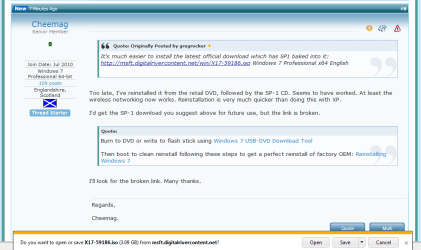
It's much easier to install the latest official download which has SP1 baked into it:
Official ISO Downloads Windows 7 Professional x64 English

Too late, I've reinstalled it from the retail DVD, followed by the SP-1 CD. Seems to have worked. At least the wireless networking now works. Reinstallation is very much quicker than doing this with XP.

I'd get the SP-1 download you suggest above for future use, but the link is broken.

Burn to DVD or write to flash stick using Windows 7 USB-DVD Download Tool

Then boot to clean reinstall following these steps to get a perfect reinstall of factory OEM: Reinstalling Windows 7
I'll look for the broken link. Many thanks.
 

My Computer

Computer Manufacturer/Model Number
Gigabyte
OS
Windows 7 Professional 64-bit
CPU
Intel Core 2 Duo
Motherboard
EP41T-UD3L
Memory
4 GB
Graphics Card(s)
Nvidia GE Force 9500GT
Sound Card
On-board
Monitor(s) Displays
Acer V203H
Hard Drives
Two Samsung HD103SJ 1TB
PSU
?
Case
?
Cooling
Fan
Back
Top