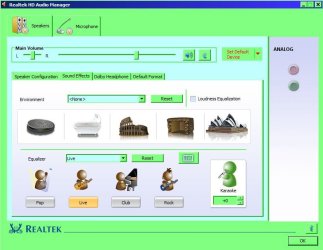
Hi all! Newbie here. Can't find a solution to this problem anywhere. Any help would be greatly appreciated. Home Premium 64bit, Realtek HD. No problem with sound until I use Speaker properties or HD Audio Manager to set a sound effect. Then, if I try to play an mp3, WMP 12 gets a "... encountered a problem while playing the file." Other media players, VLC, MPC-HC, etc., act as though they're playing the file but there's no sound. (AND, just for the heck of it I just tried IrfanView and it will play the file and respond to any enhancements I change.) Anyway, the only way I can get the other players to play again is to tick "Disable all sound effects" under the Enhancements tab for the speakers. I'm baffled! Again, any help would be appreciated.
My Computer
At a glance
Microsoft Windows 7 Home Premium 64-bit 7601 ...Intel(R) Core(TM) i3 CPU 550 @ 3.20GHz4.00 GBIntel(R) HD Graphics
- Computer type
- PC/Desktop
- Computer Manufacturer/Model Number
- Si
- OS
- Microsoft Windows 7 Home Premium 64-bit 7601 Multiprocessor Free Service Pack 1
- CPU
- Intel(R) Core(TM) i3 CPU 550 @ 3.20GHz
- Motherboard
- MSI H55M-E23(MS-7636)
- Memory
- 4.00 GB
- Graphics Card(s)
- Intel(R) HD Graphics
- Sound Card
- (1) Realtek High Definition Audio (2) Intel(R) Display Aud
- Monitor(s) Displays
- Acer S201HL
- Screen Resolution
- 1600 x 900 x 32 bits (4294967296 colors) @ 60 Hz
- Hard Drives
- (1) WDC WD3200AAJB-00WGA0 (2) WDC WD5000AAKX-001CA0 (3) USB2.0 CardReader CF RW USB Device (4) USB2.0 CardReader MS RW USB Device (5) USB2.0 CardReader SD RW USB Device (6) USB2.0 CardReader SM RW USB Device
- PSU
- 300 W
- Case
- Micro-ATX