Rebuild an environment with Win7 native VHD boot file

Sergec

New member
Local time
5:26 PM
Messages
1
Hi,

I have installed Windows 7 on my laptop with native VHD boot technology.
When I open windows explorer I have :

c: which hosts windows system files
d: whic contains VHD file

If I save this VHD file and BCD store, is it possible to rebuild rapidly and simply my Windows environment with those two files in case of crash.

If yes, how to do this please ?

Regards.
 

My Computer My Computer

At a glance

Windows 7 Enterprise
OS
Windows 7 Enterprise
Good question
 

My Computer My Computer

At a glance

Windows 7 Ultimate 64bit2.28GbNVIDIA
Computer type
Laptop
Computer Manufacturer/Model Number
Dell
OS
Windows 7 Ultimate 64bit
CPU
2.2
Memory
8Gb
Graphics Card(s)
NVIDIA
Screen Resolution
1280/762
Mouse
built in pad || iphone || MS wireless
Internet Speed
100MB
Antivirus
Avast
Browser
Chrome, Chrome portable
My native VHD failed. I've recreated, re-installed, and am trying to work on a backup strategy.

Maybe because I RoboCopied the VHD it fails.
Maybe it's 'cause I'd tried to shrink the (native) virtual volume first... seems like native virtual hard drive files aren't as easy to manage as I'd hoped.
 

My Computer My Computer

At a glance

Windows 7 Ultimate 64bit2.28GbNVIDIA
Computer type
Laptop
Computer Manufacturer/Model Number
Dell
OS
Windows 7 Ultimate 64bit
CPU
2.2
Memory
8Gb
Graphics Card(s)
NVIDIA
Screen Resolution
1280/762
Mouse
built in pad || iphone || MS wireless
Internet Speed
100MB
Antivirus
Avast
Browser
Chrome, Chrome portable
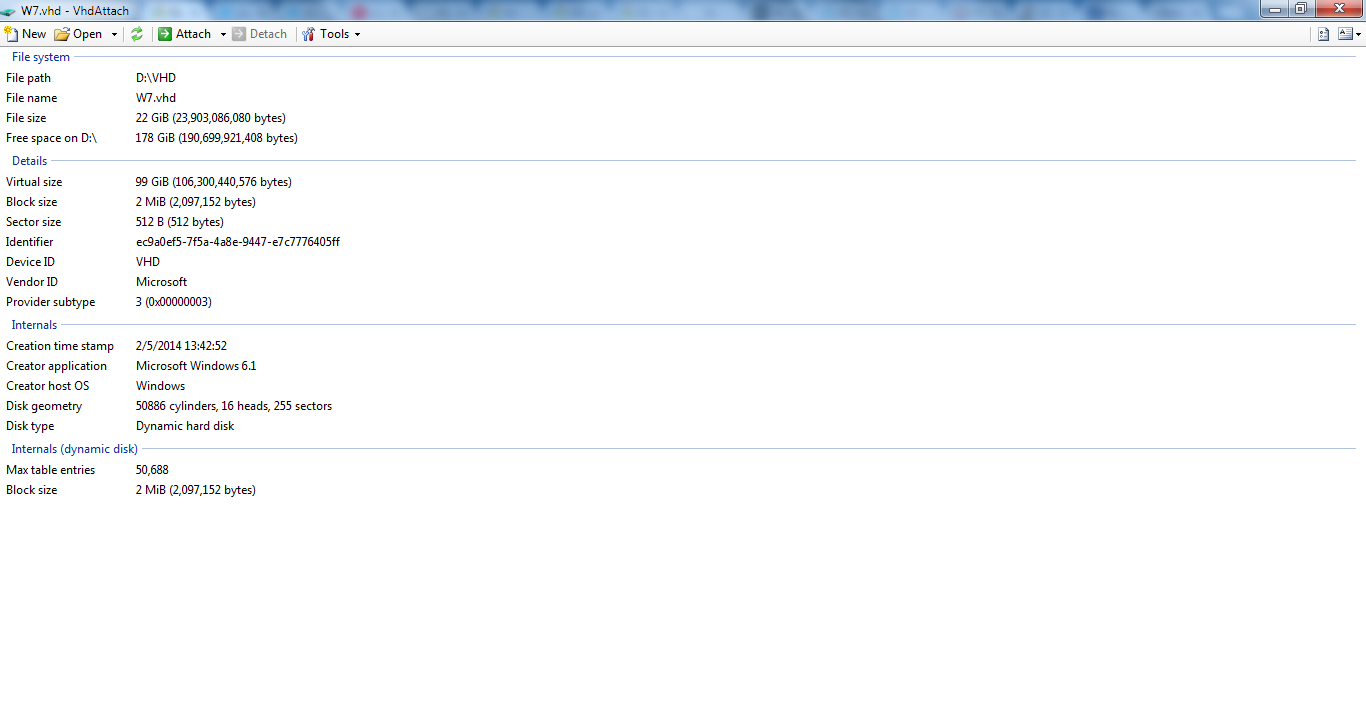
I just robocopied my native VHD (from diskpart outside the native VM) and tried vhd attach (mentioned above), and it asks about disk initialisation. The copy is 99gig of unallocated space.

Can you desribe (definitively) how to copy (and therefore backup) a native vhd?

The (robo)copy was attemted (and completed successfully) outside the (native) VM

C:\>MD VHD2

C:\>ROBOCOPY VHD VHD2

-------------------------------------------------------------------------------
ROBOCOPY :: Robust File Copy for Windows

-------------------------------------------------------------------------------

Started : Sun Feb 09 17:40:34 2014

Source : C:\VHD\
Dest : C:\VHD2\

Files : *.*

Options : *.* /COPY:DAT /R:1000000 /W:30

------------------------------------------------------------------------------

1 C:\VHD\
100% New File 22.2 g win7.vhd

------------------------------------------------------------------------------

Total Copied Skipped Mismatch FAILED Extras
Dirs : 1 0 1 0 0 0
Files : 1 1 0 0 0 0
Bytes : 22.261 g 22.261 g 0 0 0 0
Times : 0:11:26 0:11:26 0:00:00 0:00:00


Speed : 34807159 Bytes/sec.
Speed : 1991.681 MegaBytes/min.

Ended : Sun Feb 09 17:52:01 2014

jNMEtxm.png


Can't attach (even readonly)
 

My Computer My Computer

At a glance

Windows 7 Ultimate 64bit2.28GbNVIDIA
Computer type
Laptop
Computer Manufacturer/Model Number
Dell
OS
Windows 7 Ultimate 64bit
CPU
2.2
Memory
8Gb
Graphics Card(s)
NVIDIA
Screen Resolution
1280/762
Mouse
built in pad || iphone || MS wireless
Internet Speed
100MB
Antivirus
Avast
Browser
Chrome, Chrome portable
(nVM = native Virtual Machine)
OK, good news (I think).

I deleted the robocopy, cause it said the volume was unallocated when attached (via diskmgmt), but maybe it was ok.

I thought it MIGHT be a signature collision thing (you can't mount your nVM copy while the nVM is in use).

I started a new install, again booting from windows media, to cmd via shift+f10, to diskpart, create and attach a new vdisk, exit diskpart and cmd, proceed with install (in new VHD, unallocated space). The new install is added as the first bootmenu entry.

I was then able to

  • boot into native VHD and copy another (new 7gig) VHD
  • boot into (new 7gig) VHD and copy native VHD
  • update bcd to add (copy of native) vhd, copy and set this new BCD to point to the copy of the native VHD
  • boot into the copy!

I'm now going to resize the VHD and ensure this works without a hitch. Then I have a VHD that was native and bootable, that died. the vhd has been recovered but, when attached, does not say 'boot' (active primary partition..) I'd love to recover this
 

My Computer My Computer

At a glance

Windows 7 Ultimate 64bit2.28GbNVIDIA
Computer type
Laptop
Computer Manufacturer/Model Number
Dell
OS
Windows 7 Ultimate 64bit
CPU
2.2
Memory
8Gb
Graphics Card(s)
NVIDIA
Screen Resolution
1280/762
Mouse
built in pad || iphone || MS wireless
Internet Speed
100MB
Antivirus
Avast
Browser
Chrome, Chrome portable
Back
Top