Solved Red cross in e-mail messages, also windows gadgets stoped working

Swoosh983

New member
Local time
5:48 PM
Messages
12
Hi guys!

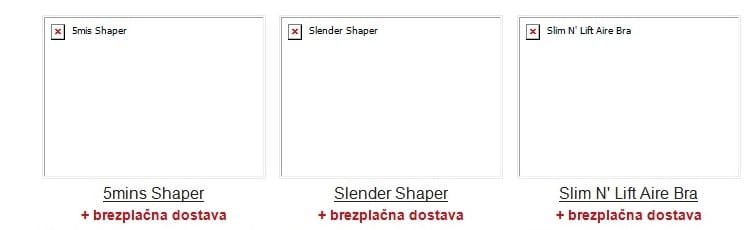
My friend has a strange problem. Couple of days ago he started a computer and after a number of updates and installs he noticed that the e-mail messages in Outlook 2007 stopped showing pictures. Instead of pictures there were just red crosses. Also he noticed that Windows gadgets stopped working properly. You can see both of the problems in the attached pictures.

I have tried many things ... from your Fix for windows gadgets to other things mentioned for Red cross in Outlook 2007. It seems like nothing helps. There is still an option to do a System restore but that is my last option.

Does anyone have an idea?

Any answer is much appreciated!

Thank you!
 

Attachments

  • Pic1.jpg
    Pic1.jpg
    133.4 KB · Views: 7
  • Pic2.jpg
    Pic2.jpg
    12.5 KB · Views: 8

My Computer My Computer

Computer type
PC/Desktop
Computer Manufacturer/Model Number
Custom build
OS
Windows 7 Enterprise x64
CPU
Intel Core i5 650 @ 3.20GHz
Motherboard
Asus P5Q Pro
Memory
4,00GB
Graphics Card(s)
Nvidia Geforce 9800GT
Hard Drives
Western Digital 2TB
Antivirus
Avast
Browser
Opera

My Computer My Computer

Computer type
PC/Desktop
Computer Manufacturer/Model Number
Self built custom
OS
64-bit Windows 11 Pro for Workstations
CPU
Intel i7-8700K OC'd to 5 GHz
Motherboard
ASUS ROG Maximus XI Formula Z390
Memory
64 GB (4x16GB) G.SKILL TridentZ RGB DDR4 3600 MHz
Graphics Card(s)
ASUS ROG-STRIX-GTX1080TI-O11G-GAMING
Sound Card
Integrated
Monitor(s) Displays
2 x Samsung Odyssey G7 27"
Screen Resolution
2560x1440
Hard Drives
1TB Samsung 990 PRO M.2,
4TB Samsung 990 PRO PRO M.2,
TerraMaster F8 SSD Plus NAS
PSU
Seasonic Prime Titanium 850W
Case
Thermaltake Core P3
Cooling
Corsair Hydro H115i
Keyboard
Logitech wireless K800
Mouse
Logitech MX Master 4
Internet Speed
2 Gb/s Download and 100 Mb/s Upload
Antivirus
Malwarebyte Anti-Malware Premium
Browser
Google Chrome
Other Info
Logitech Z625 speaker system,
Logitech BRIO 4K Pro webcam,
HP Color LaserJet Pro MFP M477fdn,
APC SMART-UPS RT 1000 XL - SURT1000XLI,
Galaxy S23 Plus phone
Thanks Shawn for your quick reply.

I already tried the above mentioned Fix but it is not working for me. I tried with the .bat file and manually but nothing helped. I think the problem is somewhere else ...
 

My Computer My Computer

Computer type
PC/Desktop
Computer Manufacturer/Model Number
Custom build
OS
Windows 7 Enterprise x64
CPU
Intel Core i5 650 @ 3.20GHz
Motherboard
Asus P5Q Pro
Memory
4,00GB
Graphics Card(s)
Nvidia Geforce 9800GT
Hard Drives
Western Digital 2TB
Antivirus
Avast
Browser
Opera
usually it's just the email program's own filtering system to prevent spams so it will block pics from unknown sender. but if you know it's safe to show, there should be an option in the program tools to enable showing the pics or marking the sender as trusted then showing the entire mail.
for the gadgets, when i encounter this i always uninstall the gadget and only use the ones i really need.
 

My Computer My Computer

Computer type
PC/Desktop
OS
Windows 7 Ultimate x86

My Computer My Computer

Computer type
PC/Desktop
Computer Manufacturer/Model Number
Custom Build
OS
Windows 7 Home Premium
CPU
AMD FX-4170 4.2GHz
Motherboard
ASRock 960GM/U3S3 FX
Memory
8GB Transcend Information DDR3 1333MHz PC3-10600
Graphics Card(s)
NVidia GTX 650-Ti 2Gb (Zotac Amp Edition)
Sound Card
Integrated
Monitor(s) Displays
Yup, I've got one of those.
Screen Resolution
I'm not into resolutions. I always break them.
Hard Drives
SG 1.5TB
WDC 1TB (Backup)
PSU
550W
Case
Mini ATX
Cooling
Fan
Keyboard
Cheap
Mouse
Logitec M510
Internet Speed
50Mph. I mean Mbps.
Antivirus
Avast
Browser
Firefox
Other Info
You forgot speakers, man. I've got those too! I've had these babies since windows 98!
Hey guys!

Thanks for all your replies. I've tried fixing gadgets alone and then the e-mail but nothing helped. Not even reinstalling gadgets. Also the e-mail filter system wasn't it.

I decided to do a system restore to a day before updating and all the problems disappeared. Then I installed Windows updates step by step and everything is working fine now. I still don't know where the problem was but I am glad that everything is working. :D

Thanks for all your help. Someone can mark this topic as solved. :)
 

My Computer My Computer

Computer type
PC/Desktop
Computer Manufacturer/Model Number
Custom build
OS
Windows 7 Enterprise x64
CPU
Intel Core i5 650 @ 3.20GHz
Motherboard
Asus P5Q Pro
Memory
4,00GB
Graphics Card(s)
Nvidia Geforce 9800GT
Hard Drives
Western Digital 2TB
Antivirus
Avast
Browser
Opera
Back
Top