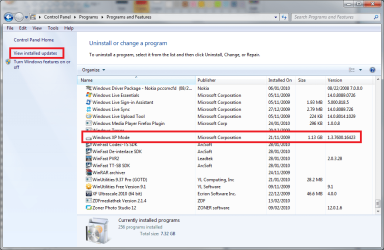
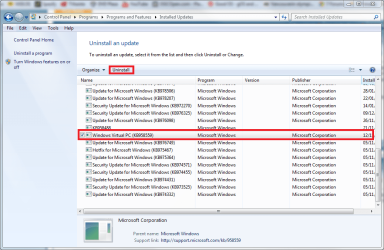
Open Control Panel > Programs > Programs and Features, uninstall Windows XP Mode. When done, click View installed updates (left pane). Choose Windows Virtual PC, click Uninstall.
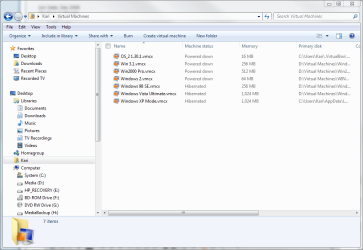
Go to C:\Users\Your_Username\Virtual Machines, delete everything. Go to C:\Users\Your_Username\AppData\Local\Microsoft\Windows Virtual PC, delete everything, except if you want to use your existing virtual machines after re-installing VPC. In that case, delete only folder VCMXBackup and file Options.xml, go to Virtual Machines folder and delete the virtual machines you don't want to keep. When deleting, remember every virtual machine has three files (hard drive image, settings, backup) if shut down, plus a saved state file if hibernated after last time used.
If you want to keep an old virtual machine and mount it later after re-installing VPC you just need to keep the vhd-file (Virtual Machine Hard Drive Image). You can delete all other files related to that vhd.
Kari