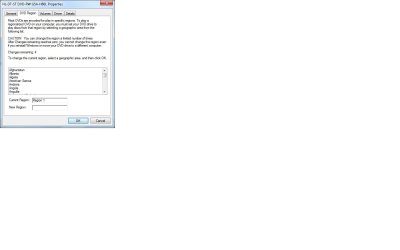
I went to go and make some dvds, but inorder to save money decided to go with Super CDs. I inserted the origional into my computer, which plays fine, i copied the iso, inserted the cd, and created a super cd with the iso through nero, but when i go to play the cd it keep ssayign that the region code on my computer does not match the region code on the disk that i just burned. how can i fix this? thanks in advance.
~Matt
~Matt
My Computer
- Computer Manufacturer/Model Number
- HP DV6915NR
- OS
- Windows 7 x64
- CPU
- AMD Turion 64 2.00GHz Dual Core
- Motherboard
- NVIDIA Quanta
- Memory
- 3.0Gb DDR2
- Graphics Card(s)
- NVIDIA GeForce7150m
- Monitor(s) Displays
- 15.4" Laptop - 19" Acer - 52" LG TV
- Screen Resolution
- 1280x800 - 1366x768
- Hard Drives
- 200GB Internal 2.5"
500GB Seagate External 3.5"
- Mouse
- Synaptics TrackPad
- Internet Speed
- DL 18Mb/s UL 5Mb/s Latency 11ms