
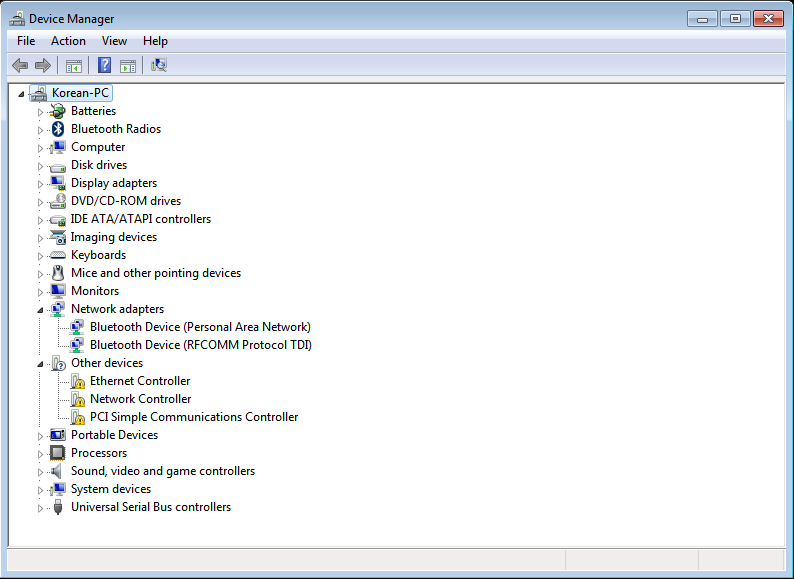
My issue seems to be similar to this thread. I have the same laptop(samsung model NT-RV511-A63D), with no working drivers for the Ethernet Controller, Network Controller, and PCI Simple Communications Controller.
Additionally, under Network Adapters, it only lists a pair of Bluetooth devices. I tried manually installing the network adapter using the .inf included in the downloads from that thread, but selecting that in the Add Hardware menu just makes a ping sound. No error message, no other response, just a musical "ding" when I hit Open.
As it is now the machine won't recognize any wireless networks and plugging in an ethernet cable gives no response either (the port itself doesn't light up so I assume it's missing some software for it). The Korean Samsung site has a downloads page for that model laptop, but it only includes touchpad drivers and a BIOS update that requires an internet connection.
Device Manager
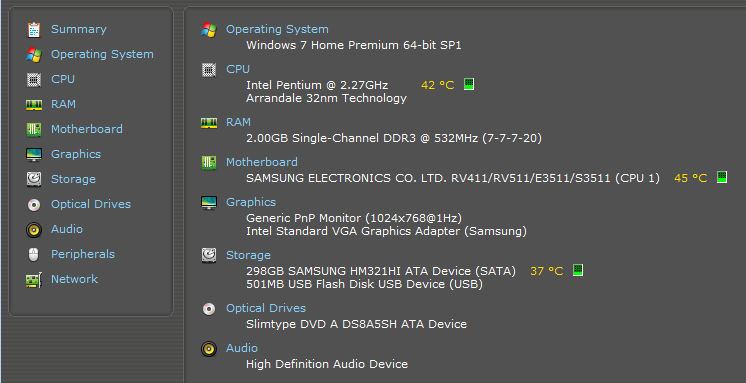
Speccy Summary
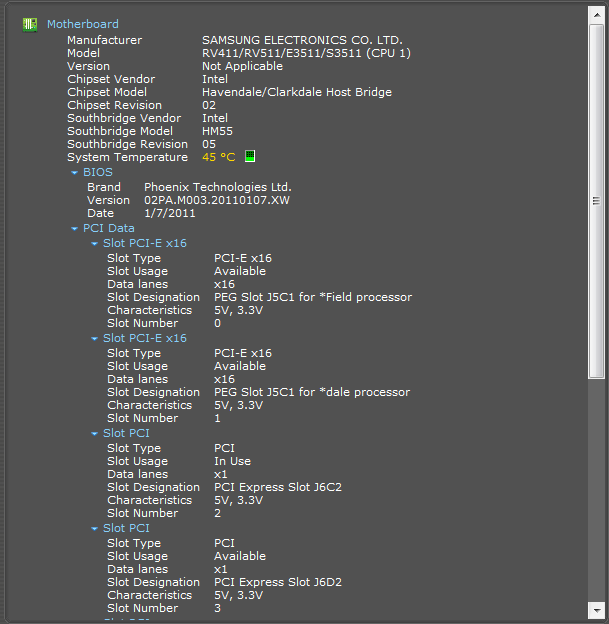
Speccy Motherboard
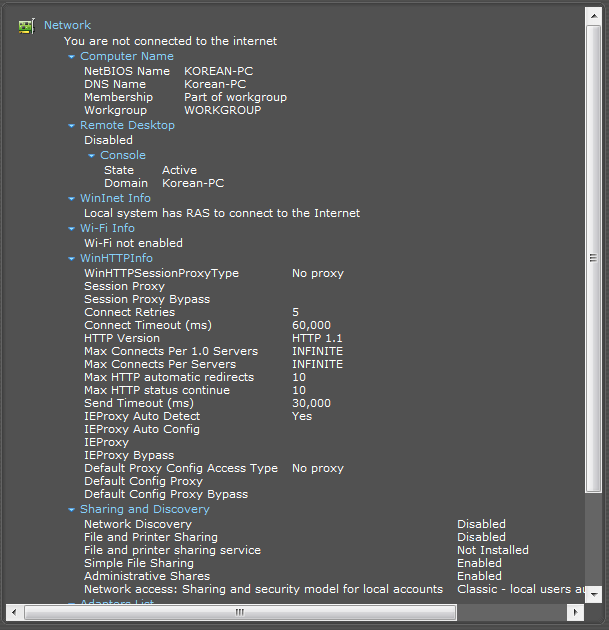
Speccy Network
If there's any other info I need to supply let me know.
Additionally, under Network Adapters, it only lists a pair of Bluetooth devices. I tried manually installing the network adapter using the .inf included in the downloads from that thread, but selecting that in the Add Hardware menu just makes a ping sound. No error message, no other response, just a musical "ding" when I hit Open.
As it is now the machine won't recognize any wireless networks and plugging in an ethernet cable gives no response either (the port itself doesn't light up so I assume it's missing some software for it). The Korean Samsung site has a downloads page for that model laptop, but it only includes touchpad drivers and a BIOS update that requires an internet connection.
Device Manager
Speccy Summary
Speccy Motherboard
Speccy Network
If there's any other info I need to supply let me know.
Last edited:
My Computer
At a glance
Windows 7 Home Premium 64bit
- Computer type
- PC/Desktop
- OS
- Windows 7 Home Premium 64bit