Reinstalling 7

kshook2009

New member
Local time
5:34 PM
Messages
12
I have a sony vaio vgn fw 351j laptop, for some reason when i boot up it just stays at a black screen? so i want to reinstall a copy of 7. howdo you do that without logging in? how to you boot from a cd?
 

My Computer

Computer Manufacturer/Model Number
Sony Vaio VGN-FW361j
OS
Sev7en
Last edited:

My Computer

Computer Manufacturer/Model Number
Wally, Innc.
OS
Windows 7 x64 finally!
CPU
AMD Athlon II X2 240
Motherboard
Biostar TA790GX XE
Memory
OCZ Platinum 4GB DDR2 1066 (will not work past 800MHz)
Graphics Card(s)
MSI R4670-MD1G Radeon HD 4670 1GB 128-bit GDDR3
Sound Card
ATI High Definition Audio Device Realtek ALC888
Monitor(s) Displays
HP w19e
Screen Resolution
1440x900
Hard Drives
Western Digital Caviar Green WD5000AADS 500GB SATA
Western Digital Caviar Blue WD5000AAKS 500GB SATA
PSU
Athena Power Micro ATX 400W
Case
HEC 6T 6T10BB Black MicroATX Mini Tower
Cooling
stock
Keyboard
wired, many keys
Mouse
HP wireless, 2 buttons, 1 wheel
Internet Speed
DSL 2Mb (recently getting 1.65M!)
What kind of disk do you have? You say CD. Is it Sony recovery or Windows 7 DVD?
 
Last edited:
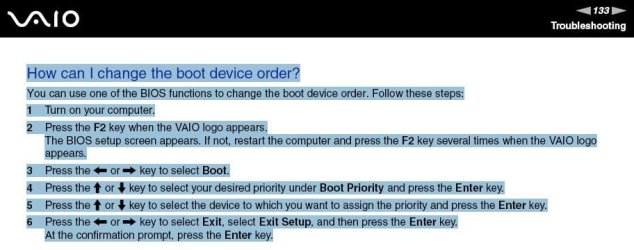
Booting from a CD is very simple. On the first splash screen after power-on it should tell you which function key (or sometimes it is ESC) to tap in order to get into the Boot sequence setup. Keep tapping that key whilst the slash screen is on. Once the boot menu comes up, navigate to the CD drive with the up/down keys and hit Enter. Then you probably get a message on the top left of the black scree saying " Hit any Key" - hit the spacebar (you have only 10 seconds to do that - else it defaults to normal boot). But after you hit the spacebar, it will boot from CD. For the next boots there is nothing you need to do. It will default to your C: disk.
 

My Computer

Computer Manufacturer/Model Number
HP, Dell, Gateway, Toshiba - 4 laptops and 2 desktops
OS
Vista, Windows7, Mint Mate, Zorin, Windows 8
CPU
from 1.6GHz Duo to i7
Monitor(s) Displays
2x HP w2207
Hard Drives
5x HDD, 7x SSD, 12x Externals
Keyboard
with trackball - no mices
Mouse
Trackball mice
Internet Speed
DSL 6000
Back
Top