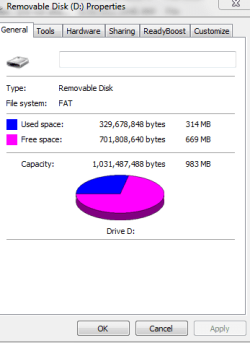
One is write protected (D) - I want to know if you can alter that property.
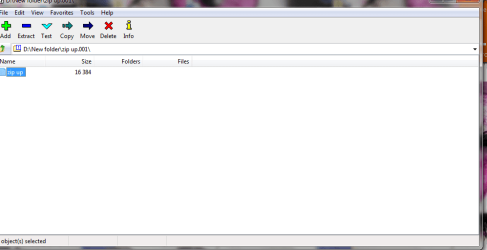
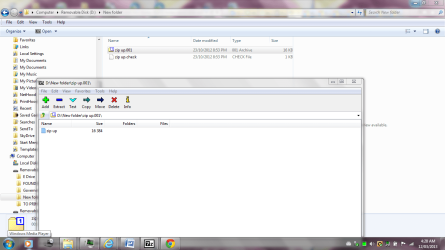
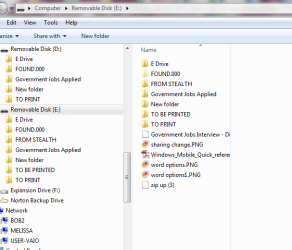
I have just put them into my laptop and discovered the presence of New Folder - with a zip folder in it and another folder called Found. Want to know how that got created.
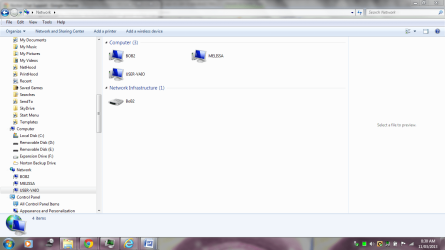
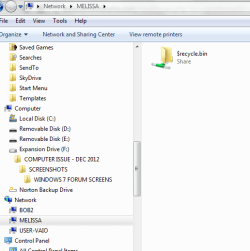
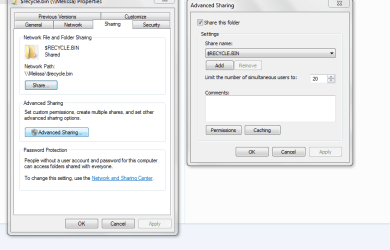
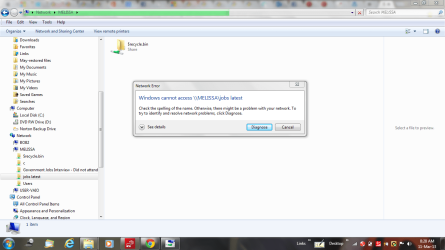
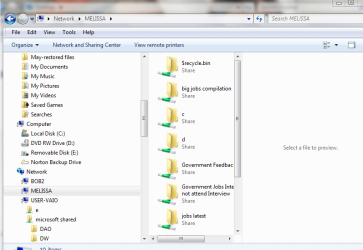
The other question I have is that the removable disks had the status of being shared and could be accessed via the network - I was wondering if I had done that correctly? I have attached what folders were shared prior and also a screen shot of what I unchecked to get it off the network.
I have been transferring data from one computer to another.
I have noticed that I have two new folders.
1> I have noticed that the folders have duplicated for some reason - maybe I copied and pasted.
2> One is write protected and the other is not.
3 > I have the situation that I have a - New Folder with a zip folder in it
and another folder called Found Folder.
4 > The removable disks were previously shared and I have gone in and changed the sharing as per my screen shots.
I have attached a copy of the situation - I would just like to know if there is any resolution to the above issues
The CHK files are fragments recovered/saved when running a chkdsk, heres some information on them if you want/need to restore them. They are most probably safe to just delete, but make a restore point first just in case.
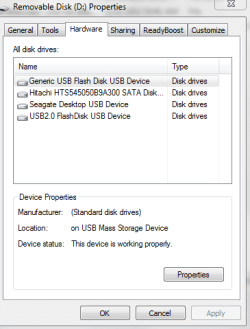
One of the drives is write protected and they are generic flash disk USBB.
When I right clicked - it does give the option to open as a portable device.
I have not used these much.
When I asked about the New Folder - I did not create it but it contains the zipup.chk files.
I guess I should try googling more often. I was going to throw the thing out if I can not do much with it or use it on other machines - but noted that a back up set is on it.
I will try and included as much information in future so I can obtain the correct information.
Do you recommend me run that scan?
Thanks - your links are great.
Like the last one - saves your typing and I really do feel like a brainless person when you just obtained it like that. Whether or not I would believe everything that is posted is a different thing
Thats a very good thing. Always be skeptical! But I looked at a couple of other information sources before I posted that link to you. They were all in pretty close agreement so I gave you the simplest easiest answer, imho, that was found.
As far as running that program...... well thats up to you. I really don't think theres anything of value/worth in them personally. Have you noticed anything "strange" going on with your machine? If not, its PROBABLY safe to go ahead and delete them. Remember though, anytime you get ready to do something like that.... go ahead and make a system restore point. Doesn't take much time and it will give you that safety cushion of "just in case".
As for the write protection , if you want to turn it off : Click start button > Computer > Choose the drive in question > Right click and choose properties > there should be a option to remove write protection, pick it, save and exit.
If theres no option for that its a little more involved. Hit Start button > in the RUN box type cmd , that will open your command prompt. In the command prompt type chkdsk x: /F where x is the drive letter of the drive you want to disable the write protection. NOTE that you will lose any data on it so move all you want to save.
Yes I wil always be skeptical. That is how most people end up on here. Then you forget what settings etc. Then you are wishing to through your device accross the room.
I am glad that I came on here. The new Microsoft Communities is a bit of a worry. Still I would dislike to be in the admin lot - but I guess there is the karma.
I tried right clicking and opening the document - but changing the extension on the .chk minus any software, that would be tough.
I appreciate the assistance. I also went to the chillout section of the forum and posted my pic.
I wil just see what I can retrieve and I know have learnt something else for the day.
I am learning slowly.
I followed the instructed from some noobs blog and ended up with duplicate numbers and all my notes off my phone. I usually follow people's insructions to the letter. He ended up informing me after the event that he had omitted one section.
Too late ----- not happy
Anyway. Back to freaking out about my operation.
At least you know that I will not be posting and give you guys a break. Perhaps I will be like a mystery shopper and se how I get treated if I changed my name????
I'm sure you'll get treated much the same as now. Most if not all of us here are really here just to help. Makes us sound very altruistic but hey....... thats "us". I belong to a couple other tech forums and can say that this one is truly the best. You came to the right place!
As far as your operation is concerned....... I really think you're being extremely brave about it. Braver than I am for sure. My Doctors want to do some exploratory surgery to my brain too, but I keep saying no. Small tumor so far, minimal symptoms. I salute your bravery.
As for the postings..... never feel like you're imposing please, as I said earlier.... we're here to help and offer that help freely and , dare I say eagerly! (That didn't sound too pompous did it? )
I was just happy when they did the MRI after my large car accident that I had evidence I had a brain.
Freaky how they pick up these things. I am a perfectionst and always strive to learn. Perhaps think I know tech stuff - but more of a pen pushing account numbers type.
Hats off to you lovely people. My tumour is large. Causing me all types of treatment.
I will test my Hard Drive - I re read your last post and thought you said to create a restore point for my external hard drive.
Thanks for the links and the help.
Good googling and hopefully I ask some silly questions that make sense in the end.
I did, wasn't paying attention to the drive actually. My bad and I apologize....... I'm a REAL stickler for backing up. Its saved me too many times in the past and its just sort of automatic to put that in when advising about any changes.
Yes and Yes. It will delete everything. Yes I will help all I can.
If you want to change from read only it will reformat so all data will be lost. Click the Start button > Right click on "Computer" Icon > Select Manage > Click Disk Management on the left side (under storage) > Right Click on the Drive you want to change > Select Quick Format or Format (as the case may be) > Click O.K. that will reset your drive and remove read only .
Or : Click the "Start" button. Select "Run". Type "Command" to bring up the command prompt. Type "Lock x: off" to unlock it. Where "x" is your drive. (which may be a better option for you)


 NETWORK ACCESS UNI.PNG67 KB · Views: 4
 network capture melissa.PNG15.4 KB · Views: 44
 network capture melissa1.PNG22 KB · Views: 4
 sharing change USER.PNG66.3 KB · Views: 5
 duplicate drives - usb thumb.PNG19.2 KB · Views: 46
 melissa share.PNG38.7 KB · Views: 4
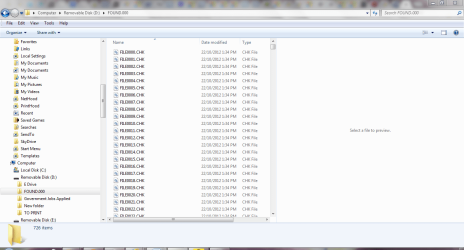 NEW FOLDER CREATED - EXTERNAL ZIP1.PNG47.5 KB · Views: 4
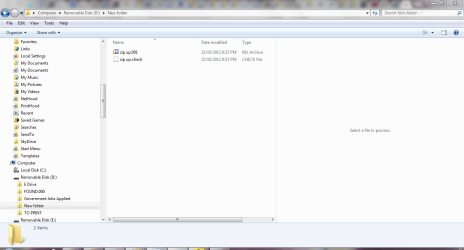 NEW FOLDER CREATED - EXTERNAL ZIP.PNG44.3 KB · Views: 4
 Most if not all of us here are really here just to help. Makes us sound very altruistic but hey.......
 thats "us". I belong to a couple other tech forums and can say that this one is truly the best. You came to the right place!
 ! (That didn't sound too pompous did it?