
Hi,
I recently figured out how to remove aero strips from taskbar and window title bars but still there is some kind of grayish gradient around the top corners which feels so unsatisfying. I want to have a solid black consistent color all over the title bar. Is it possible without editing system files or installing 3rd party themes? I managed to remove aero strips by easily tweaking a key in the registry
Please help. Thank you.


*Edit* I just realize the gradient is gone when the window is not active. Is there any way to disable that effect too? I mean even though window is currently not active, but titlebar remains the same as active window?
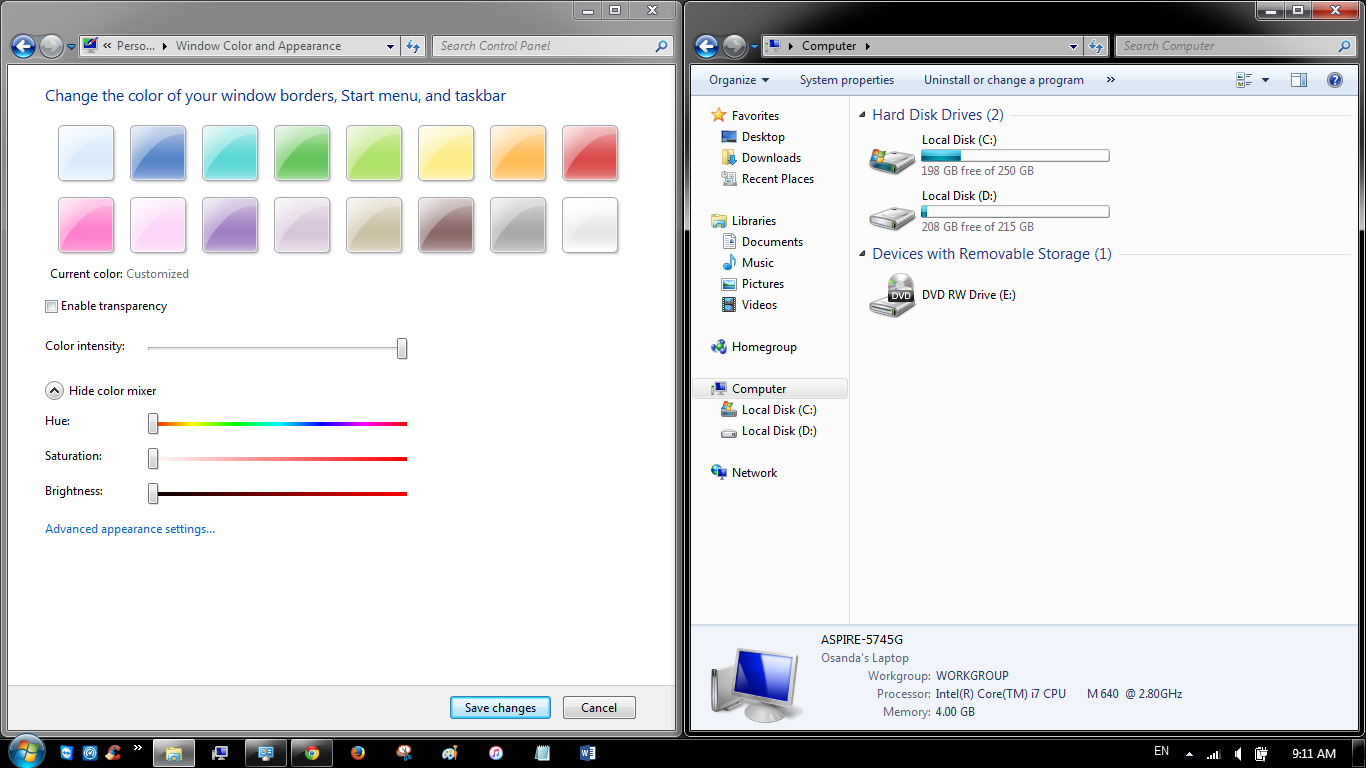
I recently figured out how to remove aero strips from taskbar and window title bars but still there is some kind of grayish gradient around the top corners which feels so unsatisfying. I want to have a solid black consistent color all over the title bar. Is it possible without editing system files or installing 3rd party themes? I managed to remove aero strips by easily tweaking a key in the registry
Please help. Thank you.
*Edit* I just realize the gradient is gone when the window is not active. Is there any way to disable that effect too? I mean even though window is currently not active, but titlebar remains the same as active window?
Last edited:
My Computer
At a glance
Genuine Windows® 7 Ultimate x64Intel® Core™ i7-640M2GB X 2 Samsung DDR3-SDRAM(s)NVIDIA® GeForce® GT 420M
- Computer type
- Laptop
- Computer Manufacturer/Model Number
- Acer Aspire 5745G
- OS
- Genuine Windows® 7 Ultimate x64
- CPU
- Intel® Core™ i7-640M
- Motherboard
- Acer ZR7
- Memory
- 2GB X 2 Samsung DDR3-SDRAM(s)
- Graphics Card(s)
- NVIDIA® GeForce® GT 420M
- Sound Card
- Realtek High Definition Audio
- Monitor(s) Displays
- Generic PnP Monitor
- Screen Resolution
- 1366x768, HD, 16:9
- Hard Drives
- Hitachi HTS545050B9A300 (500GB)
- Keyboard
- Standard PS/2 Keyboard
- Mouse
- Synaptics PS/2 Port TouchPad
- Internet Speed
- 3.6 Mbps
- Antivirus
- Kaspersky Internet Security 2012
- Browser
- Google Chrome
