Remove "labels" from drive types in "Computer" window?
Hi there,
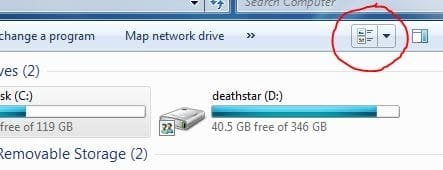
I didn't really know how to google for this (although I did), so I didn't find anything proper and like to ask you: How do I remove the "labels" from drive types in "Computer" window? What I mean:

These labels above the different drives are really annoying, as I'm accustomed at one item after another and somehow one could change it to that view in every OS every since (XP, Vista), but now it doesn't seem to work? (I tried all the context menu items )
)
Any ideas? Thanks for your help in advance, much appreciated!
Kind regards
Hi there,
I didn't really know how to google for this (although I did), so I didn't find anything proper and like to ask you: How do I remove the "labels" from drive types in "Computer" window? What I mean:
These labels above the different drives are really annoying, as I'm accustomed at one item after another and somehow one could change it to that view in every OS every since (XP, Vista), but now it doesn't seem to work? (I tried all the context menu items
)Any ideas? Thanks for your help in advance, much appreciated!
Kind regards
My Computer
- Computer Manufacturer/Model Number
- Self-built
- OS
- Windows 7 Professional (final) x64
- CPU
- INTEL Core2 Duo E8500
- Motherboard
- ASUS P5Q
- Memory
- OCZ Reaper HPC Edition 4GB PC2-8500U CL5-5-5-18
- Graphics Card(s)
- NVIDIA GeForce 8800GS
- Sound Card
- Creative X-Fi Soundblaster Music
- Monitor(s) Displays
- LG FLATRON W2252TE
- Screen Resolution
- 1680x1050
- Hard Drives
- 1x Intel SSD X25-M 160 GB
1x Samsung HD642JJ 640 GB (SpinPoint F1 DT)
- PSU
- OCZ ModXStream Pro OCZ500MXSP
- Case
- Lian Li PC-7F
- Cooling
- Apack Zerotherm FZ120 Nanoxia Edition
- Keyboard
- Logitech Media Keyboard Elite (2005 model)
- Mouse
- Logitech RX-1500 (2008)
- Internet Speed
- 16.000 KB
- Other Info
- Plantronics GameCom® 377
SteelSeries Siberia In-Ear Headphones (black)


 ) do somehow (why??) not properly recognize, that I put the Taskbar at the top, I can't change the position of the window!