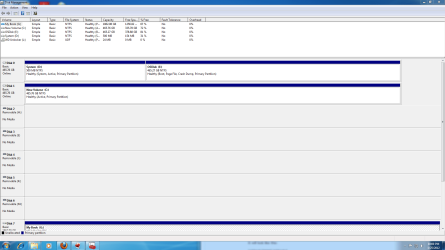
Please post back a screenshot of your maxmized Disk management drive map, using the Snipping Tool in Start Menu. We will give you the steps to remove Vista and recover its drive space if you want.
2. If D: is your Vista, save all your personal data from there (to C: or E). Then right click on D: (in Disk management) and delete the partition. Since C: has it's own bootmgr, you can do that.
3. If anything goes wrong, you can always restore the D: image.
My Computer
At a glance
Vista, Windows7, Mint Mate, Zorin, Windows 8from 1.6GHz Duo to i7
Computer Manufacturer/Model Number
HP, Dell, Gateway, Toshiba - 4 laptops and 2 desktops
Have copied disks to My Book. Would like to put Win 7 as OS on Disk 001CAD since it is top in comp and use standard letters. Make it as simple as you can, one step at a time.
Are you saying you have decided to reinstall Win7 to Disk1 shown in screenshot?
If so when you've backed up your files and gathered your program installers, unplug the other HD then boot the Win7 installer, adapt these steps to get a perfect reinstall: Reinstalling Windows 7
If you took the screenshot from Win7 then it is on partition E as signified by the Boot label on the partition that it is the booted OS. Win7 is not labeled C because the installer was apparently incorrectly run from another OS and not booted.
I don't know what is on C which is Disk1 in screenshot. Post back another screenshot of the contents of C. Is that where you want to reinstall Win7? You didnt answer this question yet.
The screenshot was taken from Win 7. Does it really does not matter which disk is which, they are supposed to be the same. Would like the letters of drives to be standard. Finally got the Partition Wizard. Ready as far as I know.
Have not hear in some time. Have you given up.???? My comp is working with the exception of Win Ess Mail But I would still like to get rid of Vista and the Dual Boot.