Replacing Start Orb?

Cam

New member
Local time
1:26 AM
Messages
160
Location
New Jersey, United States
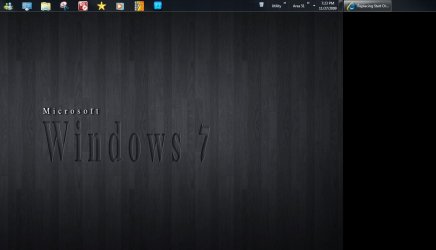
How would I go about replacing the image of my Start Orb, so that it looks like the "Show Desktop" button? Here's a picture of what I want it to look like:

omgwfr.png
 

My Computer

Computer Manufacturer/Model Number
Dell Studio 540
OS
Windows 7 RTM
CPU
Intel Q660 Quad-Core CPU (2.40GHz)
Memory
4GB Dual Channel DDR2 SDRAM (800MHz)
Graphics Card(s)
ATI Radeon HD 4850 (512MB)
Monitor(s) Displays
20'' Dell E207WFP
Screen Resolution
1680x1050
Hard Drives
500GB Serial ATA Hard Drive (7200RPM)

250GB Serial ATA Hard Drive (7200RPM)
PSU
400 Watt DC Power Supply
Case
H: 14.2 inches | W: 6.7 inches | D: 17.1 inches
Keyboard
Dell Multimedia Keyboard
Mouse
Dell Premium Optical USB Mouse
Internet Speed
Download Rate: 5533 KB/s | Upload Rate: 2085 KB/s

My Computer

Computer Manufacturer/Model Number
Custom made
OS
Window 7 build 7600, Xp pro(VM)
CPU
Amd Athlon 2000 xp+
Motherboard
Asus x series
Memory
kingstone(1gb+256MB)
Graphics Card(s)
Nvdia 6200(256 mb+255mb(shared))
Sound Card
soundmax
Monitor(s) Displays
Lg Flatron w1943
Screen Resolution
1360x768
Hard Drives
segate 80GB
Case
i-ball
Keyboard
i-ball
Mouse
i-ball
Internet Speed
256kbps up and 256 kbps down
Found anything that works on the 64bit Windows?
 

Attachments

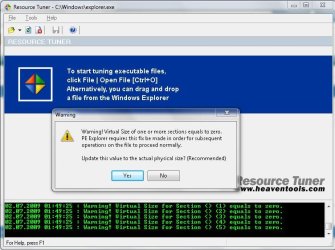
  • RT error 1.jpg
    RT error 1.jpg
    72.7 KB · Views: 139
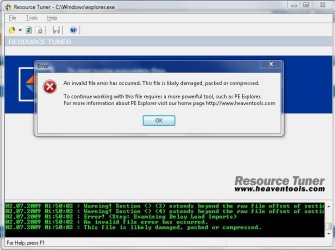
  • RT error2.jpg
    RT error2.jpg
    65.1 KB · Views: 124
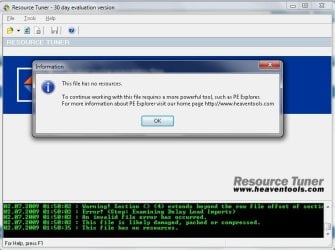
  • RT error3.jpg
    RT error3.jpg
    58.5 KB · Views: 56

My Computers

System One System Two

  • Computer type
    PC/Desktop
    Computer Manufacturer/Model Number
    Custom builds = 2
    OS
    W7 Ultimate x64/W10 Pro x64/W11 Pro Triple Boot - Main PC W7 Remote PC Micro ATX W7 Pro x64/W11 Pro
    CPU
    AMD Phenom II X4 975 Deneb 3.6ghz - 965 2nd remote pc
    Motherboard
    Gigabyte GA-790XTA-UD4-Gigabyte GA-880GM-D2H remote pc
    Memory
    Kingston Hyper X DDR3 1600 1.5v 16gb - Hyper X Fury 8gb 2nd
    Graphics Card(s)
    MSI HD Radeon 5750 1gb - MSI HD Radeon 6450 on mini tower
    Sound Card
    Creative Labs X-Fi Xtreme Audio P - Realtek onooard 2nd case
    Monitor(s) Displays
    ASUS VW199T-P 19" HP 2082a Main-HP 2082a 20" remote pc
    Screen Resolution
    Asus 1440x900 - HP 1600x900
    Hard Drives
    WD Black 1TB HD per OS W7, W10, and pending W11 presently on 500gb OS Drive - Pending Triple 1TB HDs for Spanned Storage/backup volume
    Single 2TB external USB enclosure, single 1TB System 7 Host/Boot drive, Pending 8TB external HD for system image b
    PSU
    Corsair 750TX - primary / Corsair CX600 - second
    Case
    Antec 900-2 - SSD compatible / NZXT Vulcan mini tower
    Cooling
    Zalman CNPS9900A
    Keyboard
    AZIO L70 Backlit Letters Gaming - ONN Cordless/USB
    Mouse
    MSI DS200 Programmable, Logitech Cordless
    Internet Speed
    30mbps upgrade - primary hard wired - mini tower usb WiFi
    Antivirus
    GFI VIPRE Internet Security 2014 on W7 2016 beta on W10,
    Browser
    Cyberfox, WaterFox 64bit FF variants, FireFox x64, Pale Moon
    Other Info
    Accomdata fan cooled usb 2.0 PIDE/Sata II, III external enclosure.
    Sambient usb/eSata PATA/Sata II, III external enclosure.
  • Computer type
    PC/Desktop
    System Manufacturer/Model Number
    CUSTOM ASSEMBLY
    OS
    W7 Pro x64/W11 Pro
    CPU
    AMD Deneb 3.6ghz - 965
    Motherboard
    Gigabyte GA-880GM-D2H remote pc
    Memory
    Kingston Hyper X Fury 8gb
    Graphics Card(s)
    MSI HD Radeon 6450 DVI Output
    Sound Card
    Realtek onooard Creative or Other separate PENDING
    Monitor(s) Displays
    VIZIO 32" LCD TV Separate LCD Pending
    Screen Resolution
    1600x1080
    Hard Drives
    WD 500GB OS Host/Boot WD Green 1TB Storage/Backup
    PSU
    Corsair 600W - THERMALTAKE 600W spare case
    Case
    NZXT Vulcan mini tower
    Cooling
    Twin 120mm Top Fans - 240mm Side Cover
    Keyboard
    ONN Cordless/USB Logitech Cordless
    Mouse
    ONN USB/Cordless - Logitech Cordless
    Internet Speed
    DSL 5G
    Browser
    MS Edge, FireFox, WaterFox x64, FireFox Nightly
    Other Info
    OS Testing-Remote Access to Main TeamViewer
i like the look of that. where did you get the show desktop icon? also, how did you space out the icons? anytime i drag my icons to the taskbar, they all slide to the left.
 

My Computer

OS
Windows 7 Professional 32-Bit
CPU
AMD Phenom II X2 545 3GHz
Motherboard
Gigabyte MA785GM-US2H
Memory
3GB DDR2-800
Graphics Card(s)
PNY GeForce 9800 GT 512MB
Sound Card
Onboard sound
Monitor(s) Displays
e17T4 17"
Screen Resolution
1280x1024
Hard Drives
Western Digital Caviar 320GB IDE
PSU
Tiger 450W
Case
eMachines C6415 mATX
Cooling
AMD Stock Cooler
Keyboard
Logitech EX110 Wireless Keyboard
Mouse
Logitech EX110 Wireless Mouse
Internet Speed
Verizon FiOS
Other Info
Zonealarm Internet Security Suite 9 for Antivirus and Firewall
i like the look of that. where did you get the show desktop icon? also, how did you space out the icons? anytime i drag my icons to the taskbar, they all slide to the left.
See this for centering the Taskbar Icons :)
How to Center Taskbar Icons in Windows 7
Also i believe that in the screenshot has been used some kinda start button killer which uses a show desktop instead. But i'm not sure
 
i know how to replace the icon, i'm just not sure where to find the show desktop icon. any idea where that icon is kept?
 

My Computer

OS
Windows 7 Professional 32-Bit
CPU
AMD Phenom II X2 545 3GHz
Motherboard
Gigabyte MA785GM-US2H
Memory
3GB DDR2-800
Graphics Card(s)
PNY GeForce 9800 GT 512MB
Sound Card
Onboard sound
Monitor(s) Displays
e17T4 17"
Screen Resolution
1280x1024
Hard Drives
Western Digital Caviar 320GB IDE
PSU
Tiger 450W
Case
eMachines C6415 mATX
Cooling
AMD Stock Cooler
Keyboard
Logitech EX110 Wireless Keyboard
Mouse
Logitech EX110 Wireless Mouse
Internet Speed
Verizon FiOS
Other Info
Zonealarm Internet Security Suite 9 for Antivirus and Firewall
Mine's on the right hand side of the taskbar .... also known as 'aero peek' :p

(personalization)
 

My Computer

Computer type
PC/Desktop
Computer Manufacturer/Model Number
Bruce ... somewhere in his 40's
OS
Windows 7 Ultimate 32bit SP1
CPU
Intel(R) Core(TM)2 Quad CPU @ 2.40GHz, 2400 MHz
Motherboard
INTEL/D975XBX2
Memory
4 GB
Graphics Card(s)
ATI Radeon HD 2600 Pro
Monitor(s) Displays
Samsung SyncMaster 914v
Screen Resolution
1280 x 1024
Hard Drives
2/500GB each ... ST3500630AS ATA Device.
One is not connected
PSU
Rocketfish 700 W
Case
G.Skill Gigabyte Chassis
Keyboard
Standard PS/2 Keyboard
Mouse
Microsoft PS/2 Mouse
Internet Speed
DSL
Antivirus
Avira Internet Security
Browser
IE 11
Other Info
ATI HDMI Audio
...i know that. the thing on the right is the aero peek button. that's standard on all windows 7 machines. if you notice on the screenshot in the first post, you'll see that there's also an aero peek like button on the left in place of the start menu. that is my question. where do i find that icon so i can change the start menu button.
 

My Computer

OS
Windows 7 Professional 32-Bit
CPU
AMD Phenom II X2 545 3GHz
Motherboard
Gigabyte MA785GM-US2H
Memory
3GB DDR2-800
Graphics Card(s)
PNY GeForce 9800 GT 512MB
Sound Card
Onboard sound
Monitor(s) Displays
e17T4 17"
Screen Resolution
1280x1024
Hard Drives
Western Digital Caviar 320GB IDE
PSU
Tiger 450W
Case
eMachines C6415 mATX
Cooling
AMD Stock Cooler
Keyboard
Logitech EX110 Wireless Keyboard
Mouse
Logitech EX110 Wireless Mouse
Internet Speed
Verizon FiOS
Other Info
Zonealarm Internet Security Suite 9 for Antivirus and Firewall
When taking a screenshot on a multiple monitor system you can snip what is on the right or center screen and end up with the show desktop button included which would be to the left there as the taskbar is extended on the second desktop. The snip here was a stretch over from the center of the first onto the second where you can see how a snip from the right screen could also stretch onto the first.
 

Attachments

  • Extended Desktop.jpg
    Extended Desktop.jpg
    65.2 KB · Views: 116

My Computers

System One System Two

  • Computer type
    PC/Desktop
    Computer Manufacturer/Model Number
    Custom builds = 2
    OS
    W7 Ultimate x64/W10 Pro x64/W11 Pro Triple Boot - Main PC W7 Remote PC Micro ATX W7 Pro x64/W11 Pro
    CPU
    AMD Phenom II X4 975 Deneb 3.6ghz - 965 2nd remote pc
    Motherboard
    Gigabyte GA-790XTA-UD4-Gigabyte GA-880GM-D2H remote pc
    Memory
    Kingston Hyper X DDR3 1600 1.5v 16gb - Hyper X Fury 8gb 2nd
    Graphics Card(s)
    MSI HD Radeon 5750 1gb - MSI HD Radeon 6450 on mini tower
    Sound Card
    Creative Labs X-Fi Xtreme Audio P - Realtek onooard 2nd case
    Monitor(s) Displays
    ASUS VW199T-P 19" HP 2082a Main-HP 2082a 20" remote pc
    Screen Resolution
    Asus 1440x900 - HP 1600x900
    Hard Drives
    WD Black 1TB HD per OS W7, W10, and pending W11 presently on 500gb OS Drive - Pending Triple 1TB HDs for Spanned Storage/backup volume
    Single 2TB external USB enclosure, single 1TB System 7 Host/Boot drive, Pending 8TB external HD for system image b
    PSU
    Corsair 750TX - primary / Corsair CX600 - second
    Case
    Antec 900-2 - SSD compatible / NZXT Vulcan mini tower
    Cooling
    Zalman CNPS9900A
    Keyboard
    AZIO L70 Backlit Letters Gaming - ONN Cordless/USB
    Mouse
    MSI DS200 Programmable, Logitech Cordless
    Internet Speed
    30mbps upgrade - primary hard wired - mini tower usb WiFi
    Antivirus
    GFI VIPRE Internet Security 2014 on W7 2016 beta on W10,
    Browser
    Cyberfox, WaterFox 64bit FF variants, FireFox x64, Pale Moon
    Other Info
    Accomdata fan cooled usb 2.0 PIDE/Sata II, III external enclosure.
    Sambient usb/eSata PATA/Sata II, III external enclosure.
  • Computer type
    PC/Desktop
    System Manufacturer/Model Number
    CUSTOM ASSEMBLY
    OS
    W7 Pro x64/W11 Pro
    CPU
    AMD Deneb 3.6ghz - 965
    Motherboard
    Gigabyte GA-880GM-D2H remote pc
    Memory
    Kingston Hyper X Fury 8gb
    Graphics Card(s)
    MSI HD Radeon 6450 DVI Output
    Sound Card
    Realtek onooard Creative or Other separate PENDING
    Monitor(s) Displays
    VIZIO 32" LCD TV Separate LCD Pending
    Screen Resolution
    1600x1080
    Hard Drives
    WD 500GB OS Host/Boot WD Green 1TB Storage/Backup
    PSU
    Corsair 600W - THERMALTAKE 600W spare case
    Case
    NZXT Vulcan mini tower
    Cooling
    Twin 120mm Top Fans - 240mm Side Cover
    Keyboard
    ONN Cordless/USB Logitech Cordless
    Mouse
    ONN USB/Cordless - Logitech Cordless
    Internet Speed
    DSL 5G
    Browser
    MS Edge, FireFox, WaterFox x64, FireFox Nightly
    Other Info
    OS Testing-Remote Access to Main TeamViewer
Back
Top