Requesting assistance with secondary pasting of customized Paint image

Hamish62

New member
Local time
2:18 PM
Messages
21
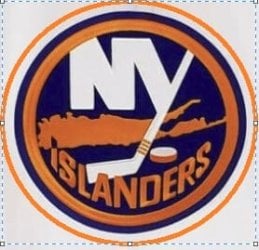
Hi - trying to customize an item pasted to Paint by orange oval cropping around [see ATTACHED item; hadto tertiarily paste] primary image (NO jokes! They did almost advance to the SC Finals, after all) as shown but for some reason, system is not allowing me to use the 'Ctrl'-'Shift'-X' option to secondarily paste after such treatment - additionally, want to fill in background (all four corners, filling in up to white outer ring) with SAME shade orange.....please advise? Thanks - any assistance, is MUCH appreciated!

J.
 

Attachments

  • ATTEMPTED 3rd orange ISLANDERS logo SC.jpg
    ATTEMPTED 3rd orange ISLANDERS logo SC.jpg
    18.5 KB · Views: 6

My Computer My Computer

At a glance

7 Pro 64-bit
Computer type
PC/Desktop
Computer Manufacturer/Model Number
Dell
OS
7 Pro 64-bit
I'm having a hard time understanding your issue.

Give Photofiltre a try once. Use the eye dropper to pull the orange color and then use the paint can to fill in the square with orange. PhotoFiltre Studio

There is a help forum. http://forum.photofiltre.com/

Consequently, if you'd like to just keep the oval and have a transparent background, I use Lunapic. LunaPic | Free Online Photo Editor

Upload the image, click Edit and select Transparent Background at the bottom in Edit. Then pick the white areas (more than once if necessary) and you'll have a transparent background with just the oval. It appears transparent backgrounds are only supported with a gif or png that I know of. Not sure about tiff and all the rest. I know jpg won't.

I'm sure Photofiltre can do this, I just don't know how. I'm not a photo editing guru.
 

My Computer My Computer

At a glance

Windows 7 Ultimate x64
Computer type
PC/Desktop
OS
Windows 7 Ultimate x64
Back
Top