
- Local time
- 1:57 PM
- Messages
- 174
Hey,
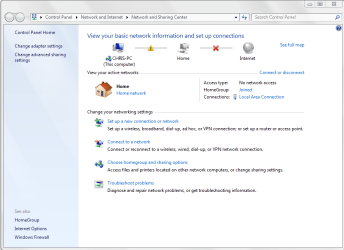
I'm having trouble maintaining a stable internet connection. The icon in the taskbar would randomly display a problem with the connection. When I go to click on the "X" on the network map to resolve it, it would go through a bunch of steps and eventually end up resetting "local area connection" adapter. Most of the time this would work but sometimes the computer would say it couldn't even find the problem.
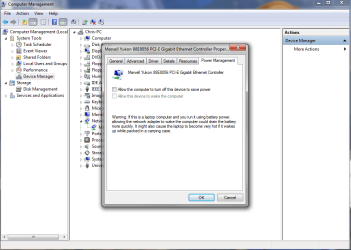
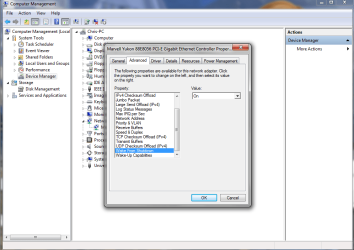
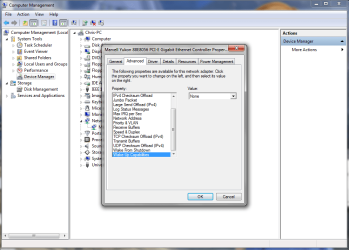
Below are the current settings I've set for the adapter, but the problem still occurs sporadically.
Any help is appreciated. Thanks!
I'm having trouble maintaining a stable internet connection. The icon in the taskbar would randomly display a problem with the connection. When I go to click on the "X" on the network map to resolve it, it would go through a bunch of steps and eventually end up resetting "local area connection" adapter. Most of the time this would work but sometimes the computer would say it couldn't even find the problem.
Below are the current settings I've set for the adapter, but the problem still occurs sporadically.
Any help is appreciated. Thanks!
Attachments
My Computer
- Computer type
- PC/Desktop
- OS
- Windows 7 Pro 64 bit
- CPU
- Intel i7 6700k
- Motherboard
- ASUS Z-170-A
- Memory
- Kingston HyperX Fury 16GB 2133MHz
- Graphics Card(s)
- EVGA GTX 1060 6GB
- Sound Card
- N/A
- Monitor(s) Displays
- Viewsonic VX2240w
- Screen Resolution
- 1680 x 1050
- Hard Drives
- Sandisk Ultra II 480GB SSD,
WD Caviar Black 1TB
- PSU
- Corsair RM750x
- Case
- Corsair 550D
- Cooling
- CoolerMaster Hyper 212
- Keyboard
- $20 Logitech El Cheapo
- Mouse
- Logitech G500s
- Antivirus
- avast! free antivirus
- Browser
- Google Chrome
