Solved resize system patition

miladrmzy

New member
Local time
9:00 AM
Messages
9
hi.
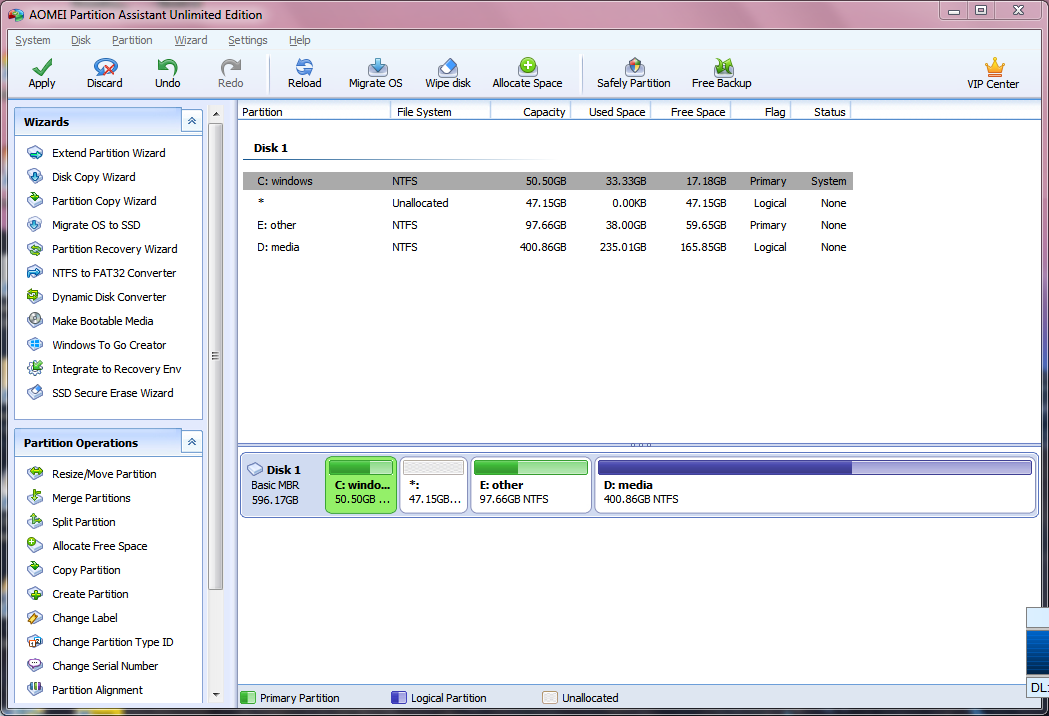
i want to resize drive C size and merge it with another drive using AOMEI Partition Assistant tool.
here is screen shot of my drives
LPrjwRXg_o.png


but im not sure about this.
is it safe to reduce system drive?
how to fix problems if windows wont boot up after resize?
thanks.
 

My Computer

Computer type
Laptop
Computer Manufacturer/Model Number
HP
OS
Windows 7 Ultimate x64
CPU
core i5
Motherboard
hp
Graphics Card(s)
amd 7400m
Hard Drives
toshiba hdd
Antivirus
eset
Browser
chrome
Which drive do you want to merge it with?
 

My Computers

System One System Two

  • Computer type
    PC/Desktop
    OS
    7 X64
    CPU
    i5 8400
    Motherboard
    gigabyte b365m ds3h
    Memory
    2x8gb 3200mhz
    Hard Drives
    various
    PSU
    pure power 11 400w cm
    Case
    Coolermaster
    Cooling
    cryorig m9i
  • Computer type
    PC/Desktop
    OS
    7x64
    CPU
    g5400
    Motherboard
    ga b365m ds3h
    Memory
    8gb ddr4 2400
    PSU
    xfx pro 450w
Which drive do you want to merge it with?

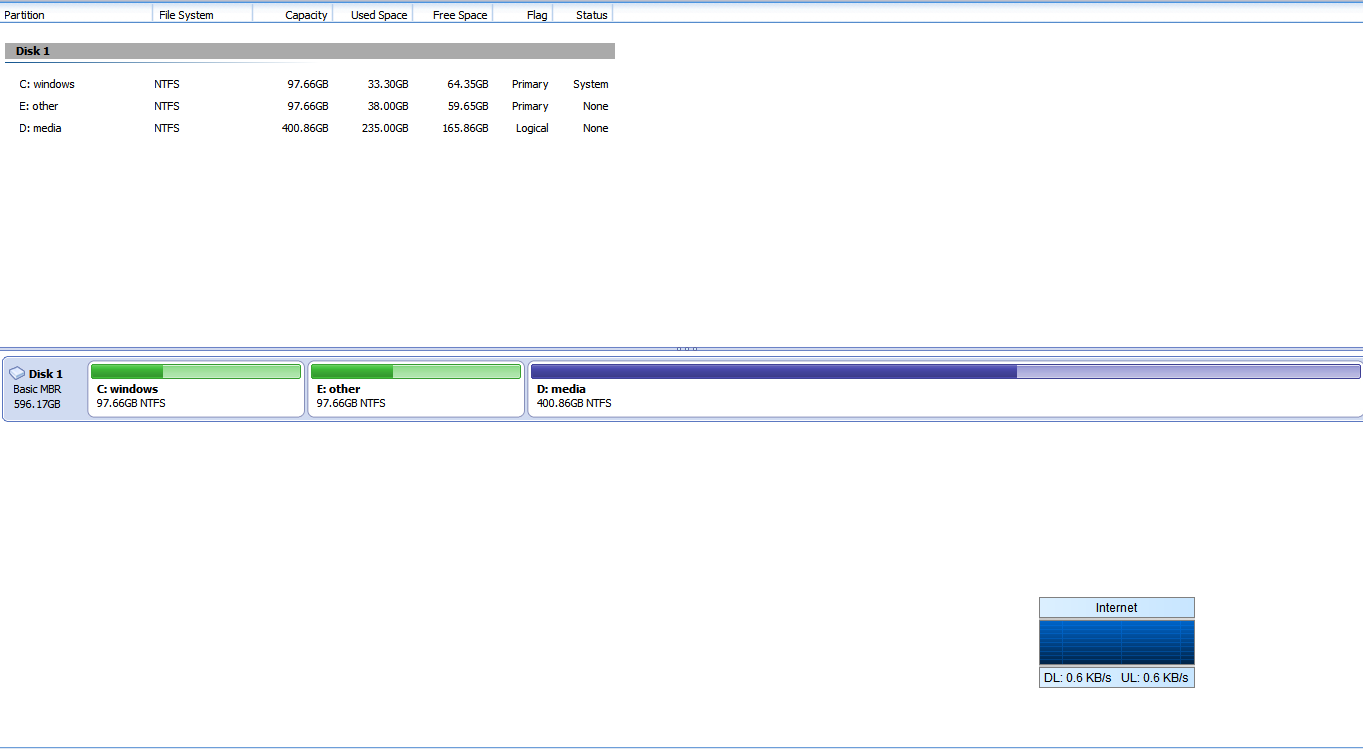
with drive d, media

47 gb will be available as unallocated

here is another screen shot before merge and apply.

R6hQh3YK_o.png
 

My Computer

Computer type
Laptop
Computer Manufacturer/Model Number
HP
OS
Windows 7 Ultimate x64
CPU
core i5
Motherboard
hp
Graphics Card(s)
amd 7400m
Hard Drives
toshiba hdd
Antivirus
eset
Browser
chrome
Everything in the E partition will have to moved to the right of D just for starters.

Is Aomei offering to merge those two non adjacent partitions, C and D ?
 

My Computers

System One System Two

  • Computer type
    PC/Desktop
    OS
    7 X64
    CPU
    i5 8400
    Motherboard
    gigabyte b365m ds3h
    Memory
    2x8gb 3200mhz
    Hard Drives
    various
    PSU
    pure power 11 400w cm
    Case
    Coolermaster
    Cooling
    cryorig m9i
  • Computer type
    PC/Desktop
    OS
    7x64
    CPU
    g5400
    Motherboard
    ga b365m ds3h
    Memory
    8gb ddr4 2400
    PSU
    xfx pro 450w
You might be better shrinking D from the left by 98gb.

Then copy E into the 98gb unallocated space you just created.

Next, delete E.
 

My Computers

System One System Two

  • Computer type
    PC/Desktop
    OS
    7 X64
    CPU
    i5 8400
    Motherboard
    gigabyte b365m ds3h
    Memory
    2x8gb 3200mhz
    Hard Drives
    various
    PSU
    pure power 11 400w cm
    Case
    Coolermaster
    Cooling
    cryorig m9i
  • Computer type
    PC/Desktop
    OS
    7x64
    CPU
    g5400
    Motherboard
    ga b365m ds3h
    Memory
    8gb ddr4 2400
    PSU
    xfx pro 450w
ok.thanks for your help
 

My Computer

Computer type
Laptop
Computer Manufacturer/Model Number
HP
OS
Windows 7 Ultimate x64
CPU
core i5
Motherboard
hp
Graphics Card(s)
amd 7400m
Hard Drives
toshiba hdd
Antivirus
eset
Browser
chrome
You have a problem you can grow c into the unalocated no problem but drive d is not a primary paritions its logical
 

My Computer

Computer type
PC/Desktop
OS
win 8 32 bit
Back
Top