
Radiomange
New member
- Local time
- 12:31 PM
- Messages
- 5
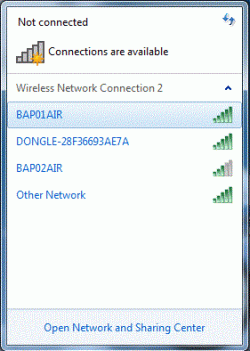
I am working with a Windows 7 Embedded system used by pilots in agricultural work. The C: drive is locked to protect the data when we are done configuring. Any pilots entries are erased when the system is re-powered. Also, the touch screen is only about 6" x 8" so I would love to have the wireless network icon NOT be minimized in the task tray but, instead minimized on the task bar. Anyone know if this is possible? I have attached an actual image of the icon opened. You will recognize the small bars in the upper left corner as the wireless icon that is minimized to a small icon in the system tray or on the right of the taskbar. How can I (or can I) get this to behave as a normal minimized icon ON the taskbar?
Last edited:
My Computer
- Computer type
- PC/Desktop
- Computer Manufacturer/Model Number
- Dell
- OS
- Windows 10 Home 32 bit
