restore point question

bohusk

New member
Local time
12:55 AM
Messages
21
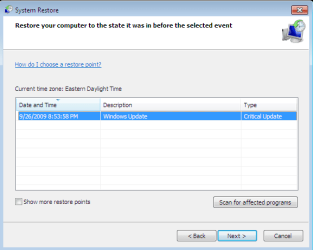
I want to restore the system to earlier state, but when I select restore point manually, it shows me just 3 restore points from yesterday, when I check show all restore points, nothing happen. How to find a restore points from 2 - 3 days ago ?
 

My Computer

OS
windows 7 home premium 64bit sp1
When you start up system restore, you will see the option to show more restore points... check it, select the restore point you want

Capture.PNG
 

My Computer

Computer type
PC/Desktop
Computer Manufacturer/Model Number
LENOVO K450 @3.0GHZ
OS
64-bit Windows 8.1 Pro
CPU
Core(TM) i5 CPU 4330 Haswell @ 3.20GHz
Motherboard
LENOVO
Memory
12.00 GB
Graphics Card(s)
Intel(R) HD Graphics
Sound Card
Intel HD integtrated
Monitor(s) Displays
HP 25' ISP Monitor
Screen Resolution
1900/1020
Hard Drives
(1) ST1000DM003-1CH162 (2) Generic STORAGE DEVICE USB Device (3) Generic STORAGE DEVICE USB Device
Internet Speed
100mb down/10mb up
When I check show more restore points, nothing happens, there won't show other restore points.
 
Last edited:

My Computer

OS
windows 7 home premium 64bit sp1
You need to check the amount of space that you have set aside for restore points .. if your restore points exceed the amount of space you have reserved, windows will delete the oldest point available to make room for a new one.

http://www.sevenforums.com/tutorials/335-system-protection-change-disk-space-usage.html

Unfortunately, once they're gone, they're gone... You might want to increase your space for restore points, or if you have set up system restore to make automatic restore points, you may want to consider reducing the frequency of automatic restore points..
 
Last edited by a moderator:

My Computer

Computer type
PC/Desktop
Computer Manufacturer/Model Number
LENOVO K450 @3.0GHZ
OS
64-bit Windows 8.1 Pro
CPU
Core(TM) i5 CPU 4330 Haswell @ 3.20GHz
Motherboard
LENOVO
Memory
12.00 GB
Graphics Card(s)
Intel(R) HD Graphics
Sound Card
Intel HD integtrated
Monitor(s) Displays
HP 25' ISP Monitor
Screen Resolution
1900/1020
Hard Drives
(1) ST1000DM003-1CH162 (2) Generic STORAGE DEVICE USB Device (3) Generic STORAGE DEVICE USB Device
Internet Speed
100mb down/10mb up
Ah well, I found out how to check how much space was used by restore points, and it is only 10GB. So that doesn't fit.

Drew
 

My Computer

OS
7 Ultimate 64-bit
CPU
i7 920
Motherboard
ASUS P6T SE
Memory
6GB
Graphics Card(s)
ATI 4650 HD
Monitor(s) Displays
2 x 17inch LCD
Hard Drives
2x Fujitsu 7200RPM 500GB Sata
Back
Top